Change a Primary Contact on a Corporate Membership
The primary contact assigned to a corporate membership has additional access and responsibilities. They are able to add and remove contacts and are responsible for renewing membership.
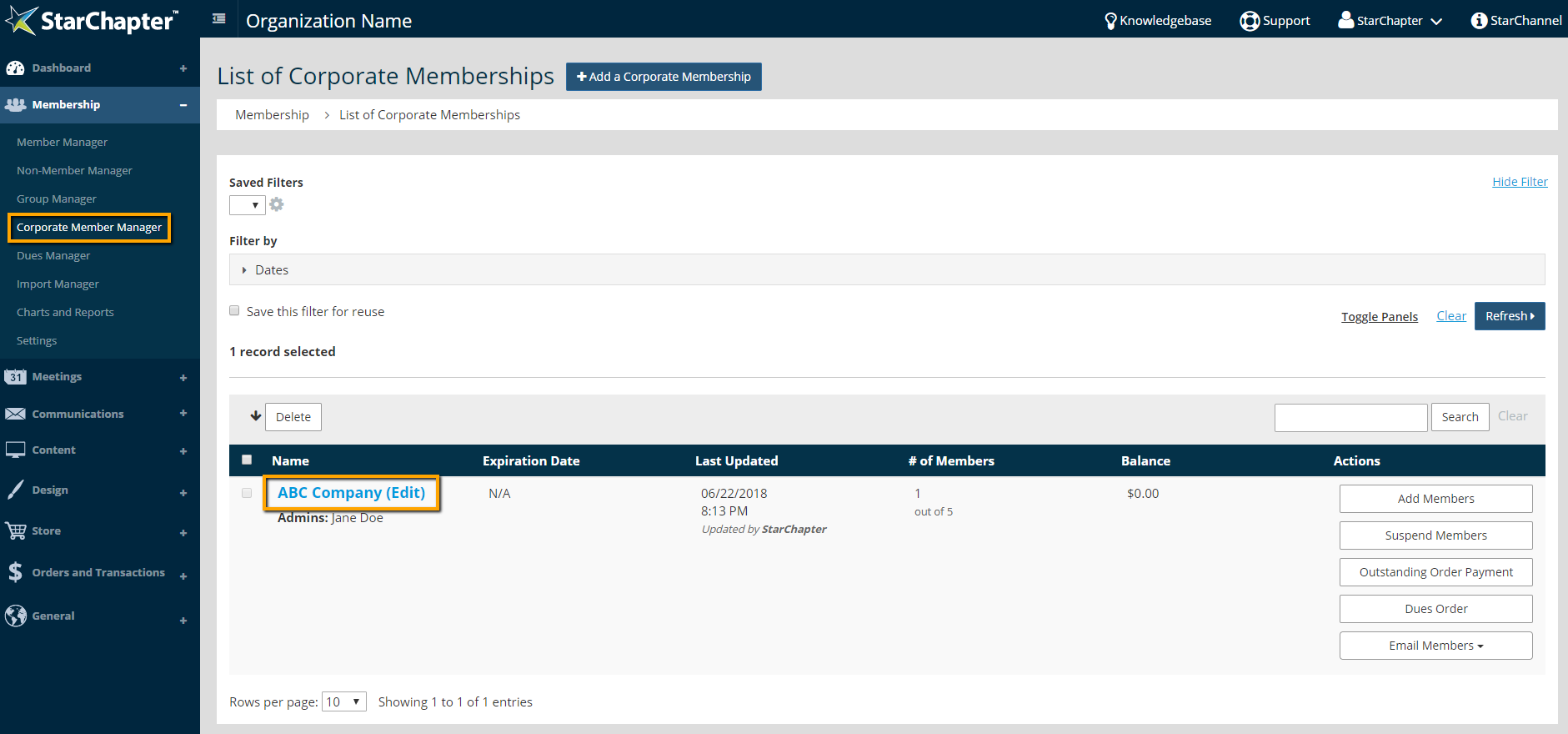
- Go to Membership > Corporate Member Manager.
- Click a corporate membership.
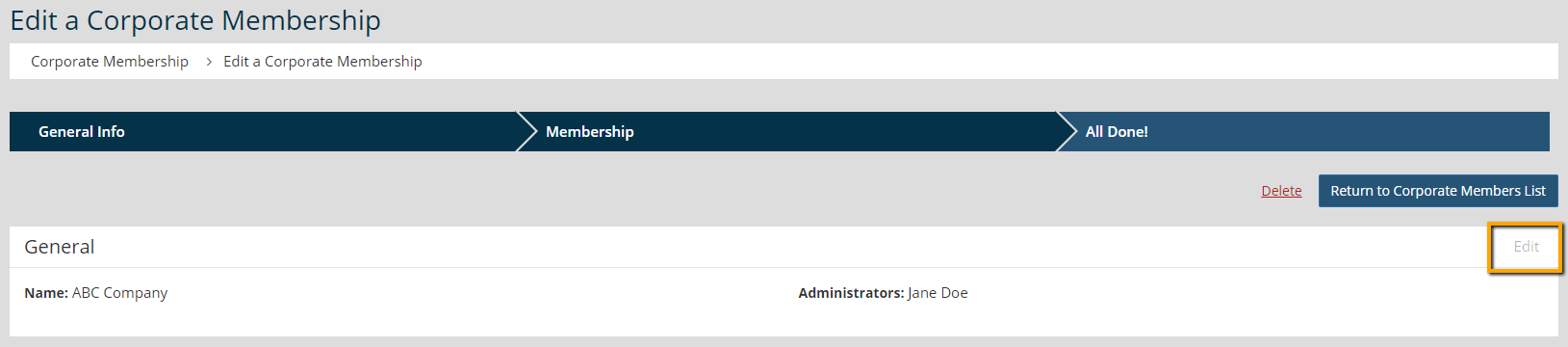
- Click Edit for the General section.
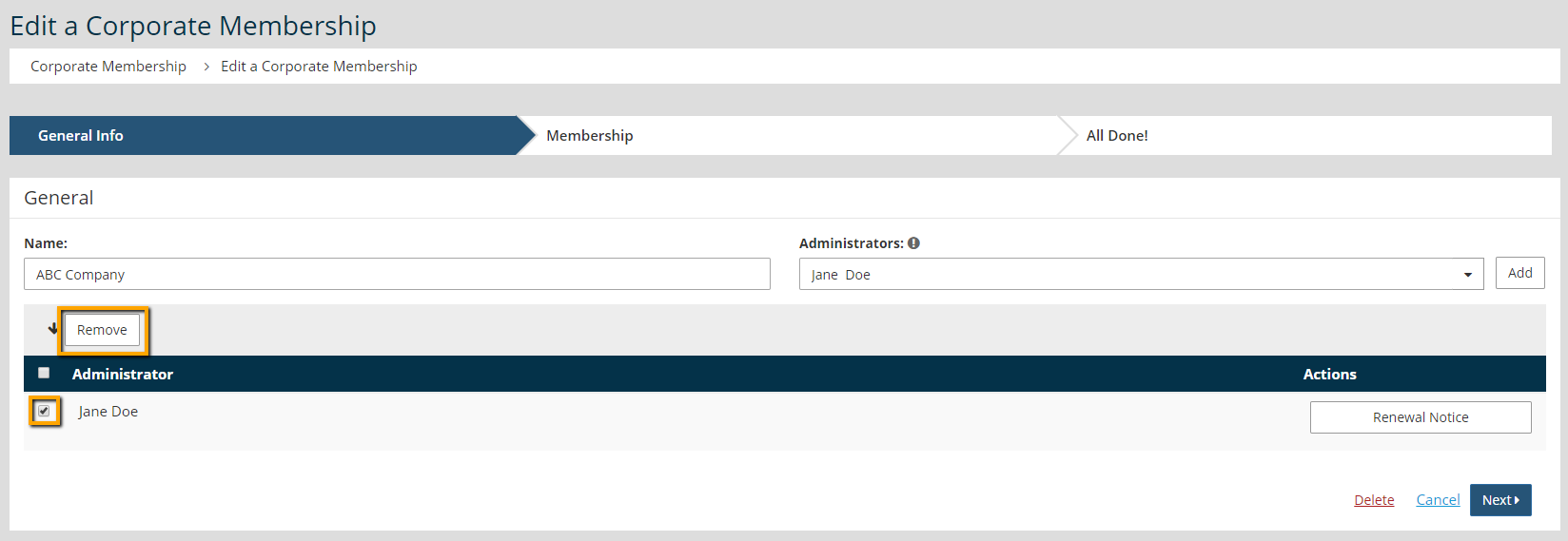
- Click the box to the left of the current Administrator.
- Click Remove.
- Begin typing the new administrator’s name in the Administrations field.
- Click the correct name from the drop-down menu of matching members.
- Click Add.
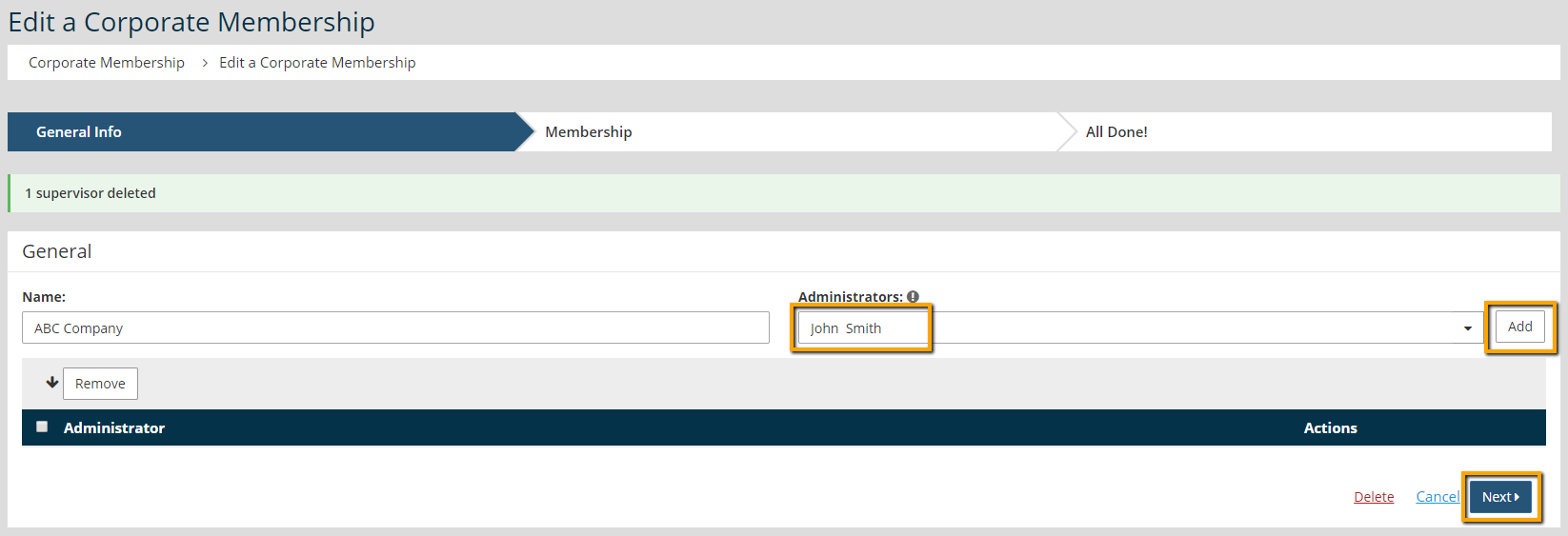
- Click Next.