
Assign a Newsletter Section to the Sidebar
To streamline newsletter creation and ensure consistency between newsletter issues, content sections and their configuration are saved for reuse. One option available is whether a section should be displayed in the main body of the newsletter or in the left sidebar.
When a New Newsletter Section is Created
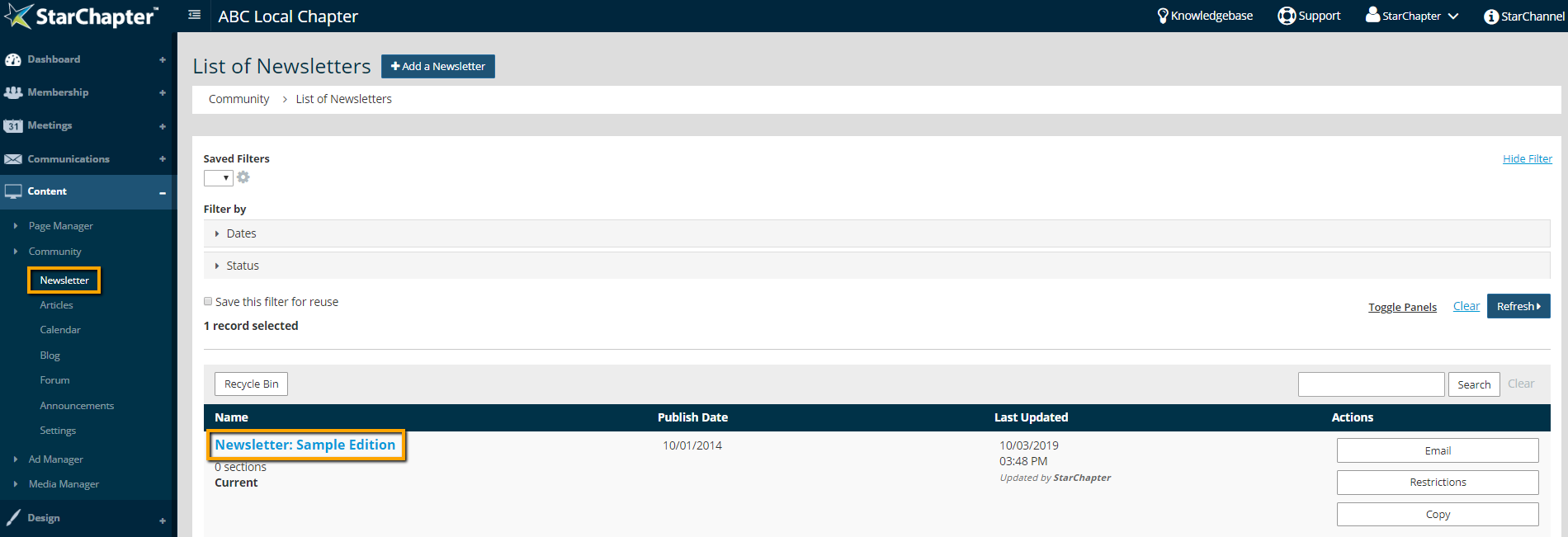
- Go to Content > Community > Newsletter and click on your Newsletter of Interest.
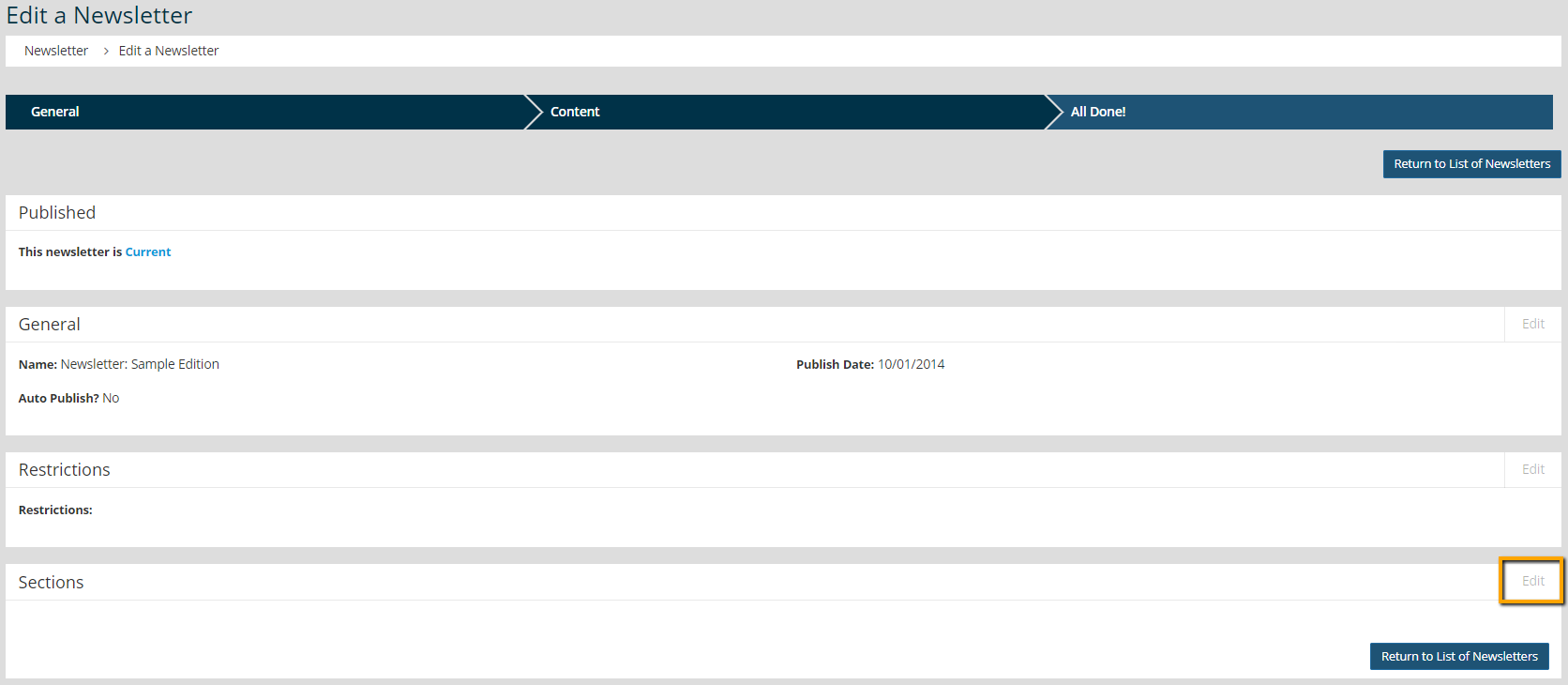
- Click Edit in the Sections area of the newsletter.
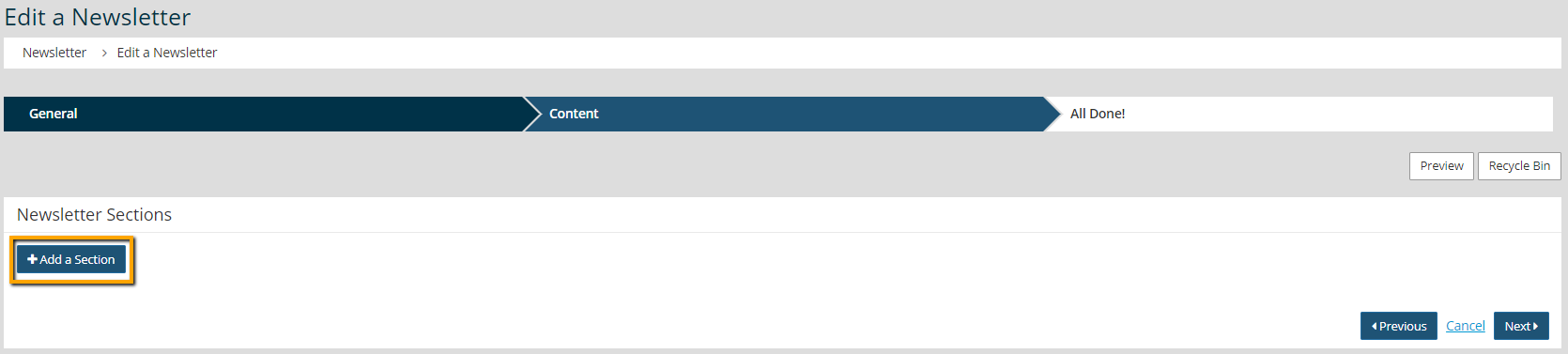
- Click Add a Section.
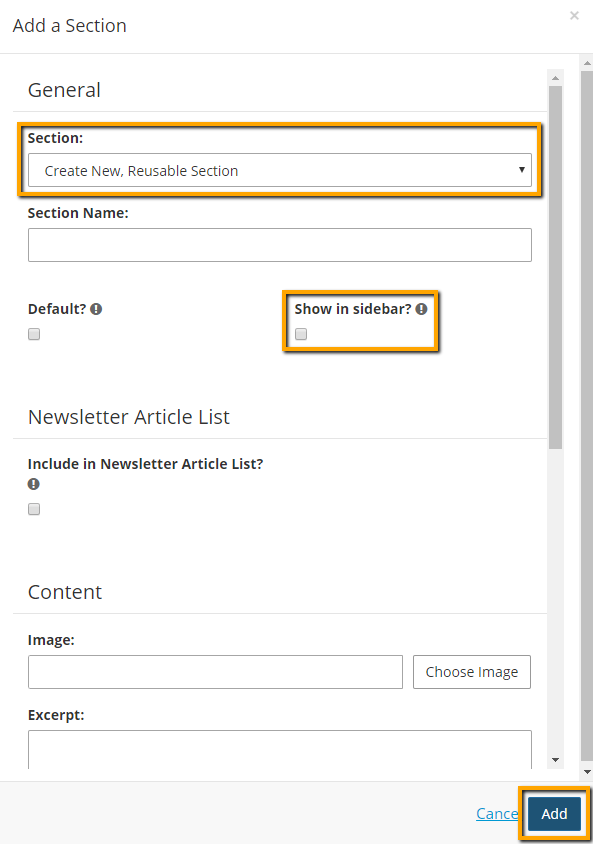
- Select "Create New, Reusable Section" from the "Section" drop-down menu.
- Check the "Show in sidebar?" setting.
- Complete the rest of the section setup and add your content.
- Click Add. This section will be displayed in the sidebar for all future newsletters.
When a Newsletter Section already Exists
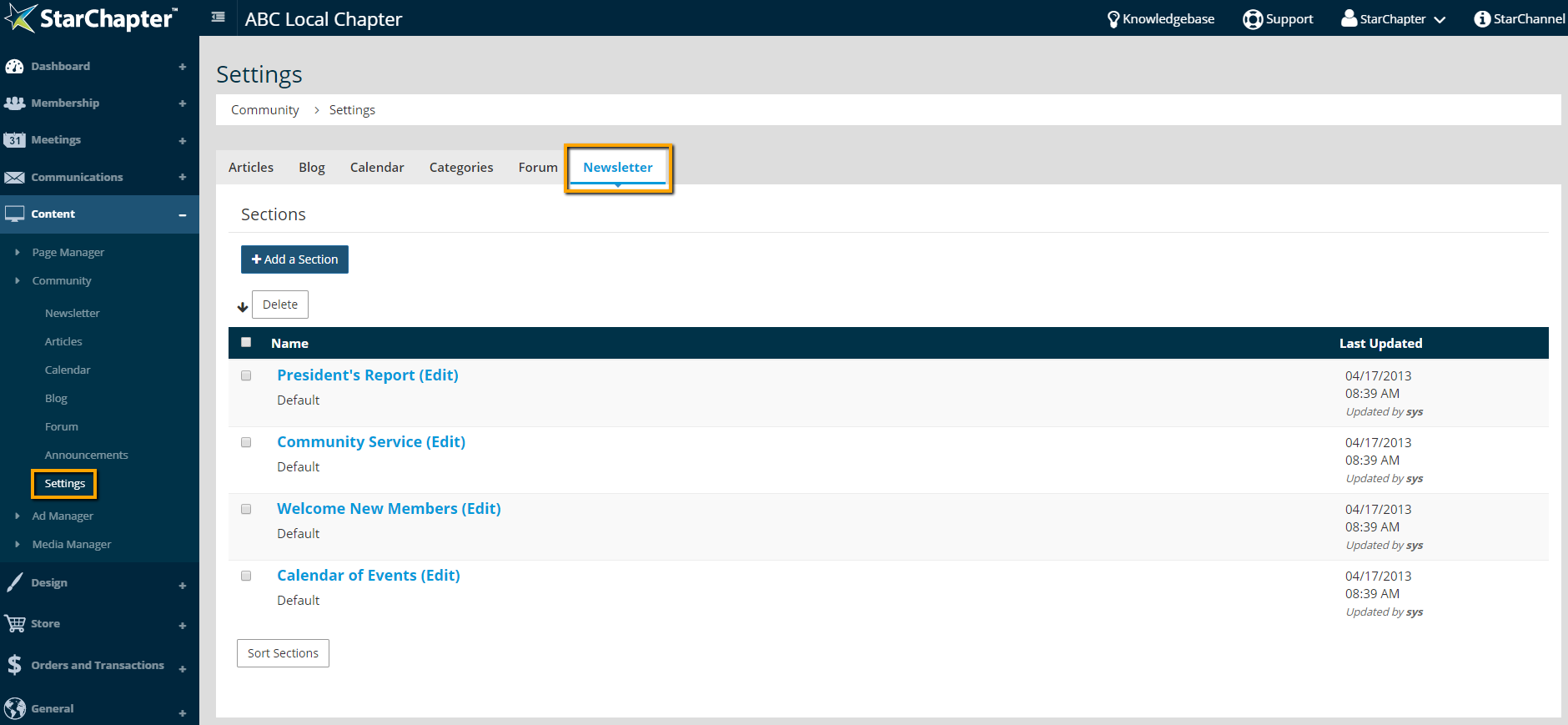
- Go to Content > Community > Settings > Newsletter.
- Click on the section to be updated.
- Check the "Show in sidebar?" setting.
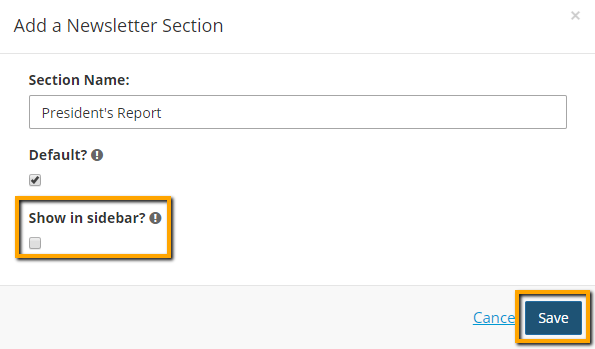
- Click Save.





