Approve a Classified Ad
Classified forms allow users to submit an ad copy but nothing will be posted to the website until approved by an admin. When an email notification is received for a new ad, review the content and then login to the StarChapter admin area. Classified submissions may include job listings, job seekers, or classified ads, depending on the options available in your Classified form.
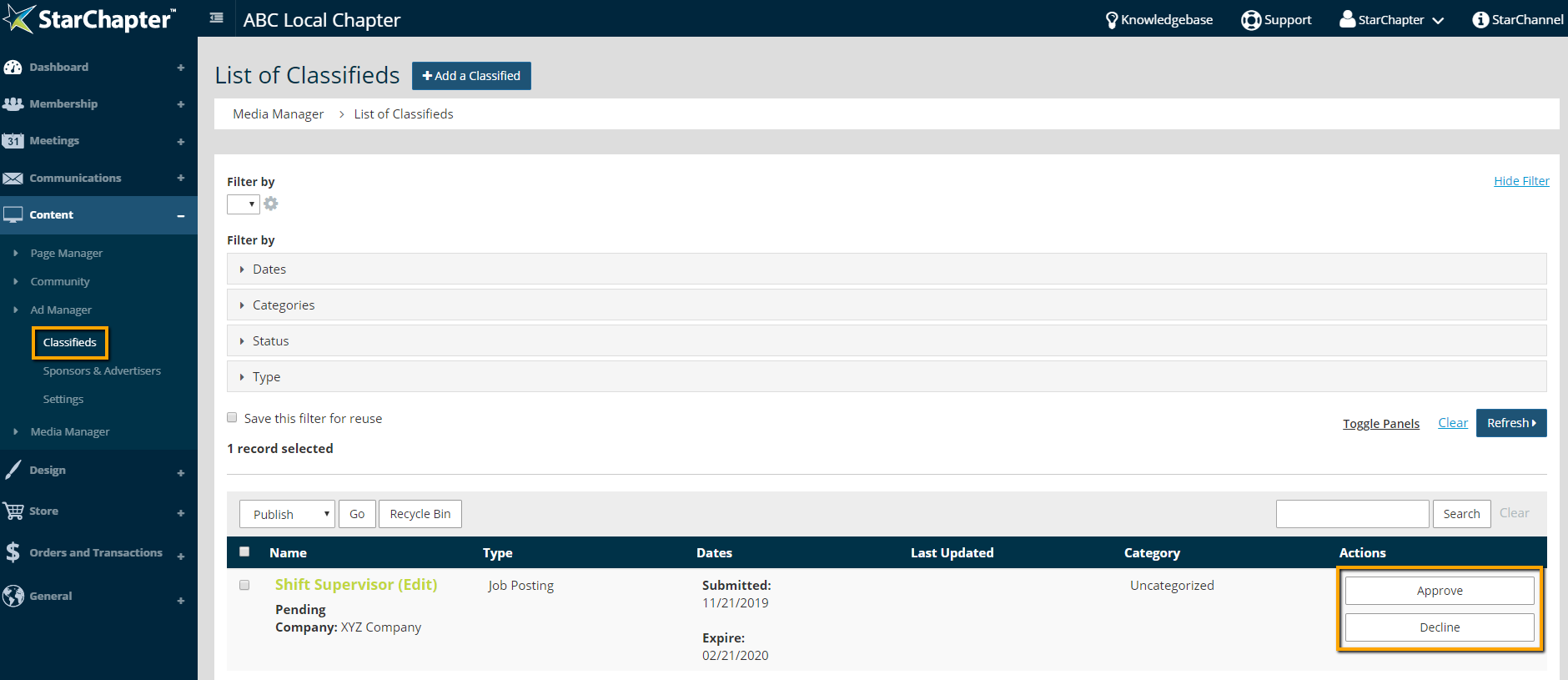
- Go to Content > Ad Manager > Classifieds.
- If the ad is appropriate for your organization to post, click Approve. Once the ad is approved, it will automatically display on your classifieds pages.
If the ad is not appropriate for your organization to post, click Decline.