Allow Corporate Members to Update Personal Profiles
An admin of your StarChapter system must enable a setting to allow the primary contact for a corporate membership to decide if they will allow individuals in the membership to manage their own information, or if they will manage the information themselves. If this setting is not enabled, only system admins will be able to make profile updates for those individuals.
In the StarChapter Admin Area
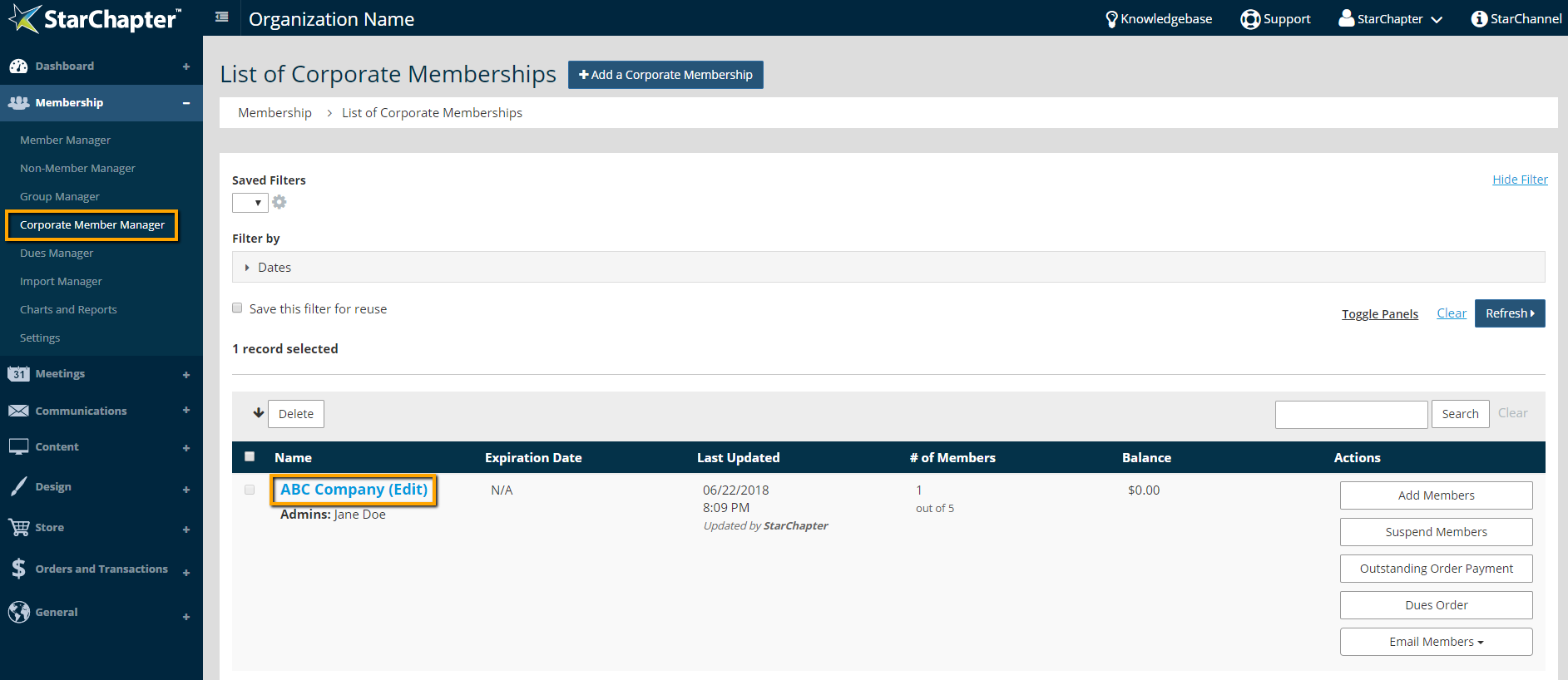
- Go to Membership > Corporate Member Manager.
- Click a corporate membership.
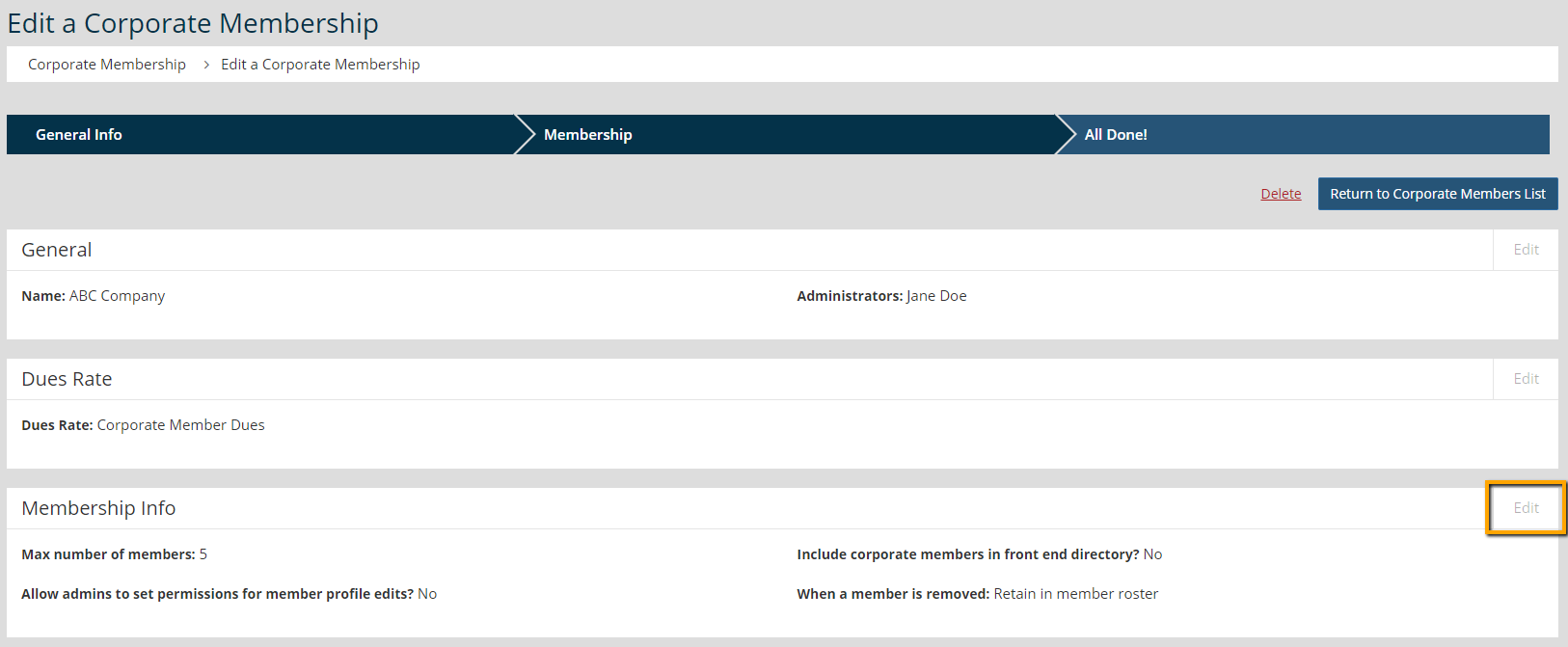
- Click Edit for the Membership Info section.
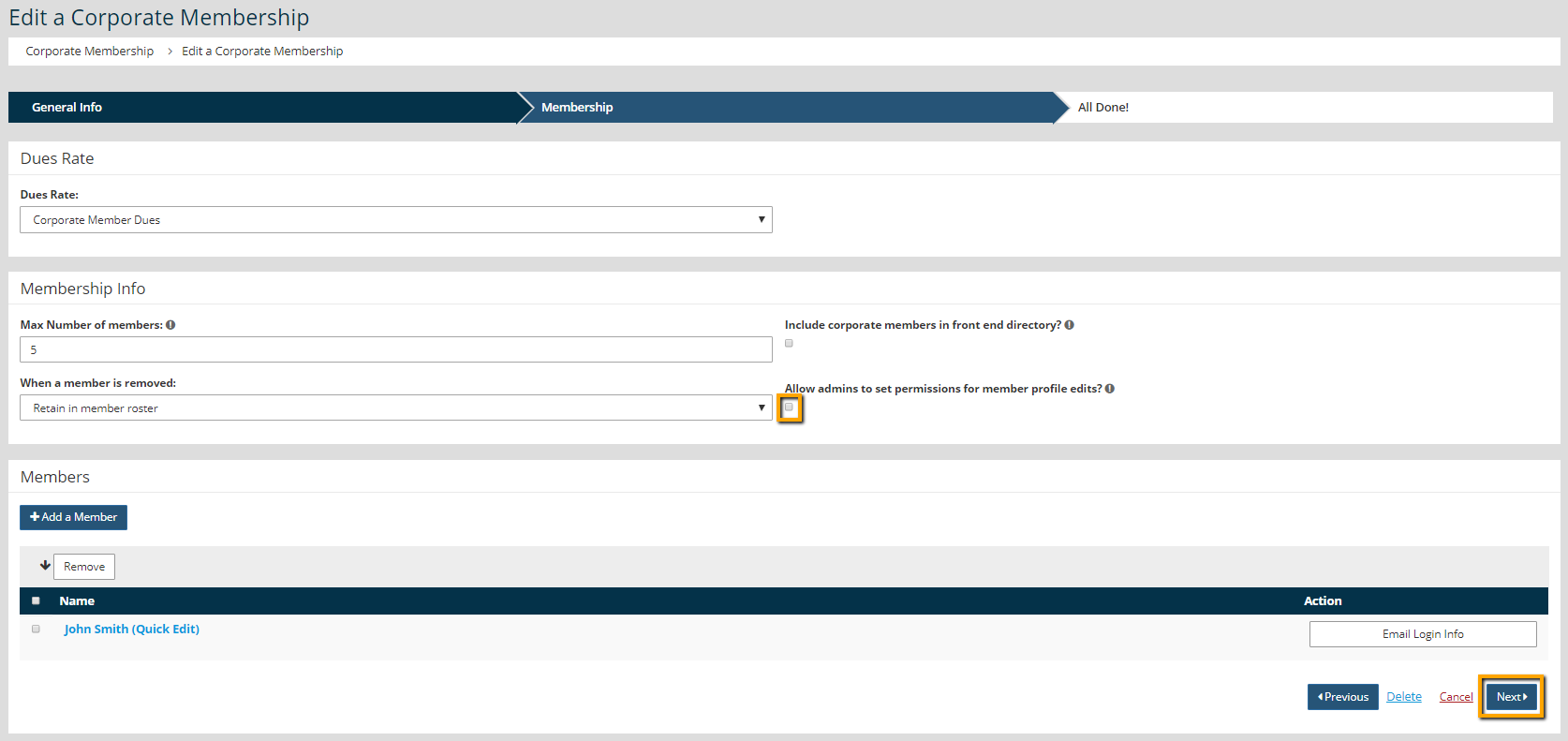
- Click "Allow admins to set permissions for member profile edits?"
In the Corporate Member Profile
These steps are to be completed by the Primary Contact of the Corporate Membership.
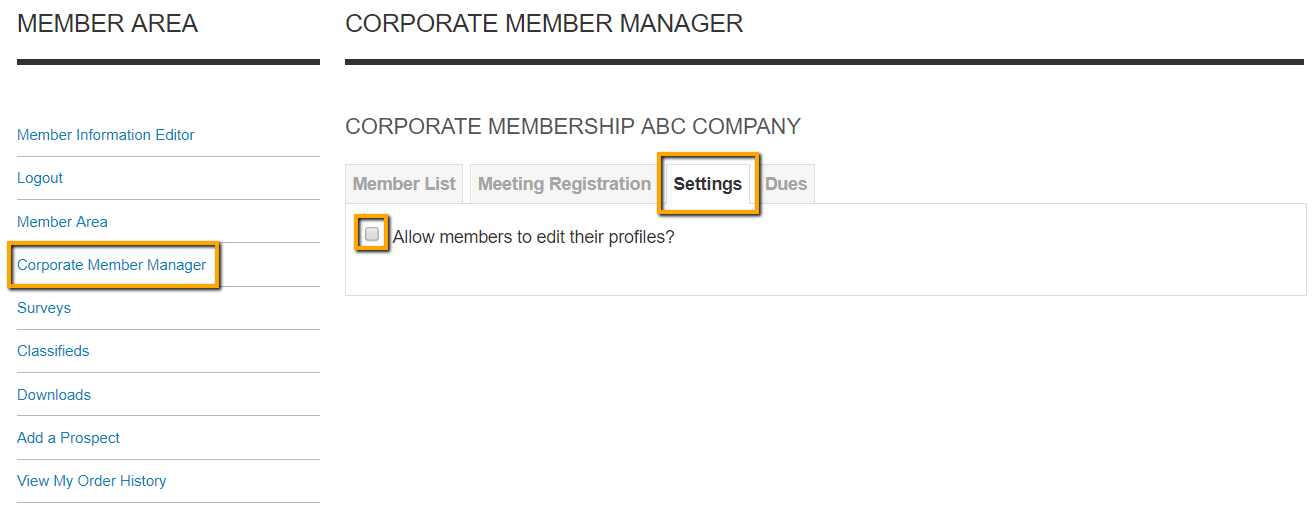
- Login to the Member Area of StarChapter.
- Click Corporate Member Manager link.
- Click the Settings tab.
- Click "Allow members to edit their profiles?"
An individual member will now to able to select the Member Information Editor to update their account details.
 |
Tip: If this setting is not enabled, administrators of your StarChapter system will still have access to update individual member profiles. |