You are viewing this design in preview mode. The design MUST be published to be live on your website.
    •   New Board Member?
    •   Support
    •   Video Library
    • Workflow Library
    •  Page Content Library
    •  Email Builder Content Library

    Knowledgebase

    • Home
    • > Design
    • > Design Editor
    • > Add a StarChapter Shortcut to an Android Phone

    Add a StarChapter Shortcut to an Android Phone

    Rather than having a separate app, all current StarChapter websites are mobile responsive. This allows users to access website content without any further downloads. For quick access, a shortcut can be added to any phone. 

    1. Open Chrome.
    2. Navigate to your chapter's StarChapter website.
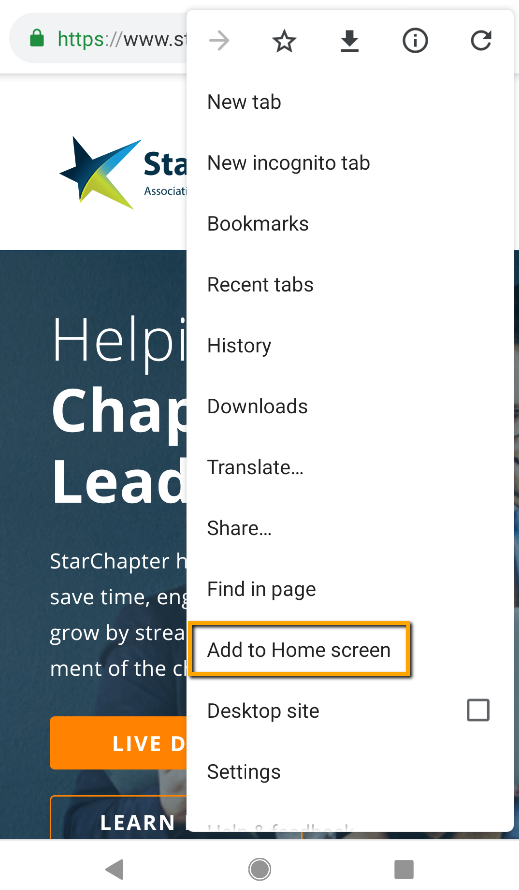
    3. Click the 3 dots at the top right of the browser.
    4. Select Add to Home Screen.

      Add to Home Screen selection

    5. Update the label, if desired, and click Add.
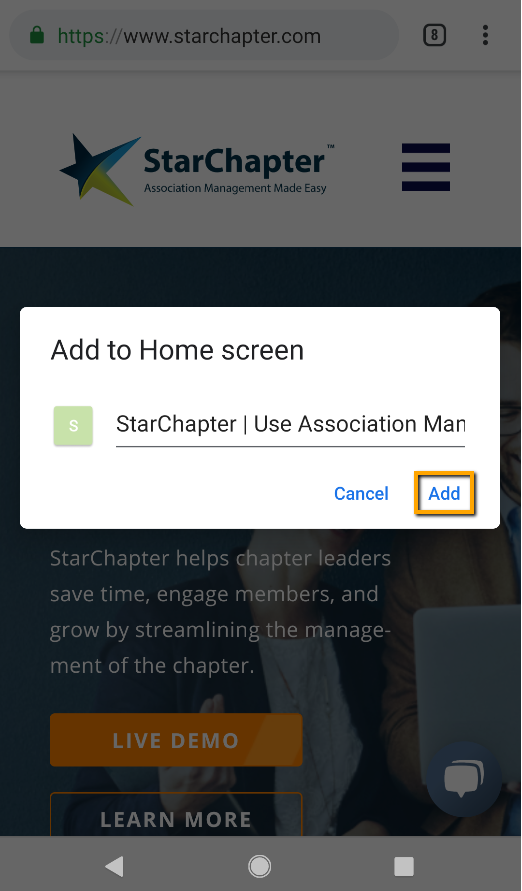
      Add shortcut

    6. Click Add automatically to place the shortcut on the phone home screen.
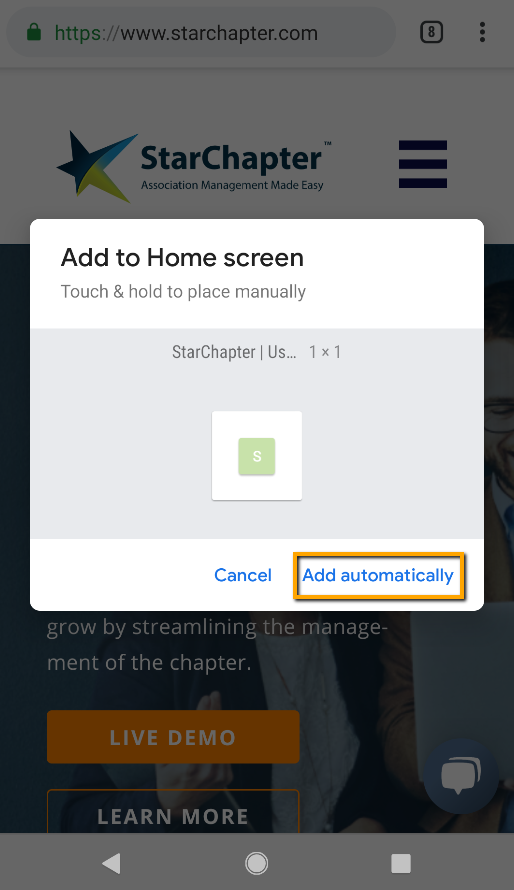
      Add shortcut to home screen

    Chapter Insights

    Posted by [email protected] on 03/07/2018 9:39 am  /   Design

    Design Blog Image - Email Design Basics to Engage Your Members

    Email Design Basics to Engage Your Members

    launch a new redesigned website

    How to Launch a New or Newly Redesigned Website

    © 2026 StarChapter Software LLC All rights reserved.

    •  
      Board Training
    •  
      Services
    •  
      KB Home
    • Master Service Agreement
    • |
    • Privacy Policy
    . .