
Add a New Sponsor
Sponsors are typically added to the system automatically when a Sponsor Form is submitted, but there are situations in which a sponsor was solicited personally and must be added to the system manually.
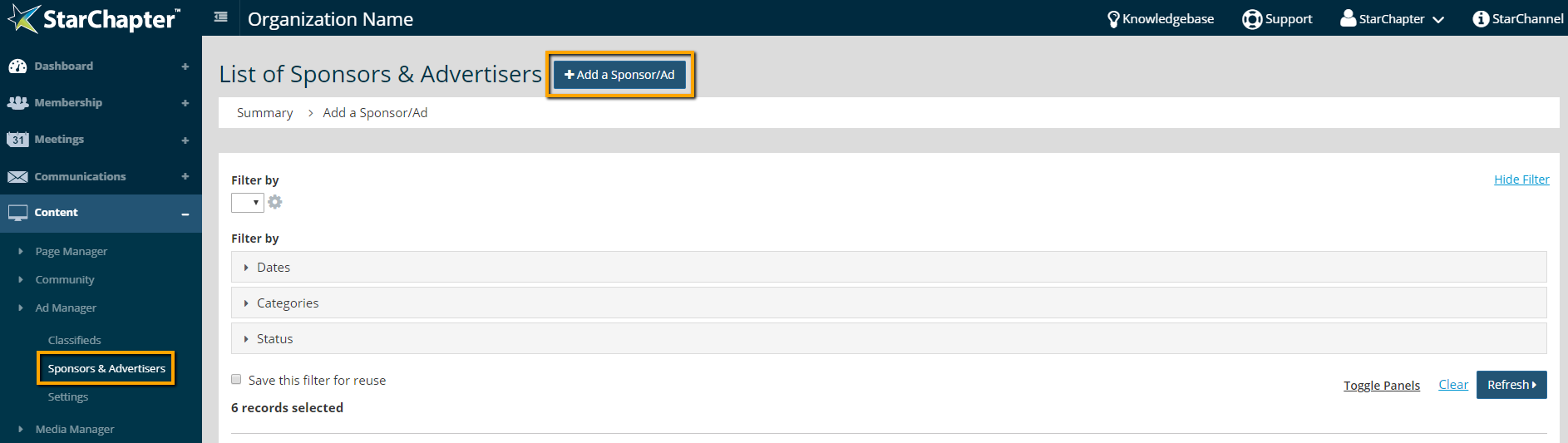
- Go to Content > Ad Manager > Sponsors & Advertisers.
- Click Add a Sponsor/Ad.
- Set a Publish and/or Archive Date for this particular sponsor, if applicable.
- Select the appropriate category from the drop-down menu and click Add, if various sponsorship levels are offered.
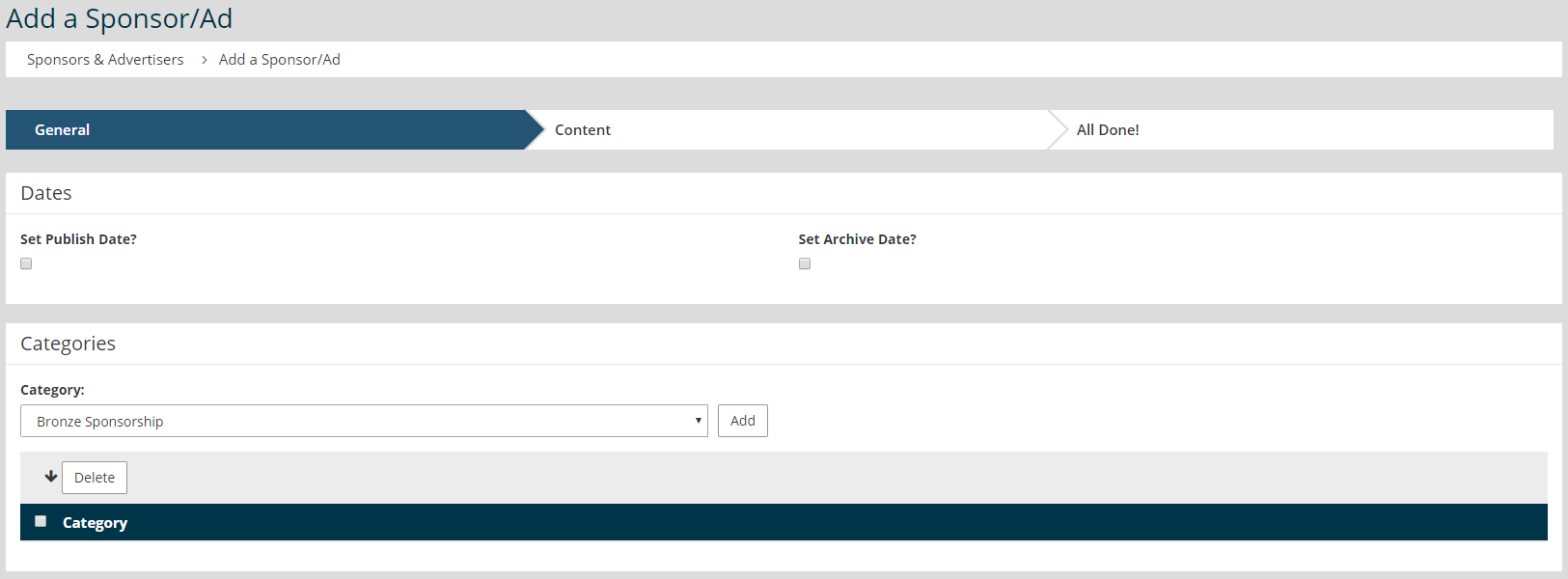
- Click Next.
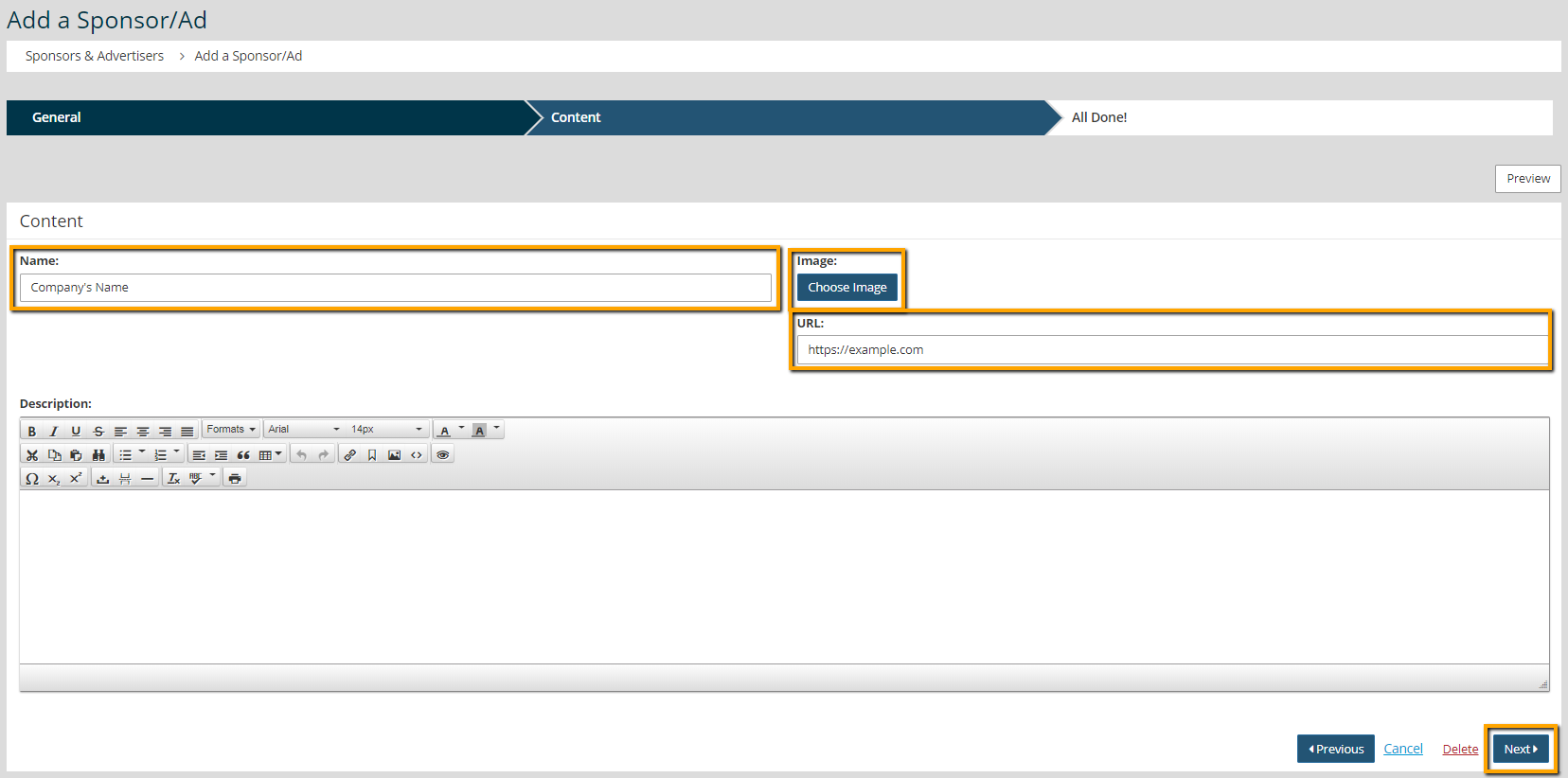
- Enter the company in the "Name" field and website address in the "URL" field.
- Click Choose Image and upload the sponsor's company logo.

Tip: The uploaded image will be resized to the maximum width set in Content > Ad Manager > Settings > Sponsors, so resizing before upload isn't necessary.
- Update the "Description," if your sponsor display includes a company description.
- Click Next.
- Click Publish.





