
Add a Member Renewal Link
When dues are processed by the local chapter and dues have been created in Membership > Dues Manager, active members can login to their StarChapter member profile and renew their membership at any time on the Member Dues page. Adding a link to this page to the Join and Member Area navigation menus will make this page more accessible to members and reduce the need for admins to assist members with renewals.
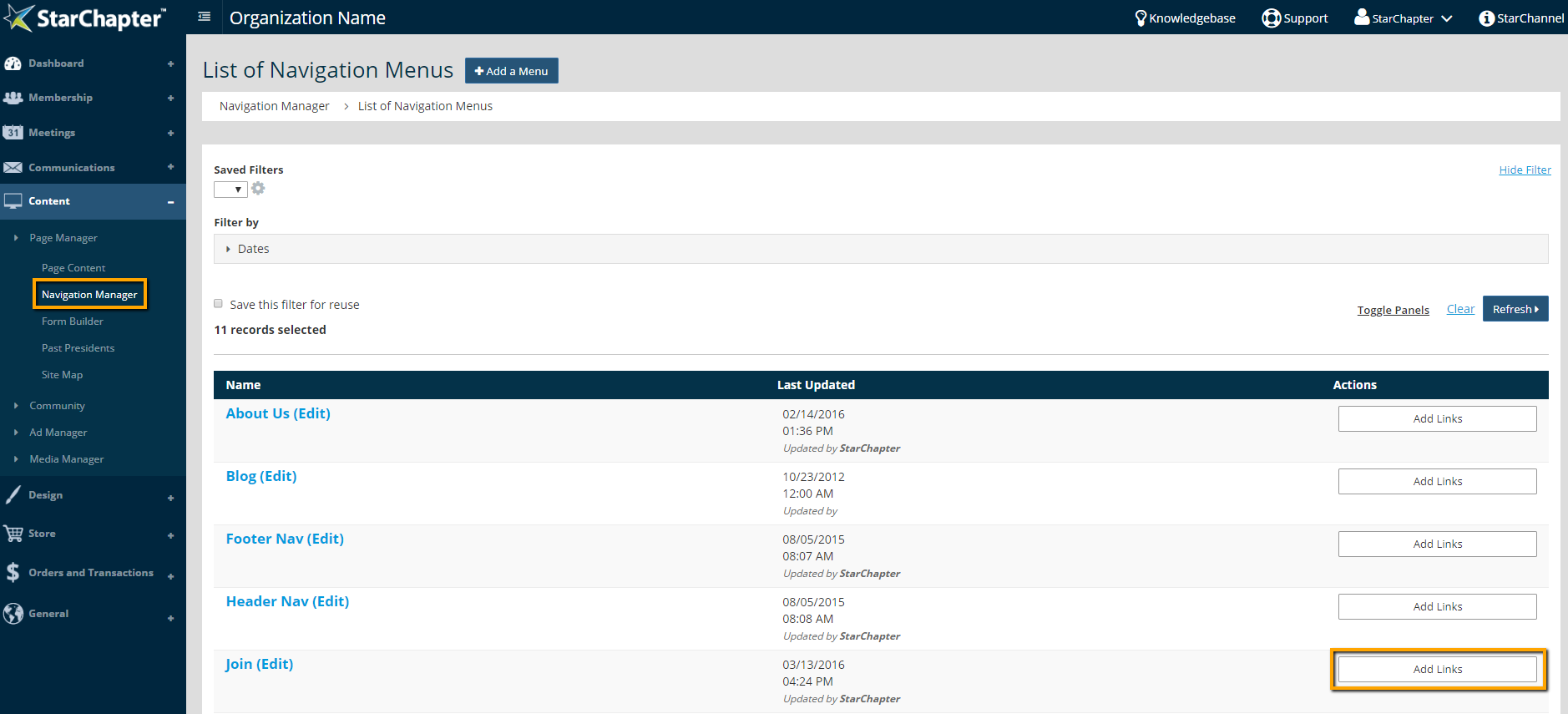
- Go to Content > Page Manager > Navigation Manager.
- Click Add Links next to your preferred menu, such as the Join or Member Area menus.
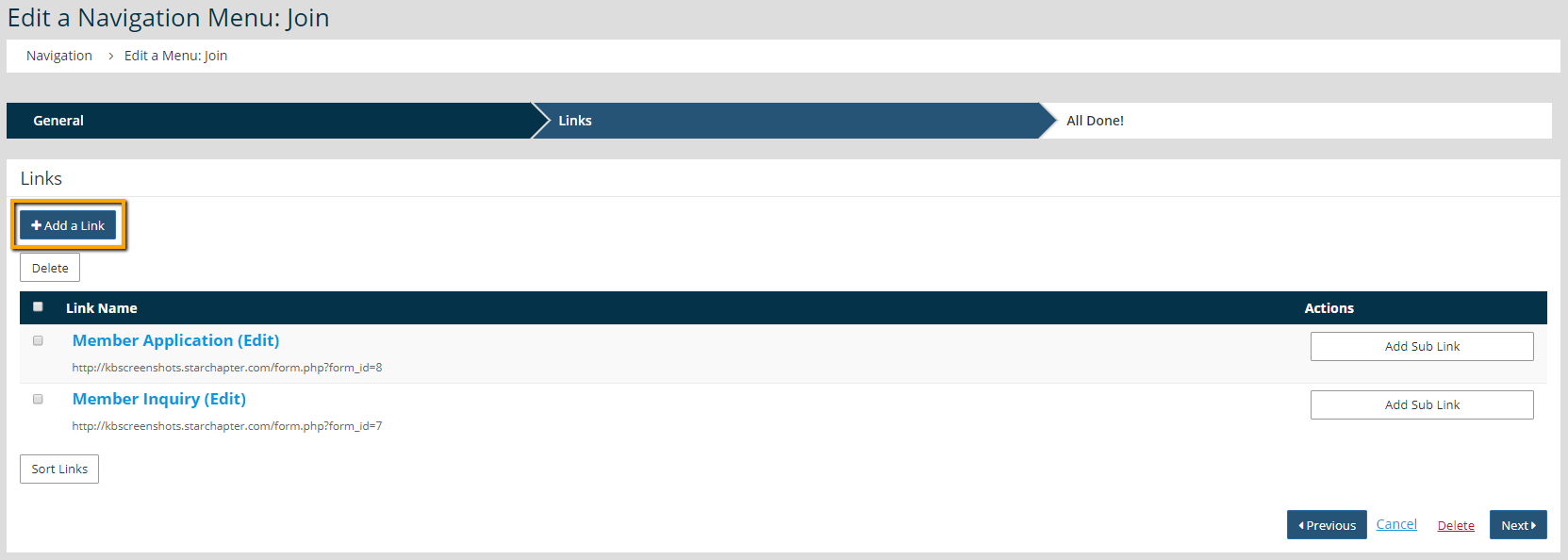
- Click Add a Link.
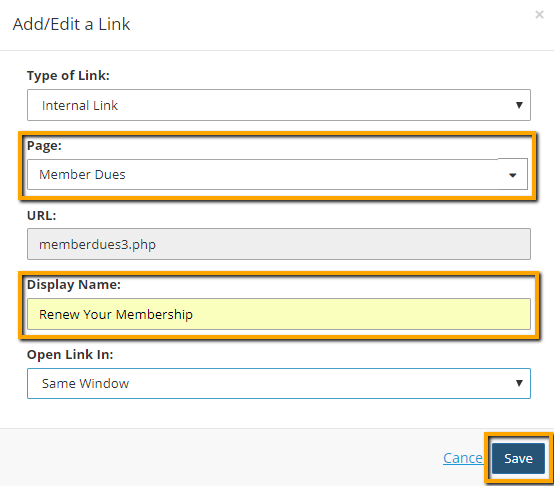
- Begin to type "Member Dues" in the Page field and select that page name from the drop-down list of matching pages.
- Update the "Display Name" to something recognizable, such as "Renew Your Membership."
- Click Save.
- Click Sort Links.
- Drag/Drop your new link to the preferred location in the list of links.
- Click Close.
- Click Next.





