You are viewing this design in preview mode. The design MUST be published to be live on your website.
    •   New Board Member?
    •   Support
    •   Video Library
    • Workflow Library
    •  Page Content Library
    •  Email Builder Content Library

    Knowledgebase

    • Home
    • > Content
    • > Page Content
    • > Add a Document Folder to a Page

    Add a Document Folder to a Page

    Documents uploaded to Content > Media Manager > Documents will be assigned a document-specific link for easy sharing. In addition to sharing individual files, full folders can be shared on pages in StarChapter. As additions and deletions are made to that folder, those changes will be automatically reflected on the website display. This makes document management easy and automates the display.

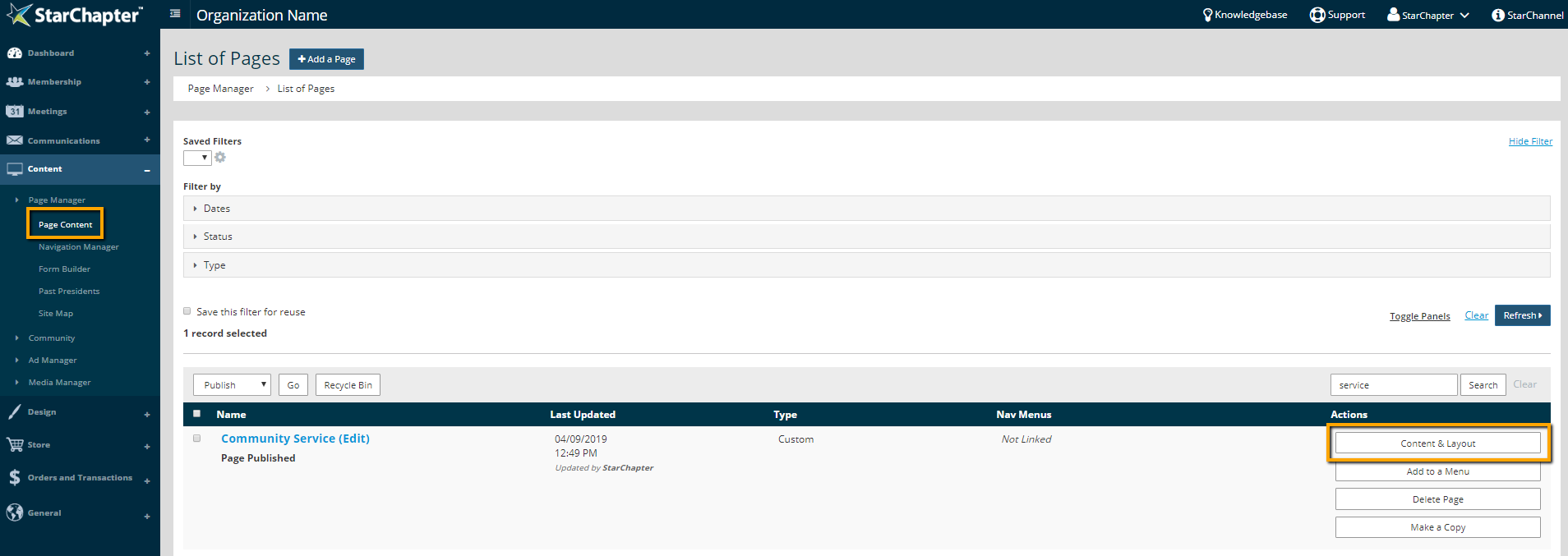
    1. Go to Content > Page Manager > Page Content.
    2. Search for the page of interest.
    3. Click Content & Layout.

      Access content of existing page

    4. Click the blue + in the container that the documents should be listed in.
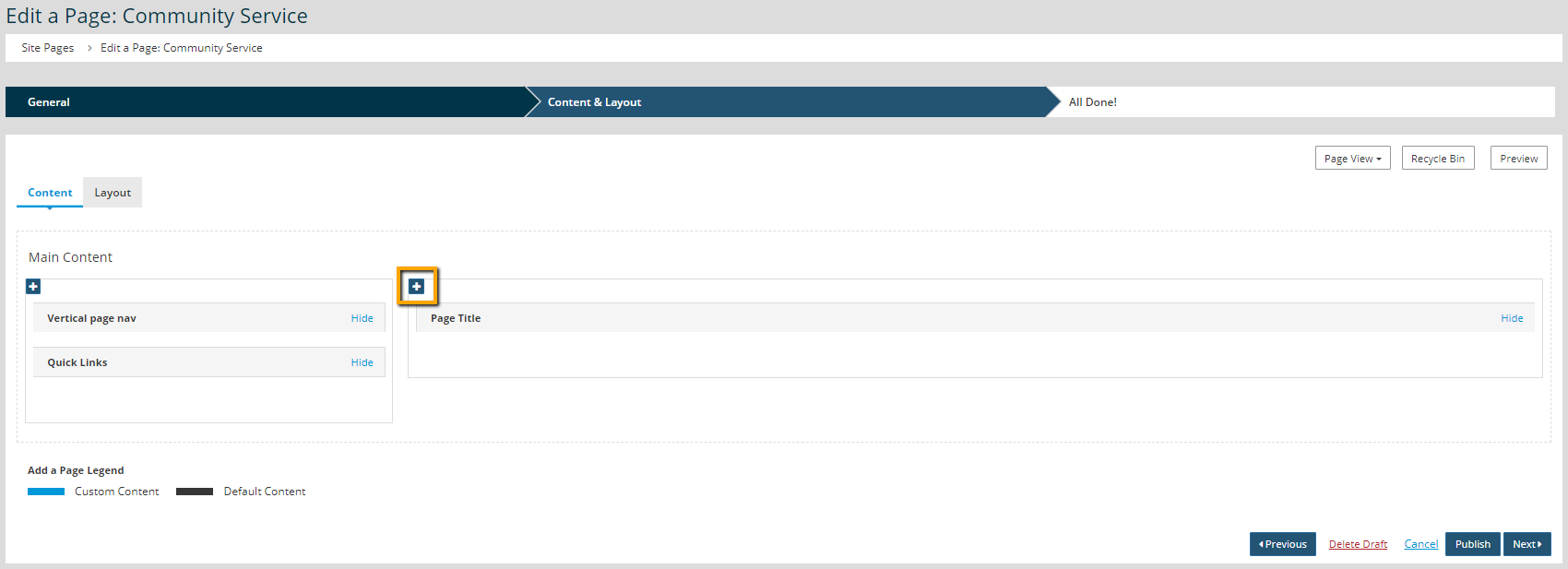
      Add a content section to a page

    5. On the Multimedia tab, Select Document Downloads.

      document downloads content section

    6. Select the desired folder from the Document Directory drop-down menu.
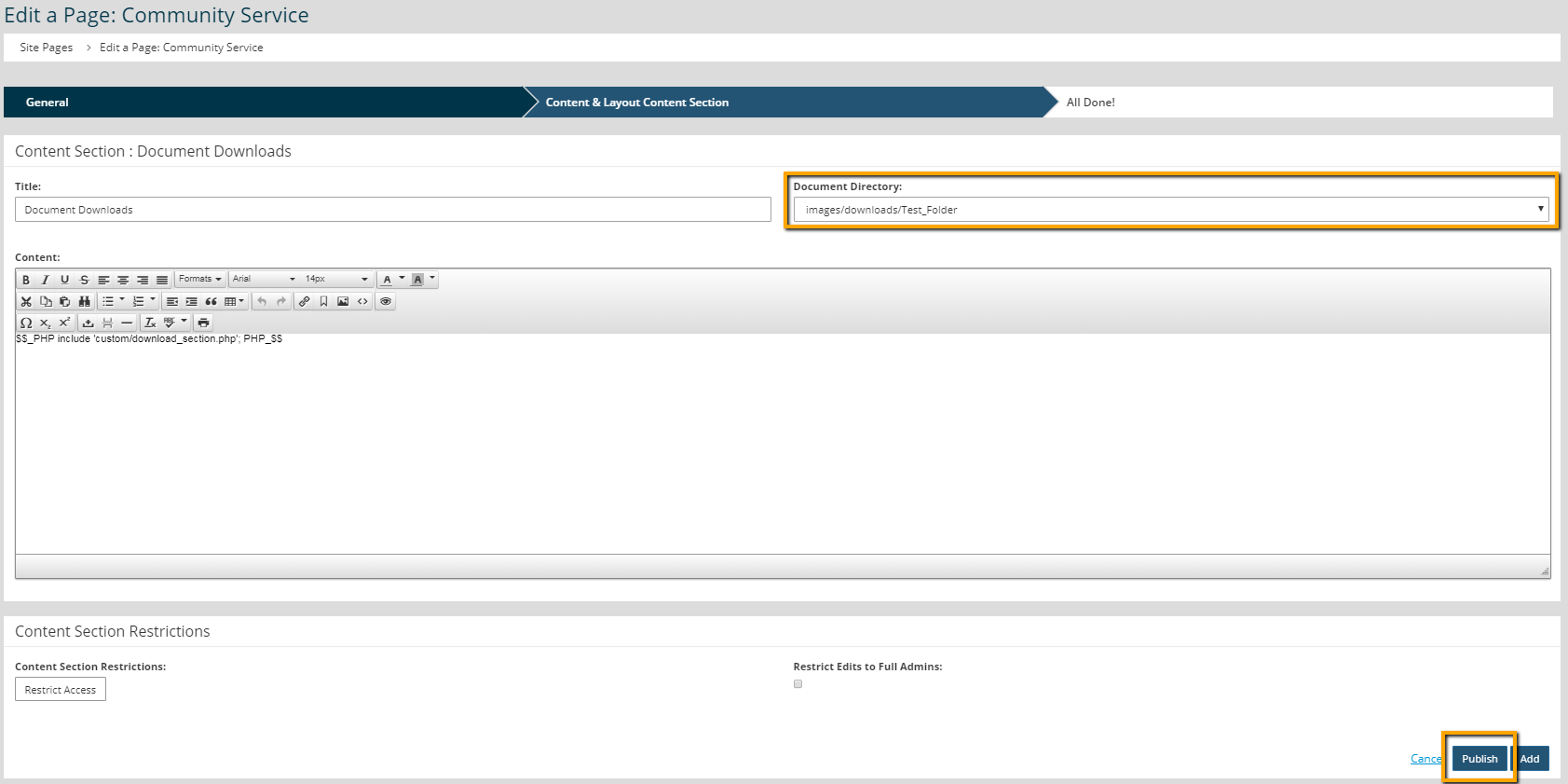
      folder selection

    7. Click Publish.

    Chapter Insights

    Posted by [email protected] on 02/14/2018 11:41 am  /   Content

    content part of redesign

    Consider Your Content as Part of Your Website Redesign

    member stories

    3 Reasons to Invest in Member Stories

    Cotent Blog Image - Advanced SEO – Name it Right, and they will Read

    Advanced SEO – Name it Right, and they will Read

    Content Blog Image - Advanced SEO – The 80/20 Rule for Success

    Advanced SEO – The 80/20 Rule for Success

    video for sponsorship

    Video is Key to Your Sponsor Strategy

    © 2026 StarChapter Software LLC All rights reserved.

    •  
      Board Training
    •  
      Services
    •  
      KB Home
    • Master Service Agreement
    • |
    • Privacy Policy
    . .