You are viewing this design in preview mode. The design MUST be published to be live on your website.
    •   New Board Member?
    •   Support
    •   Video Library
    • Workflow Library
    •  Page Content Library
    •  Email Builder Content Library

    Knowledgebase

    • Home
    • > Content
    • > Photo Gallery
    • > Add Links to Slider Images

    Add Links to Slider Images

    Slider images can be used to bring color and movement to the home page and/or promote chapter events and initiatives. When slider images are used to promote events, businesses, or committees within the chapter, it can be helpful to link that image to another page or website with more information. Since this isn't the default setup for the slider, there is one setting that must be enabled first. Then, links can be added to any slider image moving forward.

    Update the Slider Content Section

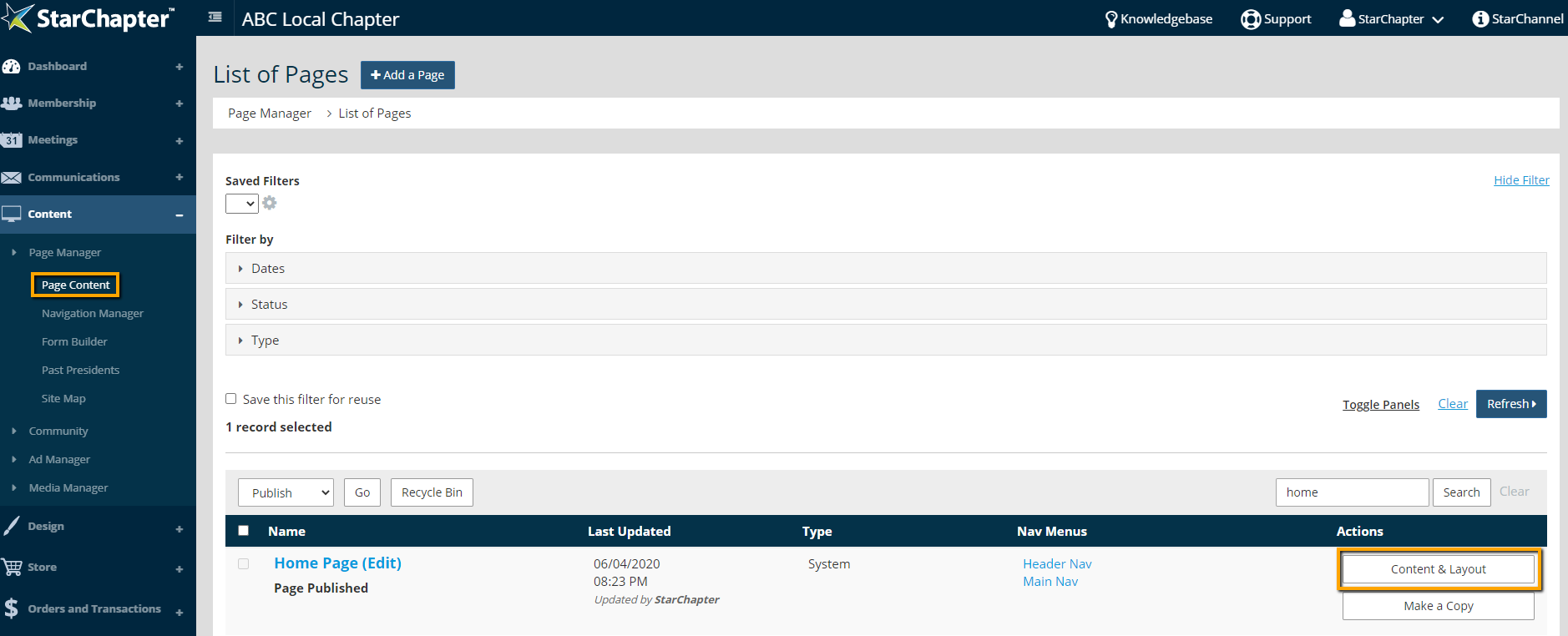
    1. Go to Content > Page Manager > Page Content > Home Page.
    2. Click the Content & Layout button.

      content and layout of home page

    3. Use the Page View option to select Header Bottom.
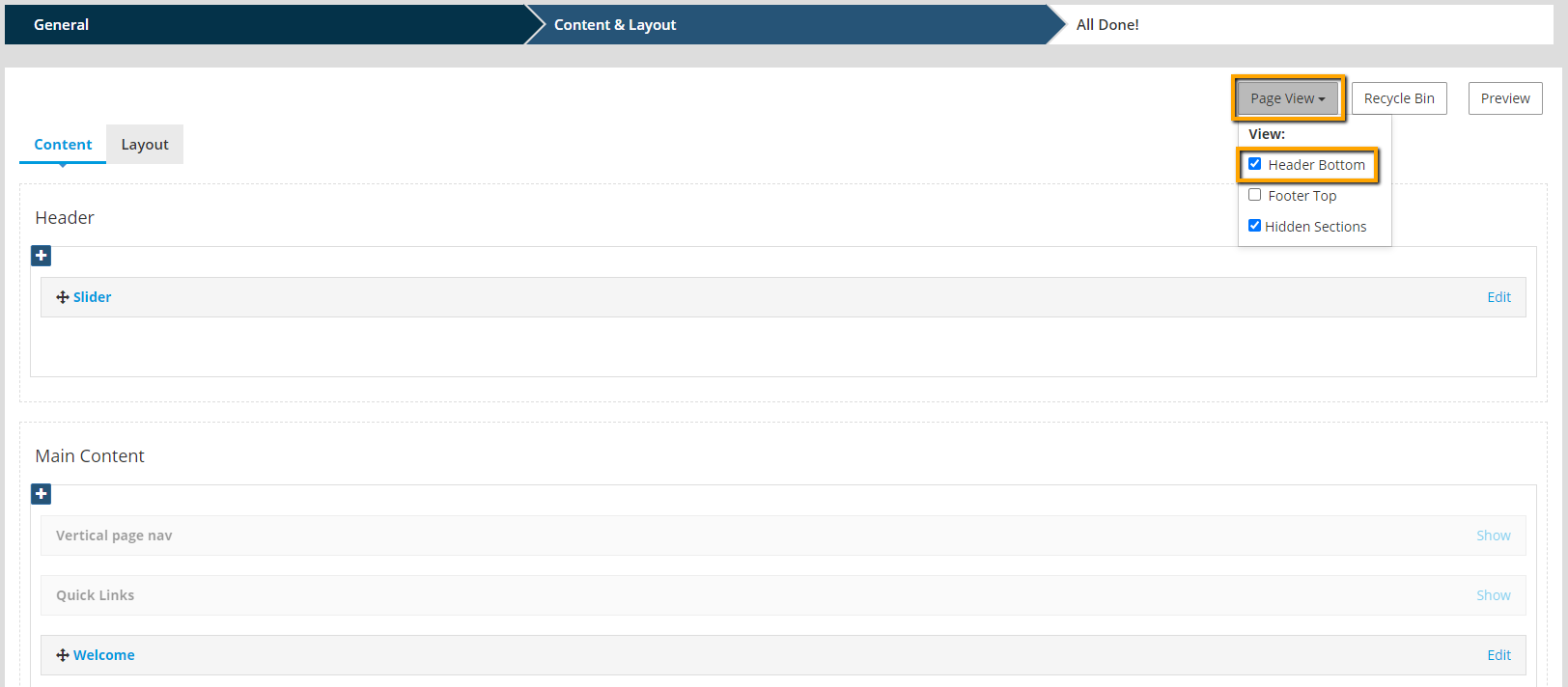
      changing the page view to see the header

    4. Click Edit on the Slider content section.
    5. Check the setting "Open link instead of gallery?"
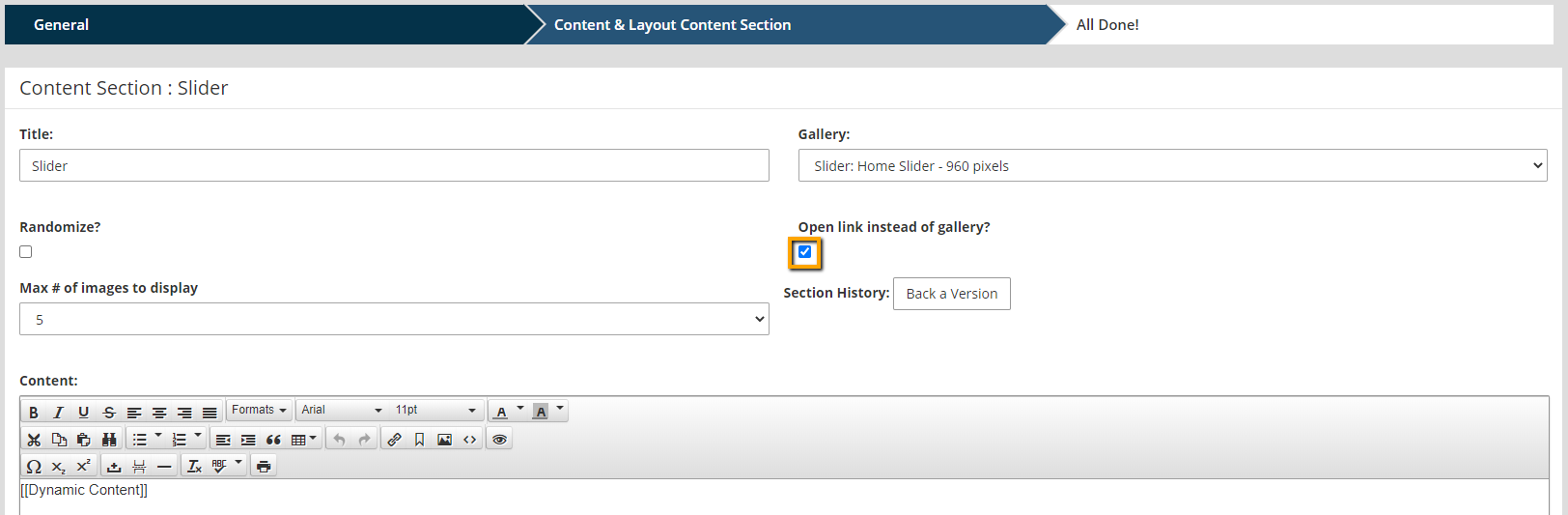
      locate the

    6. Click Publish to apply this update.

    Add Links to Slider Images

    1. Go to Content > Media Manager > Photo Gallery.
    2. Locate and click to edit the slider gallery.
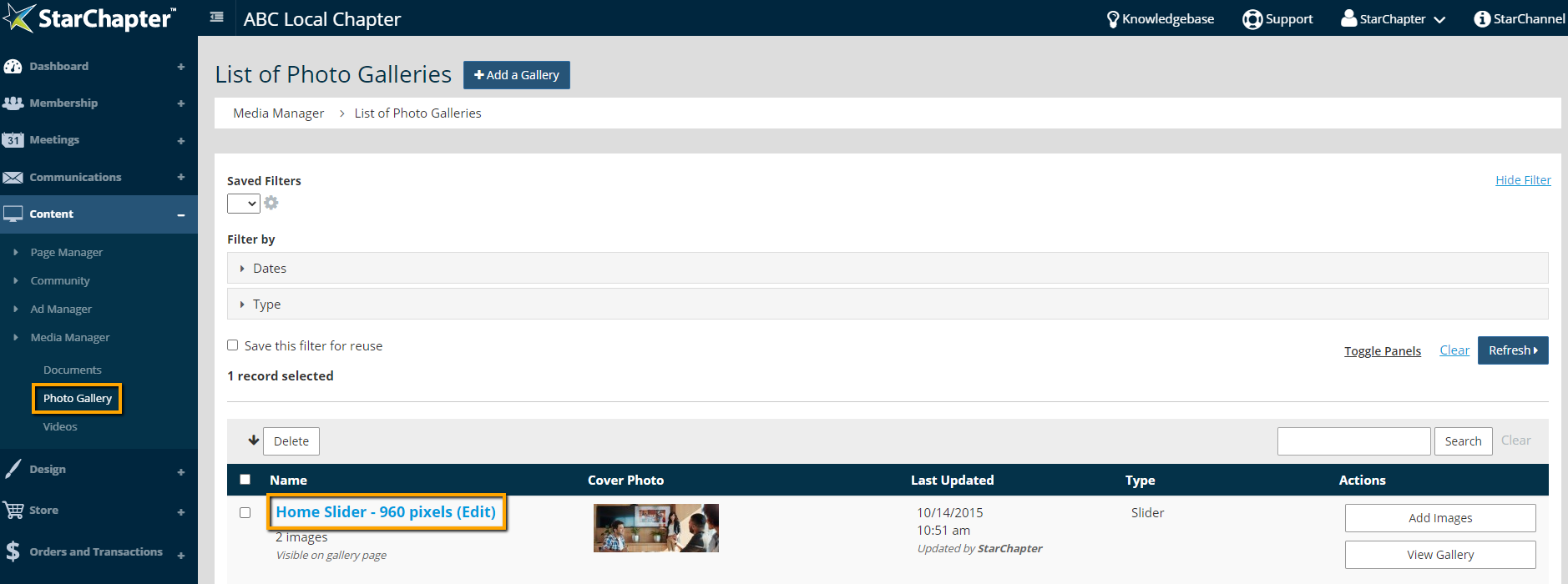
      location of the slider gallery

      Tip Icon

      Tip: If the slider gallery isn't obvious, use the Type filter at the top of the Photo Gallery page to select for Slider galleries. Click Refresh to see a limited list. Most systems will only have one slider gallery.

    3. Click Edit in the Images section of the gallery.
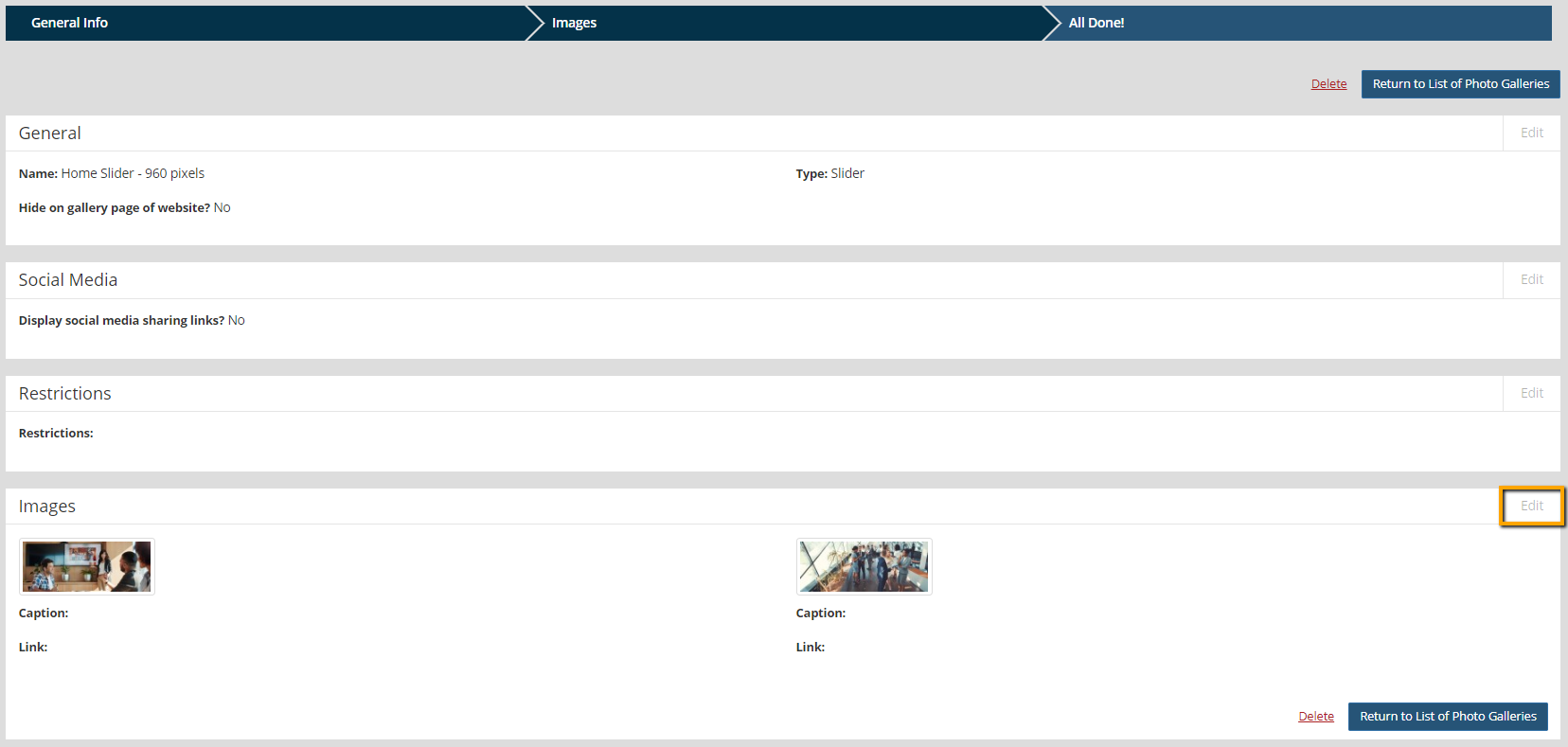
      Access images within a gallery

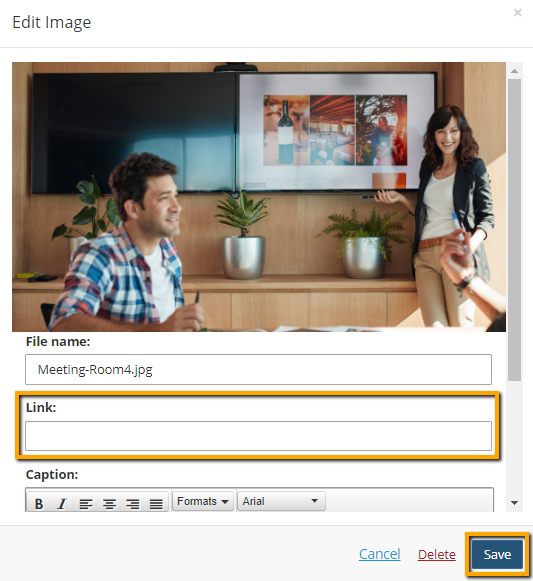
    4. Click Edit on the image to be linked.
    5. Update the "Link" field.

      Update the image to include a link

    6. Click Save.

    Chapter Insights

    Posted by [email protected] on 02/14/2018 11:41 am  /   Content

    content part of redesign

    Consider Your Content as Part of Your Website Redesign

    member stories

    3 Reasons to Invest in Member Stories

    Cotent Blog Image - Advanced SEO – Name it Right, and they will Read

    Advanced SEO – Name it Right, and they will Read

    Content Blog Image - Advanced SEO – The 80/20 Rule for Success

    Advanced SEO – The 80/20 Rule for Success

    video for sponsorship

    Video is Key to Your Sponsor Strategy

    © 2026 StarChapter Software LLC All rights reserved.

    •  
      Board Training
    •  
      Services
    •  
      KB Home
    • Master Service Agreement
    • |
    • Privacy Policy
    . .