Add Fields to the Meeting Registration Detail Report
The Meeting Registration Detail report is the most robust meeting report including all registrants, order balances, question responses, and any other profile fields that have been added. These additional fields are pulled from member profiles, so they will not be included for non-member registrants.
- Go to to Meetings > Charts and Reports > Reports > Meeting Registration Detail
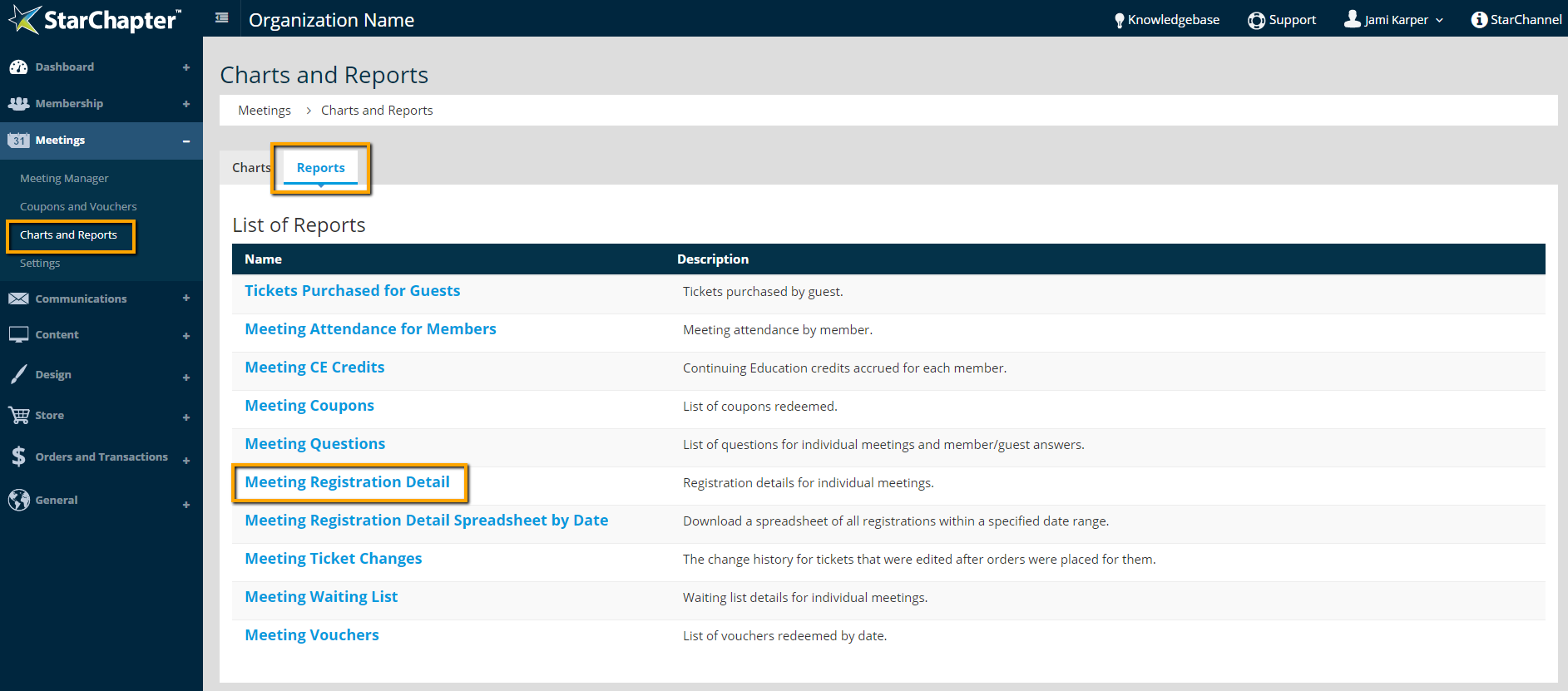
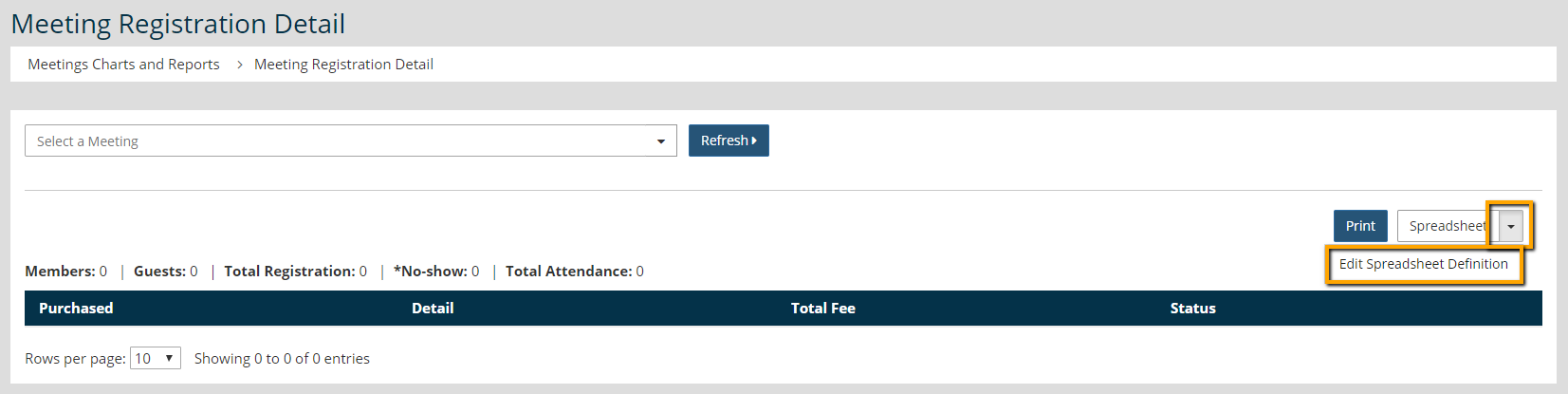
- Click the downward arrow on the Spreadsheet button
- Select Edit Spreadsheet Definition
- Add, remove, and reorder fields, as needed.
- Add fields using the Available Fields drop-down menu and clicking Add.
- Remove fields by clicking the Remove link on that field.
- Reorder fields by dragging/dropping them into the preferred order.
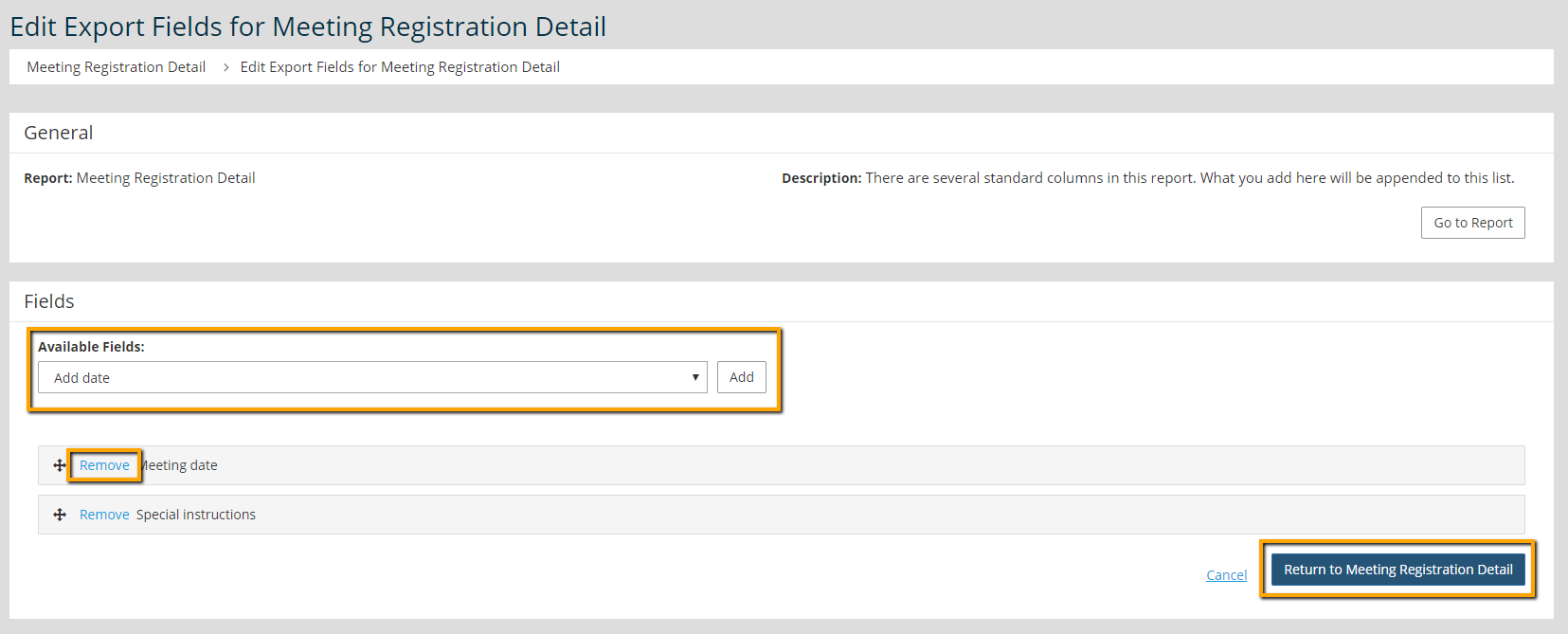
5. Click Return to Meeting Registration Detail