You are viewing this design in preview mode. The design MUST be published to be live on your website.
New Board Member?
Support
Video Library
Workflow Library
Page Content Library
Email Builder Content Library
Knowledgebase
Home
> General
> Configuration
> Add Canadian Provinces to the State/Province List
Add Canadian Provinces to the State/Province List
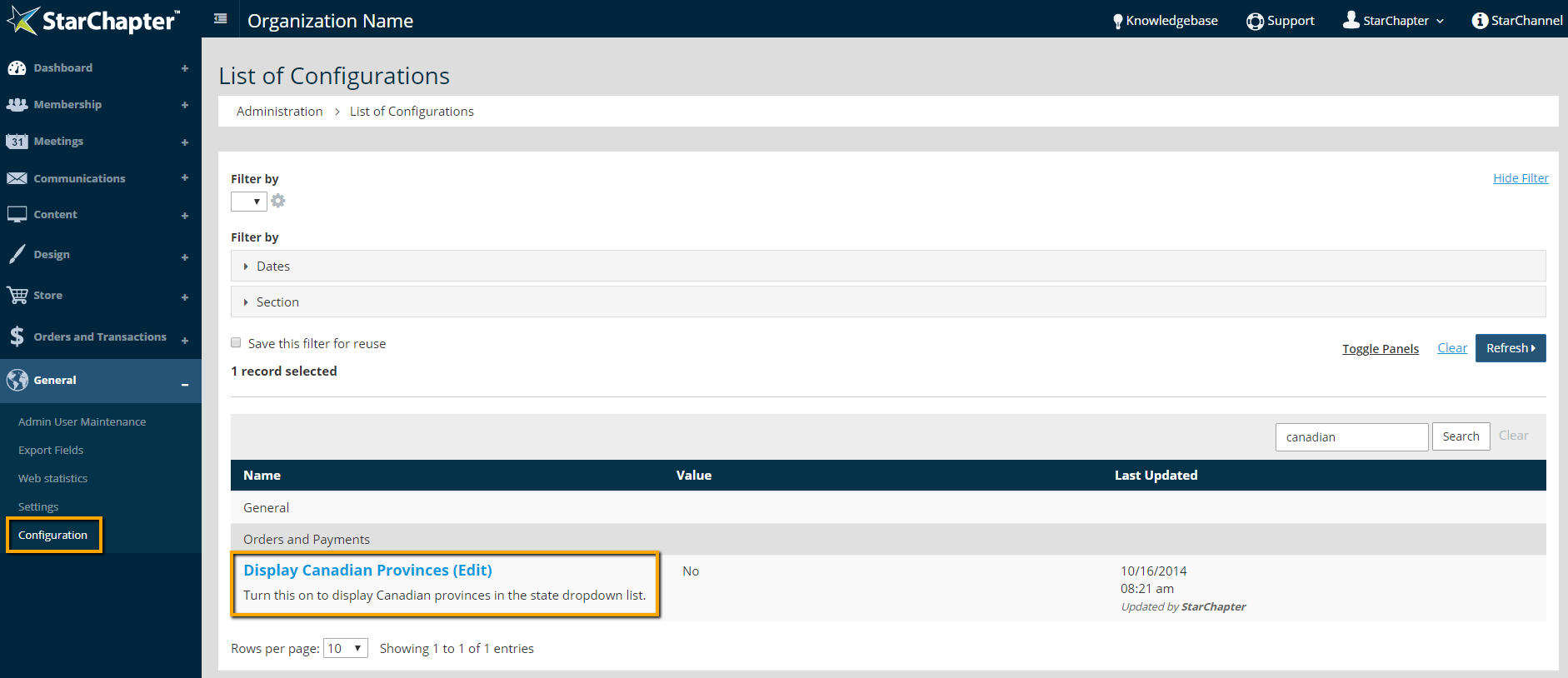
Go to
General
>
Configuration
Search for "Canadian"
Click
Display Canadian Provinces
to access that configuration setting
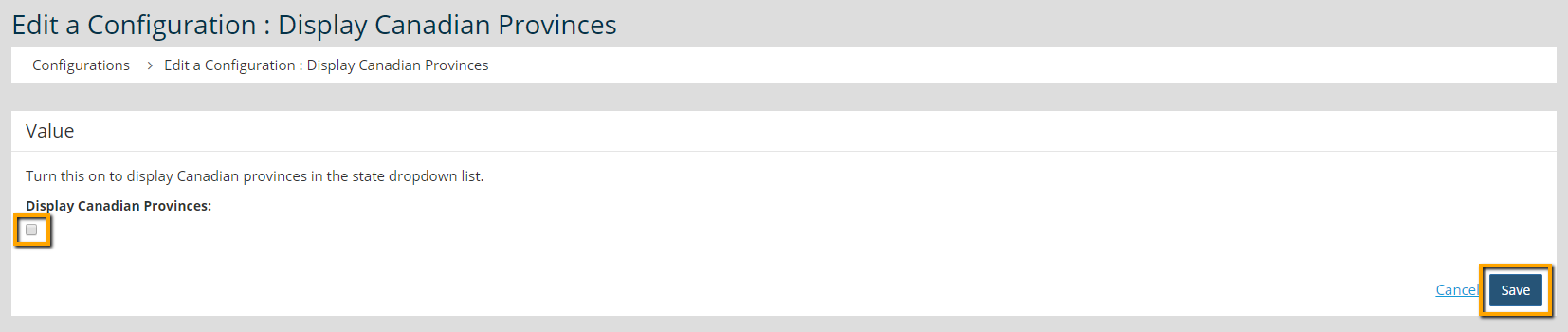
Click the checkbox to enable this option
Click
Save
Chapter Insights
Posted by
[email protected]
on 07/25/2018 3:25 pm /
General
5 Ingredients for Chapter Success
Setting Up a Virtual Chapter Structure That Delivers for Your Association
Why We Think Associations Are More Important Now than Ever Before