
Add A Container Divider
Container Dividers add visual interest to your pages by creating clear separation between content in different containers. Adjust the top and/or bottom of a content container so that it displays with a unique shape or effect instead of a basic horizontal line. This feature can only be used when the 2 adjacent containers have alternate background colors.
Whether subtle or decorative, Container Dividers make layouts easier to scan and enhance the overall experience of visitors to your website.

In This Article
Container Divider Options
Below are the Container Divider design options available. These are displayed with the height of 50.
No Divider

Tilt Left

Tilt Right

Wave Left

Wave Right

Ellipse

Inverted Ellipse

Semi-ellipse left

Semi-ellipse right

Triangle up

triangle down

waves

How To Add A Container Divider
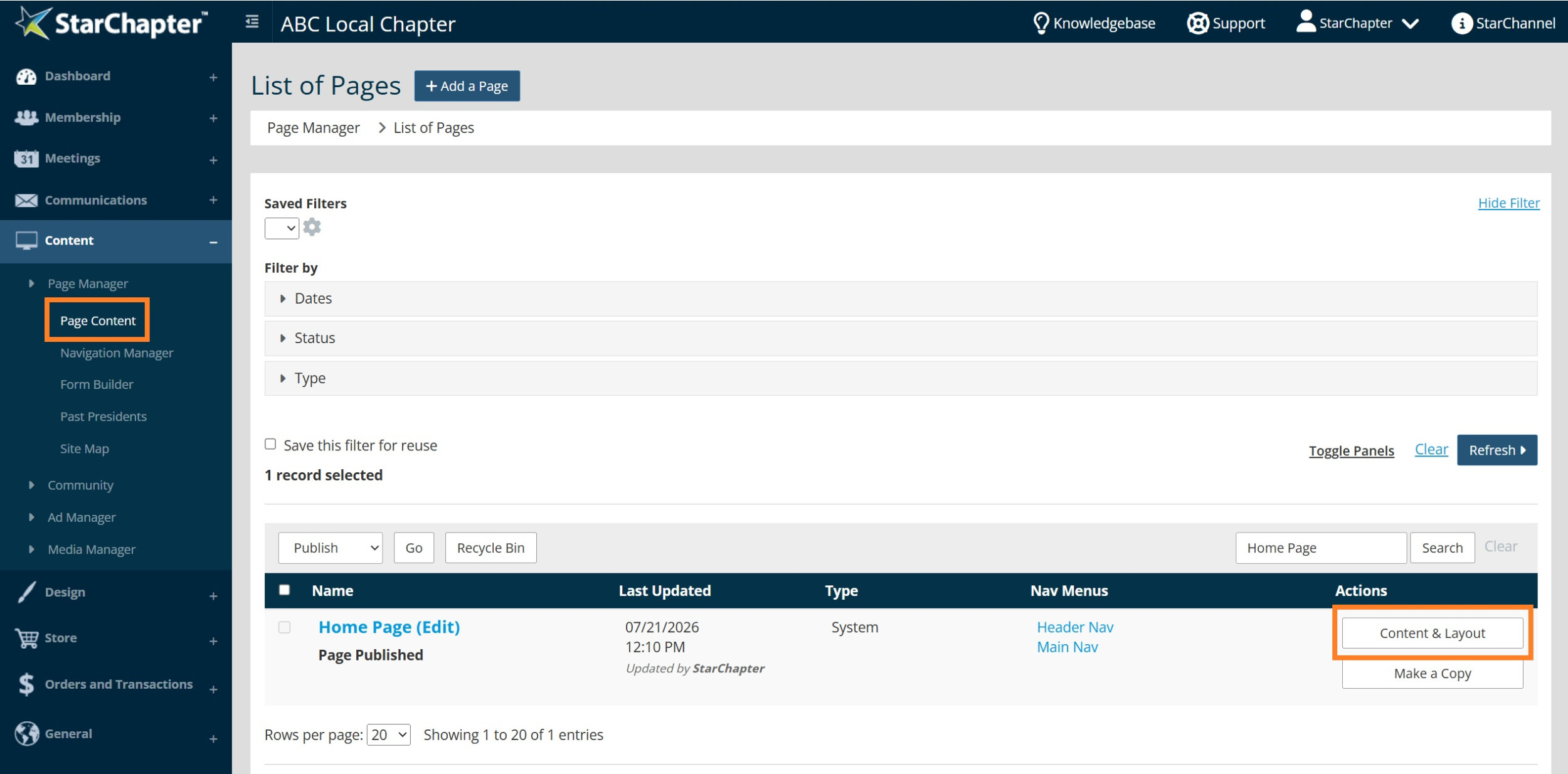
- Go to Content > Page Manager > Page Content.
- Search for the page of interest.
- Click Content & Layout.
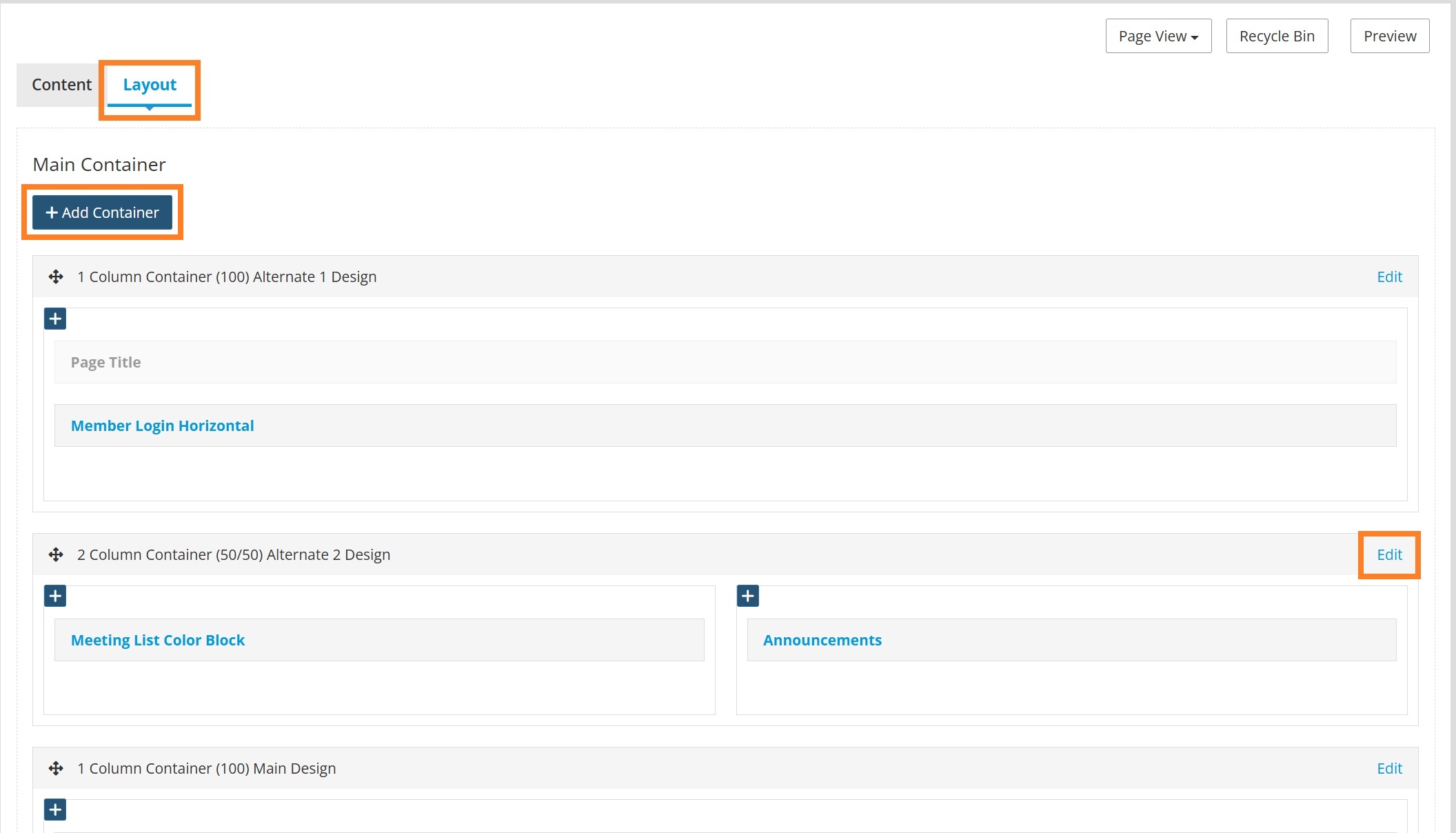
- Go to the Layout tab.
- Click Add a Container to add a new container to the page or click Edit on an existing container to add a Container Divider. For this example, the second container will be edited.
- Set the Shape Divider Top and/or Shape Divider Bottom Type and Height. Click Change.
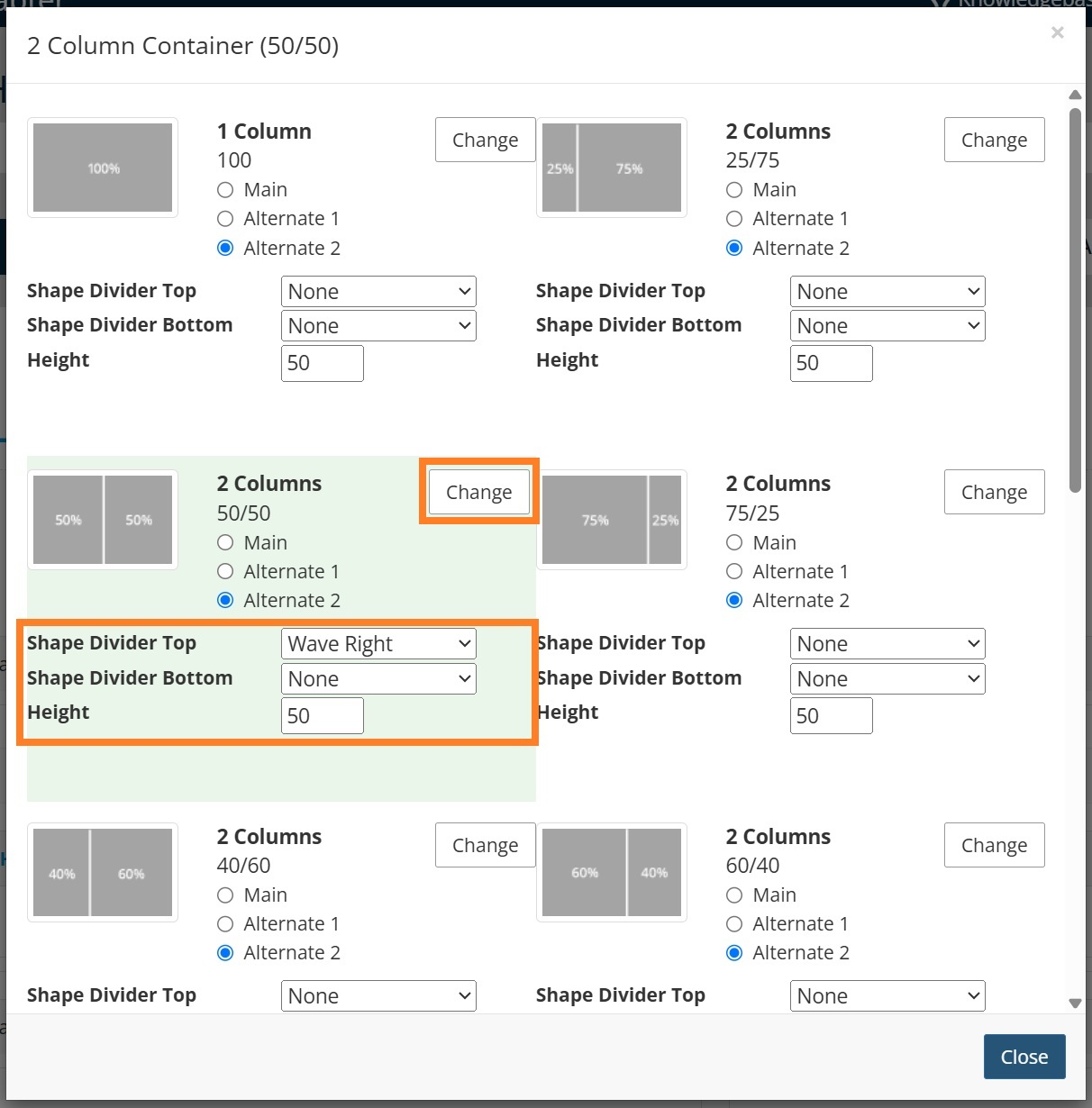

Tip: It is recommended that either a Divider Top or Divider Bottom is added, but not both. Increasing the height number makes the divider more pronounced.
- Click Preview to review the changes.
- Click Publish.
Before Container Divider

After Container Divider

(Wave Right Top, 50 Height)





