Track Meeting Attendance
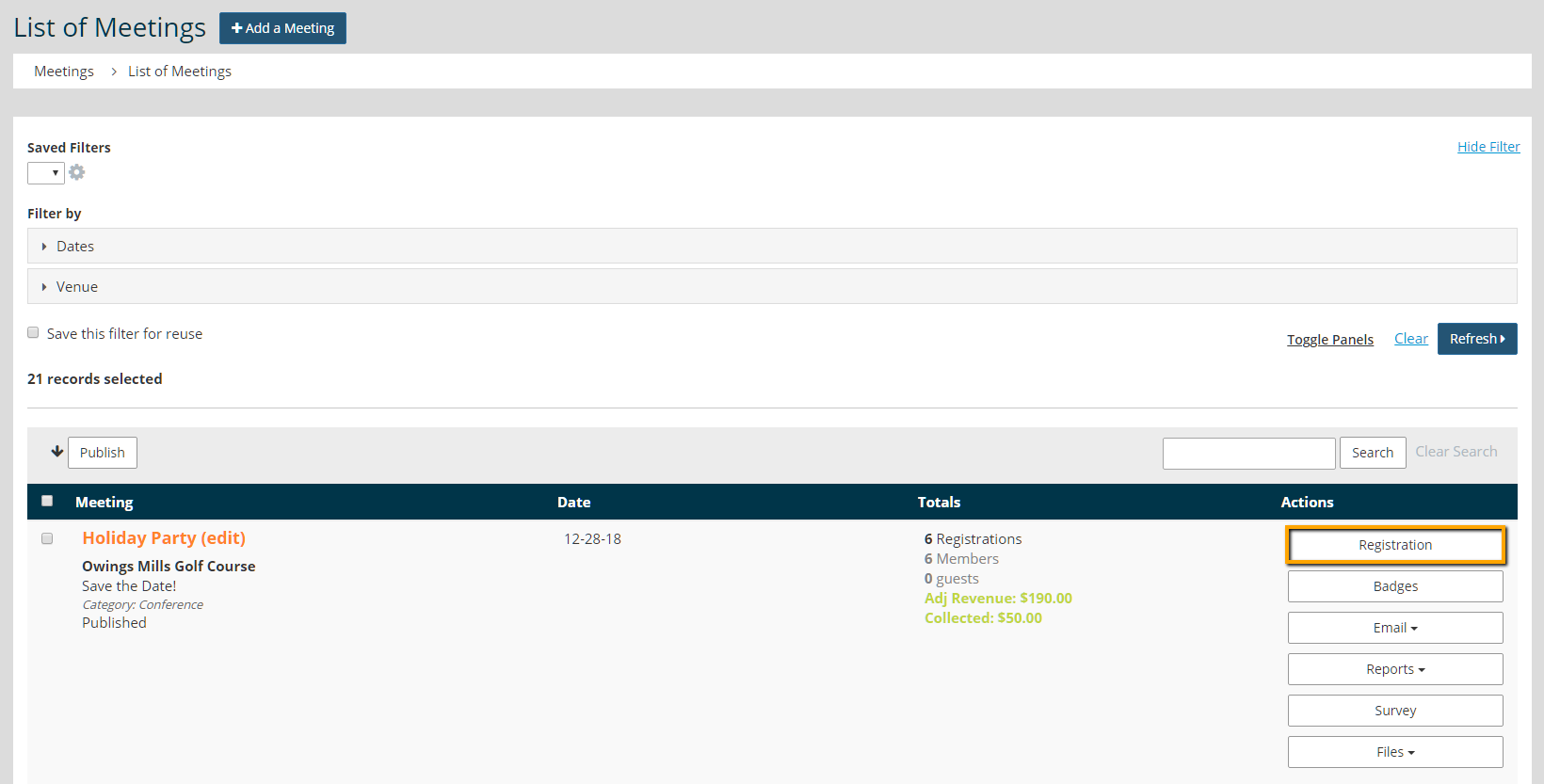
- To track attendance for a meeting or event, go to Meetings > Meeting Manager.
- Click the Registration button under actions.
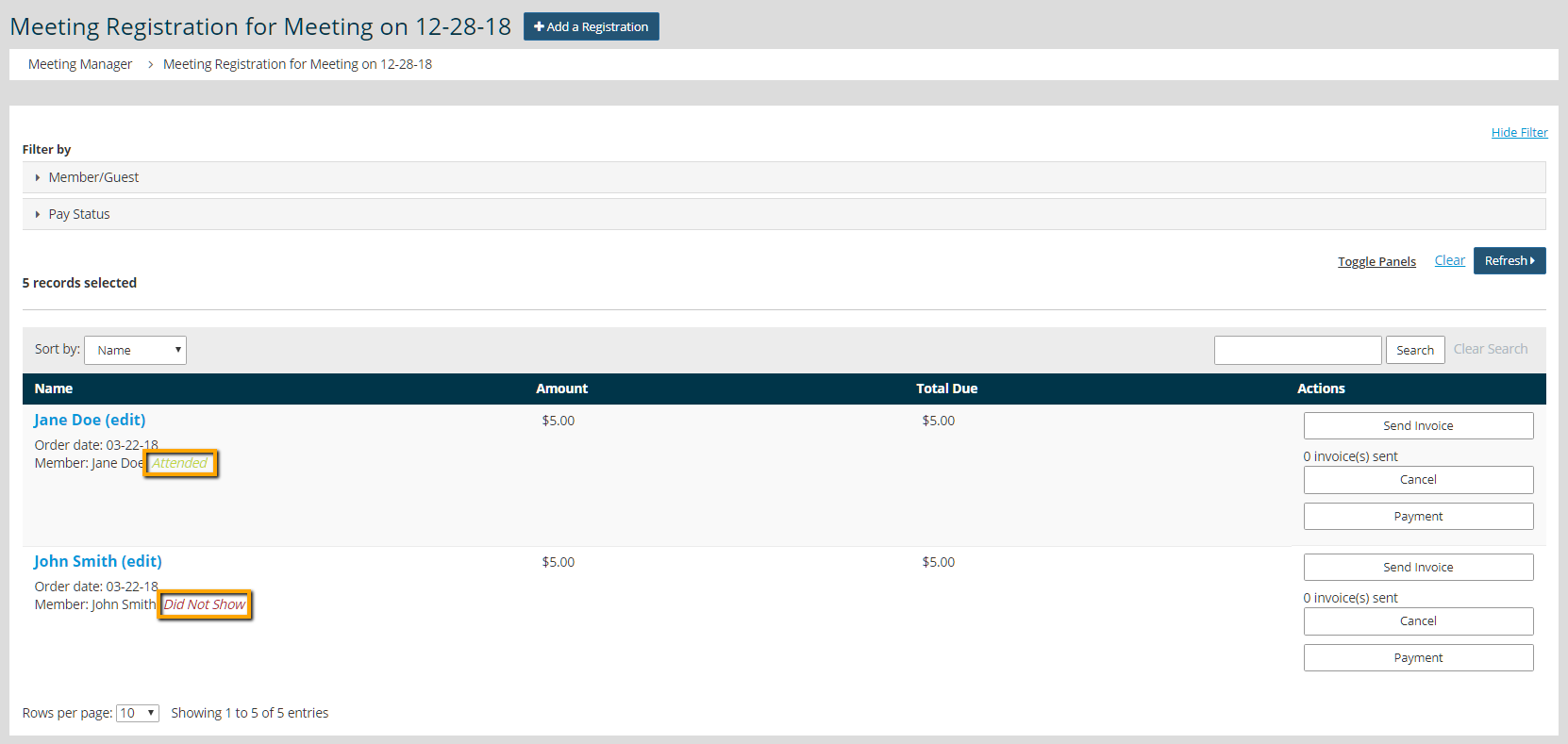
- Next to the name, locate "Attended" or "Did Not Show" attendance status. Click on the text to change the attendance status.

Tip: To change the default attendance status, go to Meetings > Settings > Permissions. Toggle the setting "Default Registrations to No-Show". This setting change is not retroactive and only affects future registrations.
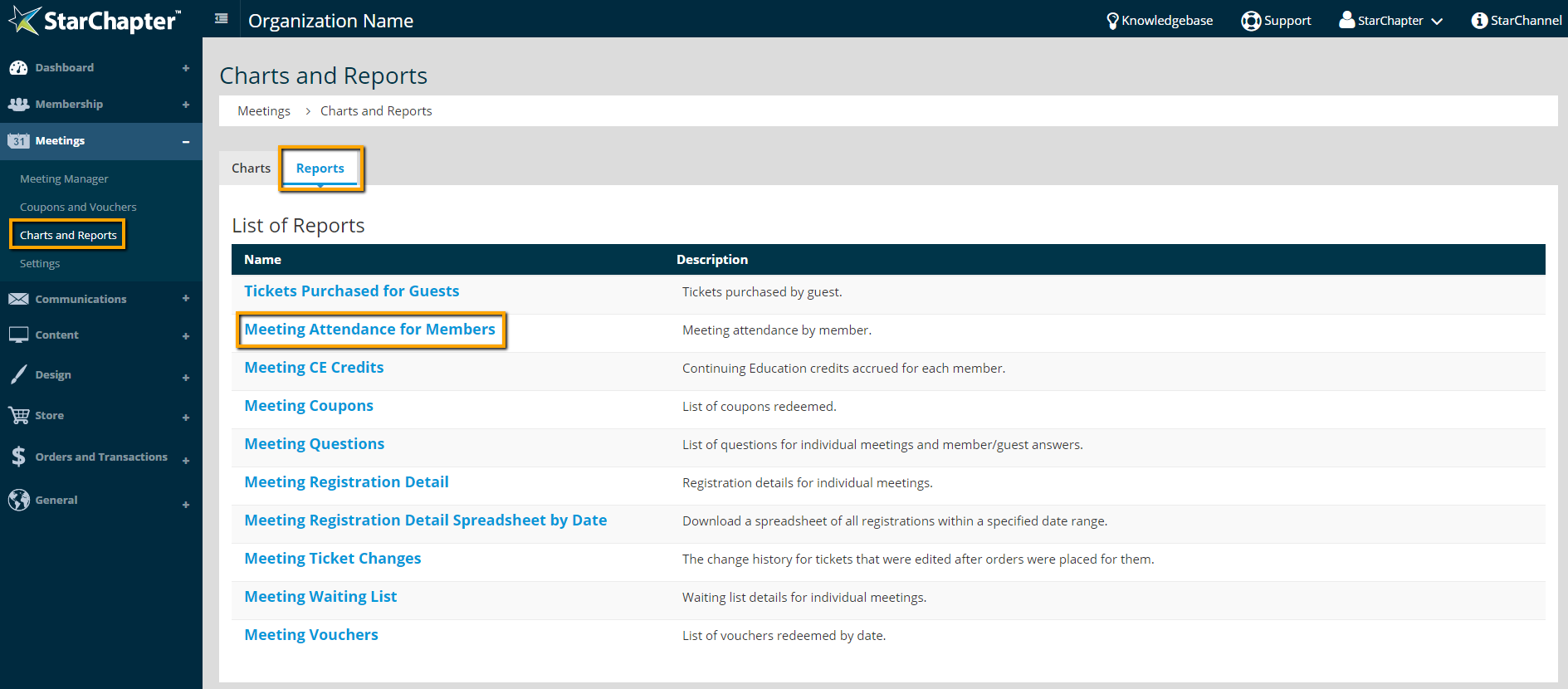
- Access and print attendance reports in Meetings > Charts and Reports > Reports > Meeting Attendance for Members