You are viewing this design in preview mode. The design MUST be published to be live on your website.
    •   New Board Member?
    •   Support
    •   Video Library
    • Workflow Library
    •  Page Content Library
    •  Email Builder Content Library

    Knowledgebase

    • Home
    • > Meetings
    • > Meeting Manager
    • > Sell Sponsorships At Meeting Registration

    Sell Sponsorships At Meeting Registration

    This article is for selling sponsorships in association with a meeting that DO NOT include seats at the event.

    Conferences and other multi-day events often have sponsors who cover some costs associated with the event. To sell the sponsorships during the meeting registration process, use the Store > Products section to setup the sponsorship pricing. Then, go to Meetings > Meeting Manager and add the sponsorships to a meeting.

    Tip Icon

    Tip: These steps do not apply to sponsorships that include seats at the event. If the sponsorship should include one or more seats at the event, simply add it as a different ticket on the meeting rather than a product.

    Setup the Sponsorship in Products

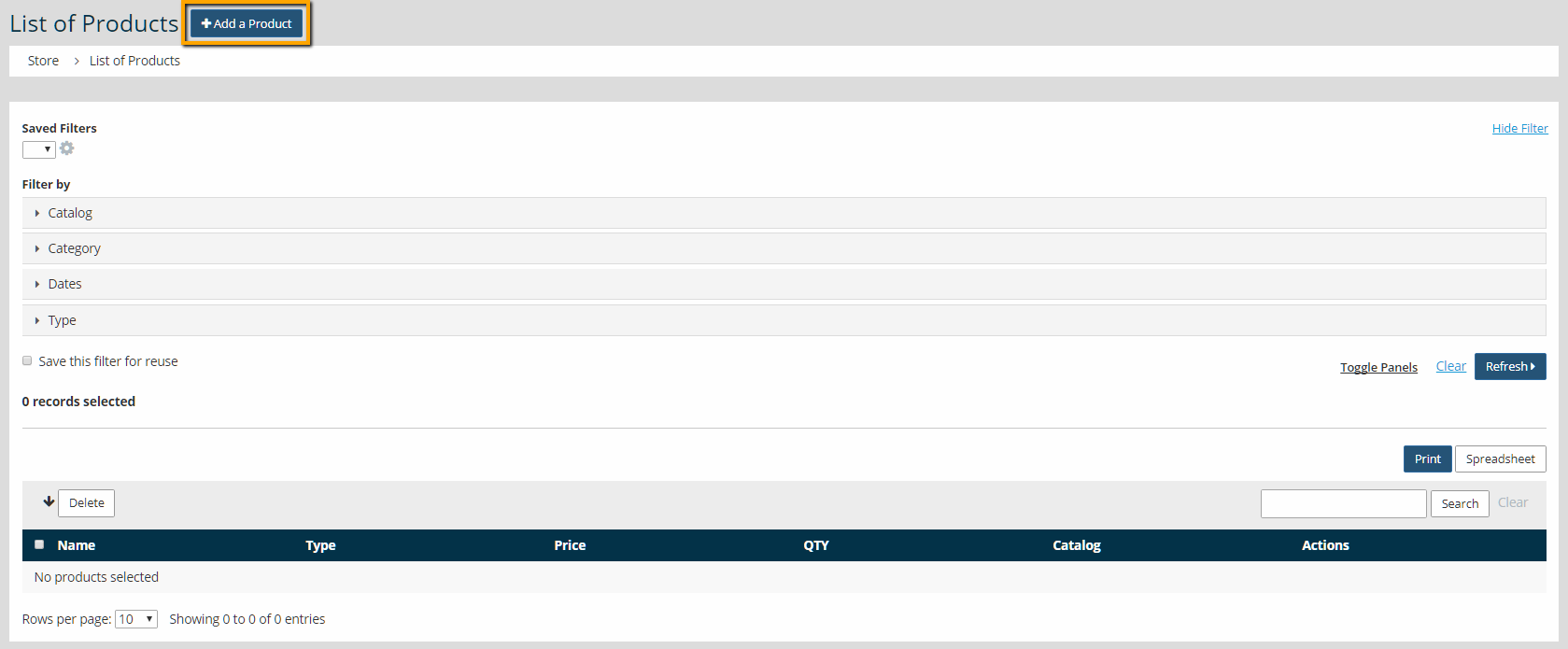
    1. Go to Store > Products
    2. Click Add a Product

      ell Sponsorships At Meeting Registration - Add a Product
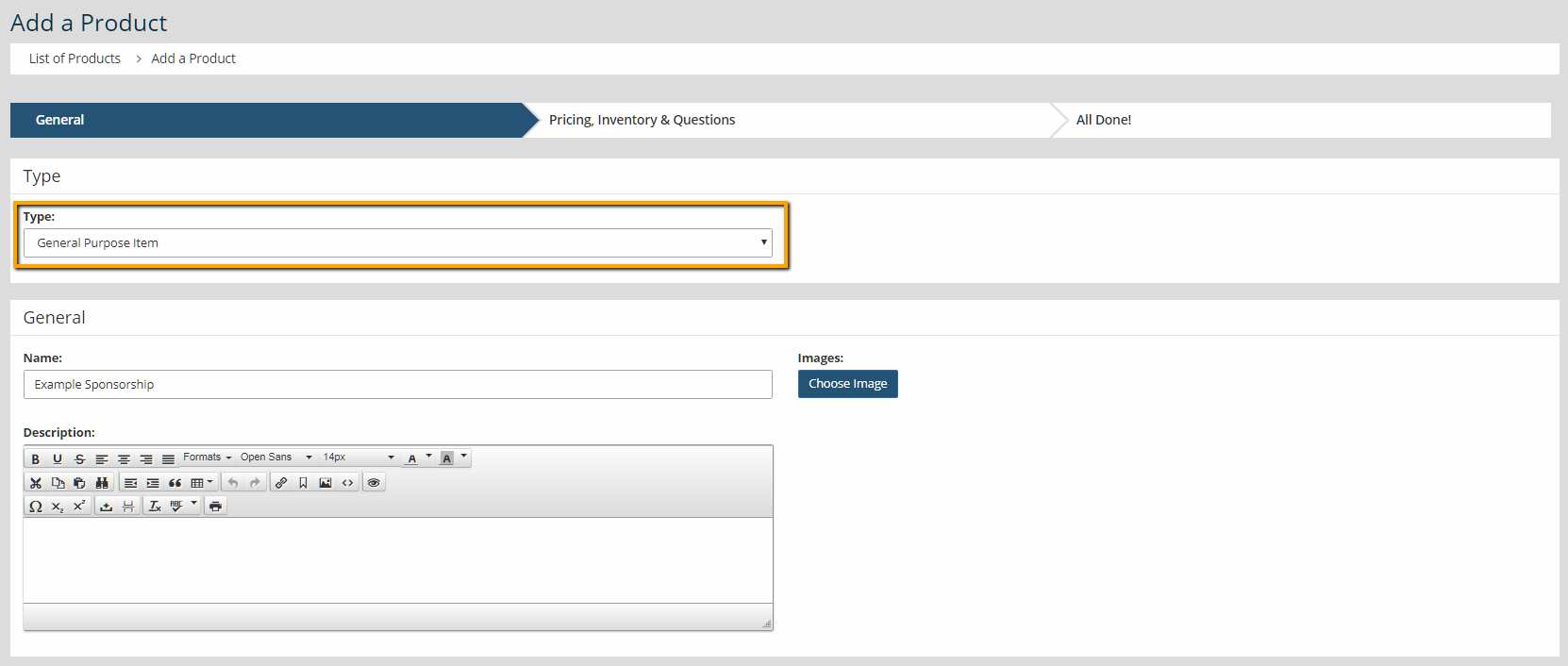
    3. For sponsorships, use the 'General Purpose' item type.
    4. Enter a name of the sponsorship.

      ell Sponsorships At Meeting Registration - Select Type
    5. Select an image (optional), and enter a description.
    6. Check the box next to "Show In Meeting Product List?" Click Next.

      ell Sponsorships At Meeting Registration - Show in Meeting Product List
    7. Enter the price, tax rate (optional), and inventory (optional).
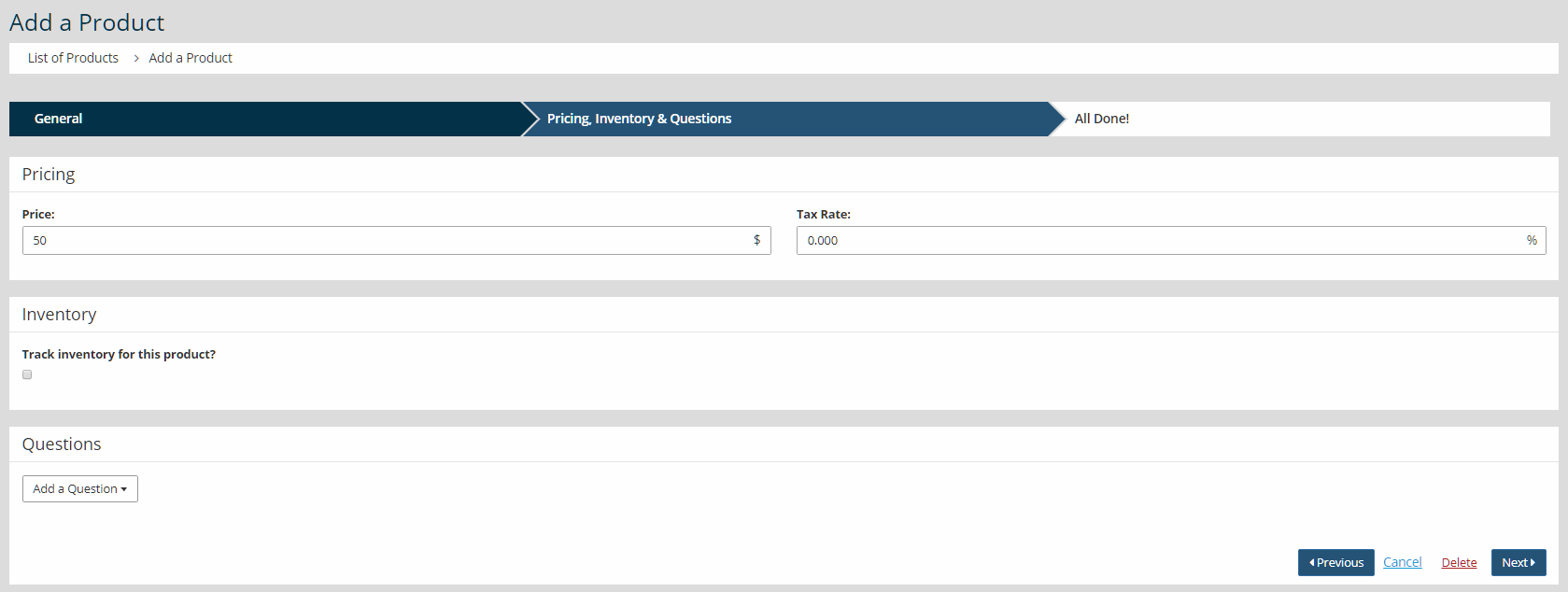
      ell Sponsorships At Meeting Registration - Enter price
    8. Add questions to collect important information from sponsor

      ell Sponsorships At Meeting Registration - Add a Question
    9. Click Next.

    Attach the Sponsorship to a Meeting

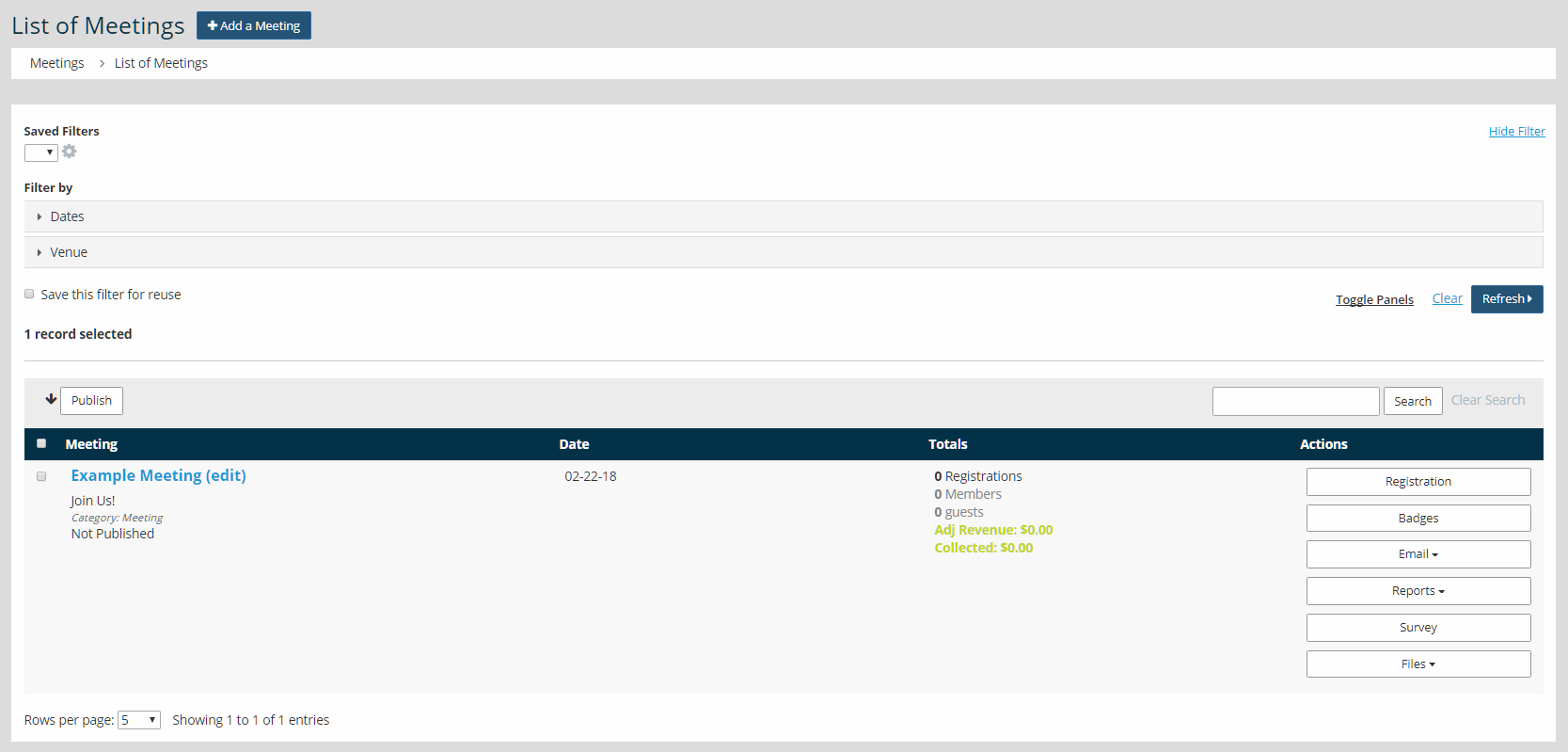
    1. Go to Meetings > Meeting Manager.

      Sell Sponsorships At Meeting Registration - Meeting Manager
    2. Click the name of the meeting. Scroll to Products. Click Edit.

      Sell Sponsorships At Meeting Registration - Edit Products
    3. Click to add a Catalog Product.

      Sell Sponsorships At Meeting Registration - Add a Catalog Product
    4. Select the product, click on the Publish check box, and click Add.
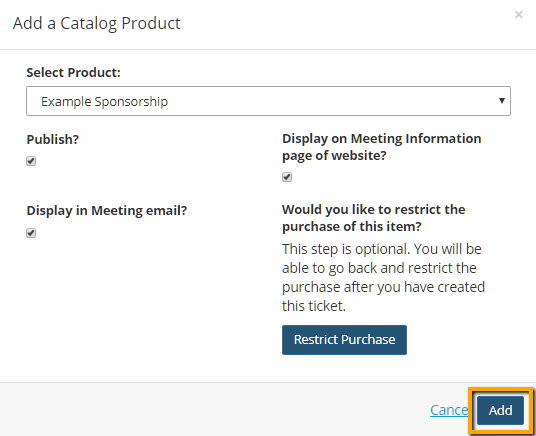
      Sell Sponsorships At Meeting Registration - Add the product
    5. Meeting registrants can now add sponsorships to their cart during the meeting registration process.


    Chapter Insights

    Posted by [email protected] on 03/07/2018 9:28 am  /   Meetings

    4 Ways Technology Can Increase Your Virtual Meeting Engagement


    Turn Your Average Remote Events into Engaging Virtual Experiences 


    Hosting a Virtual Golf Event - It Can Be Done


    Give Your Team the Direction They Need to Hold Successful Virtual Events

    © 2026 StarChapter Software LLC All rights reserved.

    •  
      Board Training
    •  
      Services
    •  
      KB Home
    • Master Service Agreement
    • |
    • Privacy Policy
    . .