
Save a Credit Card
Members may choose to save a credit card to their profile. This provides the convenience of faster checkout on future orders. All credit card information is saved securely and is not accessible to anyone except that member.
Members can update their card information at any time.
Add a Credit Card during Checkout
- Proceed through the order process as normal.
- At the Payment Information step of the checkout process, enter the payment details as usual. The option to "Save card details for faster checkout next time?" will be checked by default.
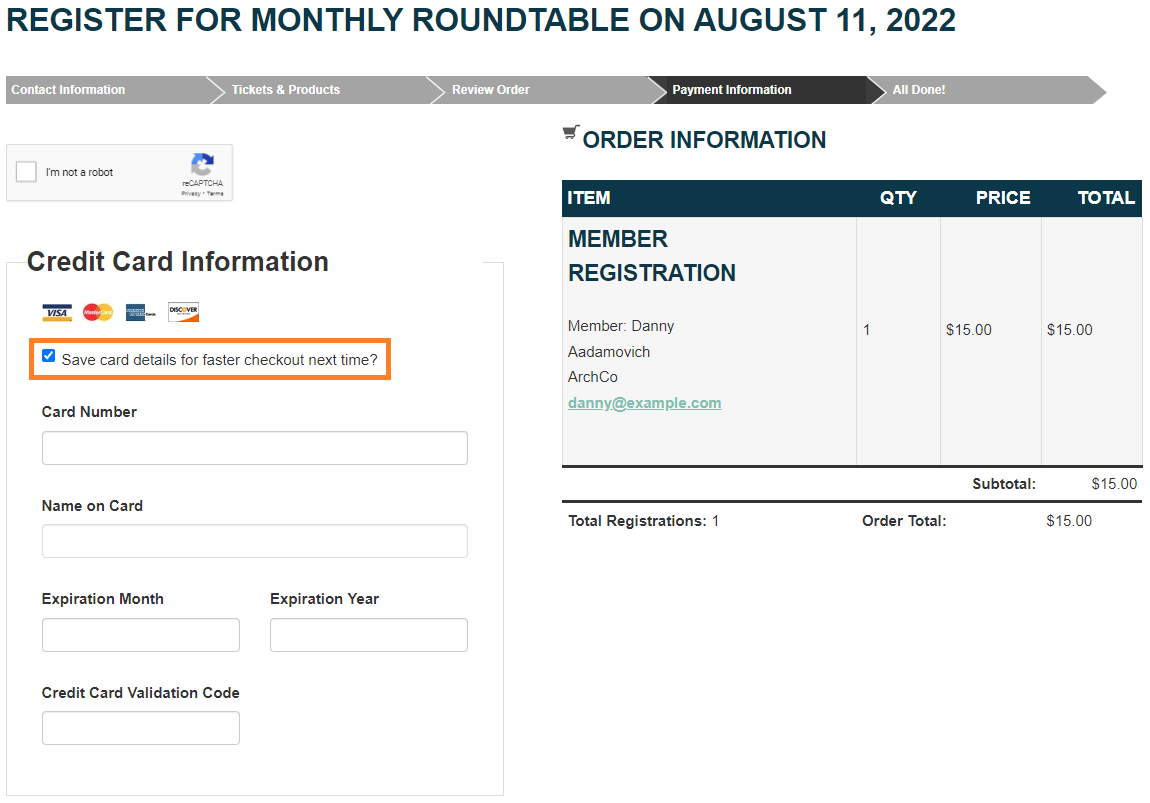
- Complete the payment and order as usual.
Replace a Saved Credit Card during Checkout
- Proceed through the order process as normal.
- At the Payment Information step of the checkout process, select "Use a different card" in the Credit Card Information drop-down menu.
- Enter the new card details and check the option to "Replace card on file?"
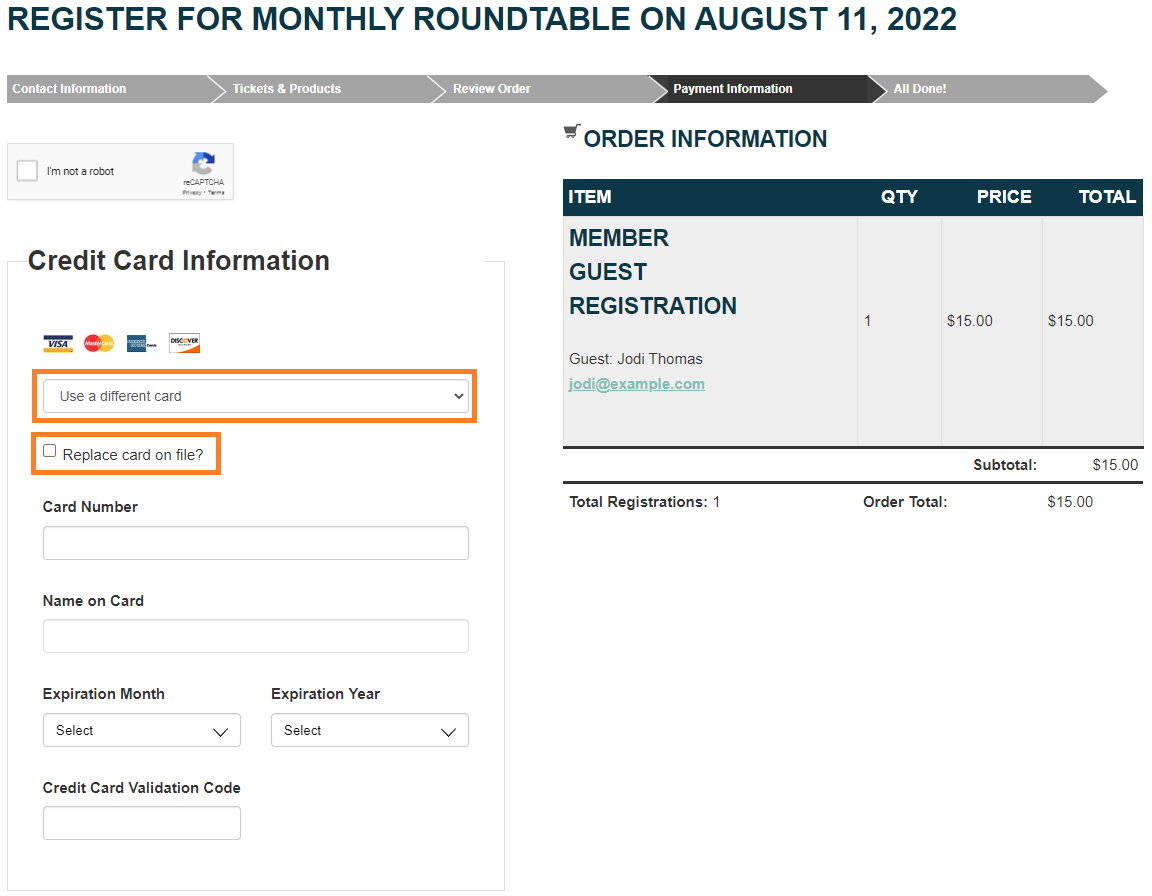
- Complete the payment and order as usual.


