
Remove a Page from the Website
The website portion of StarChapter's system is your chapter's public-facing way to communicate with members, products, and partners. Over time content should be updated to remain current. This may mean that some pages will become outdated and need to be removed from the website. This may be temporary or permanent, but the process is the same to unpublish the page.
- Go to Content > Page Manager > Page Content.
- Search for the page of interest.
- Check the box to the left of the page.
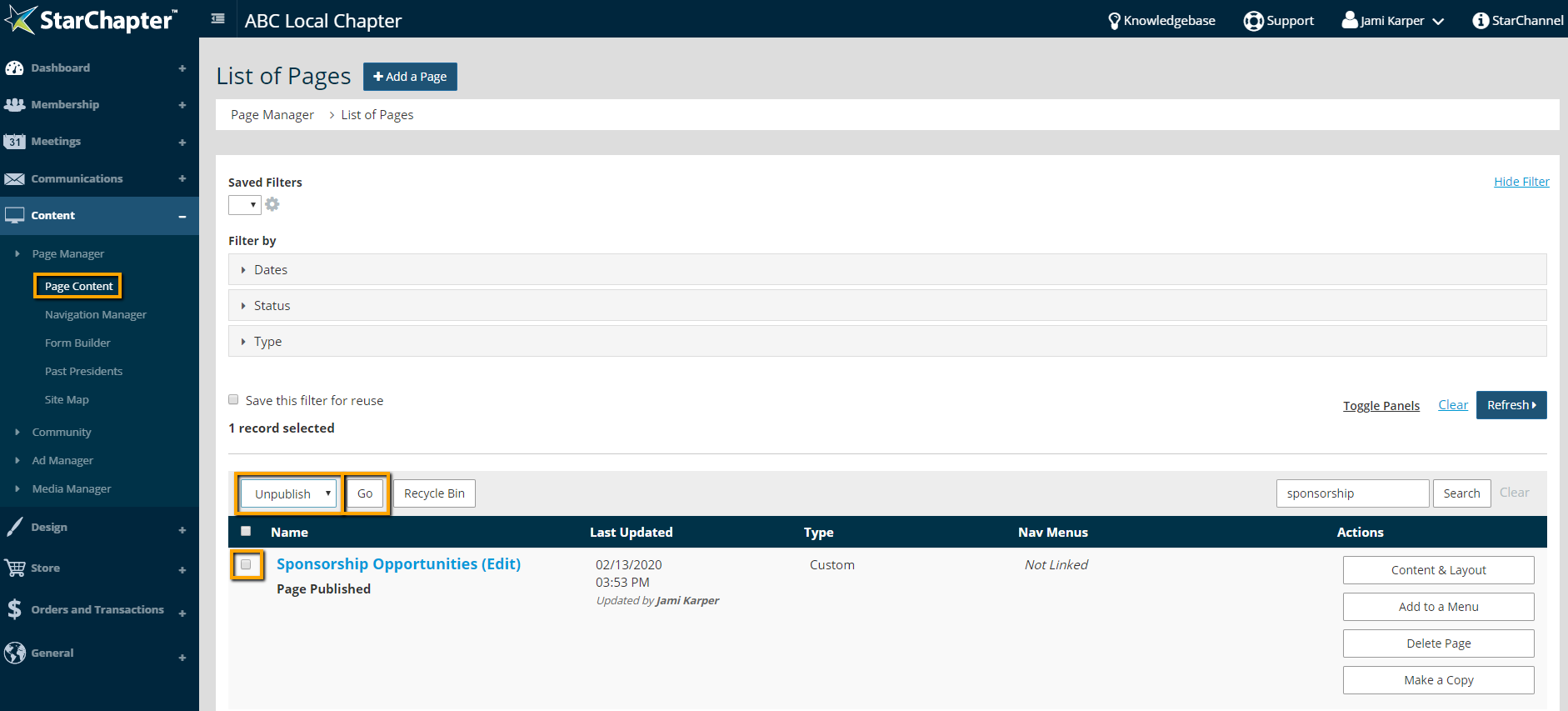
- Select "Unpublish" from the drop-down menu at the top left of the page table.
- Click Go.

Tip: If the page was included in any navigation menus prior to being unpublished, those links will be removed automatically.





