
Dynamic Content
Dynamic Content is a pre-built content section or template that automatically pulls live information—such as member information, meetings, news, or sponsor logos—from the system’s backend and displays it on your pages and emails. For example, a “Meetings List” content section will always show your upcoming meetings without requiring you to enter them manually outside of the Meetings module.
Use the links below to preview the various dynamic content sections available on StarChapter:
Benefits of Using Dynamic Content
- Reduces manual work in maintaining a website, so you don’t have to update each page individually whenever something changes.
- Maintains consistency across the website and communications (e.g., meeting lists, newsletters, sponsor logos) because they pull from one source.
- Enables more dynamic and up-to-date content for visitors and members, improving user experience and reducing stale content.
How it works
Pages
Dynamic content displays on the pages of your website in 2 ways:
A. Dynamic content pages with .php in the URL and
B. Dynamic content sections that are manually added
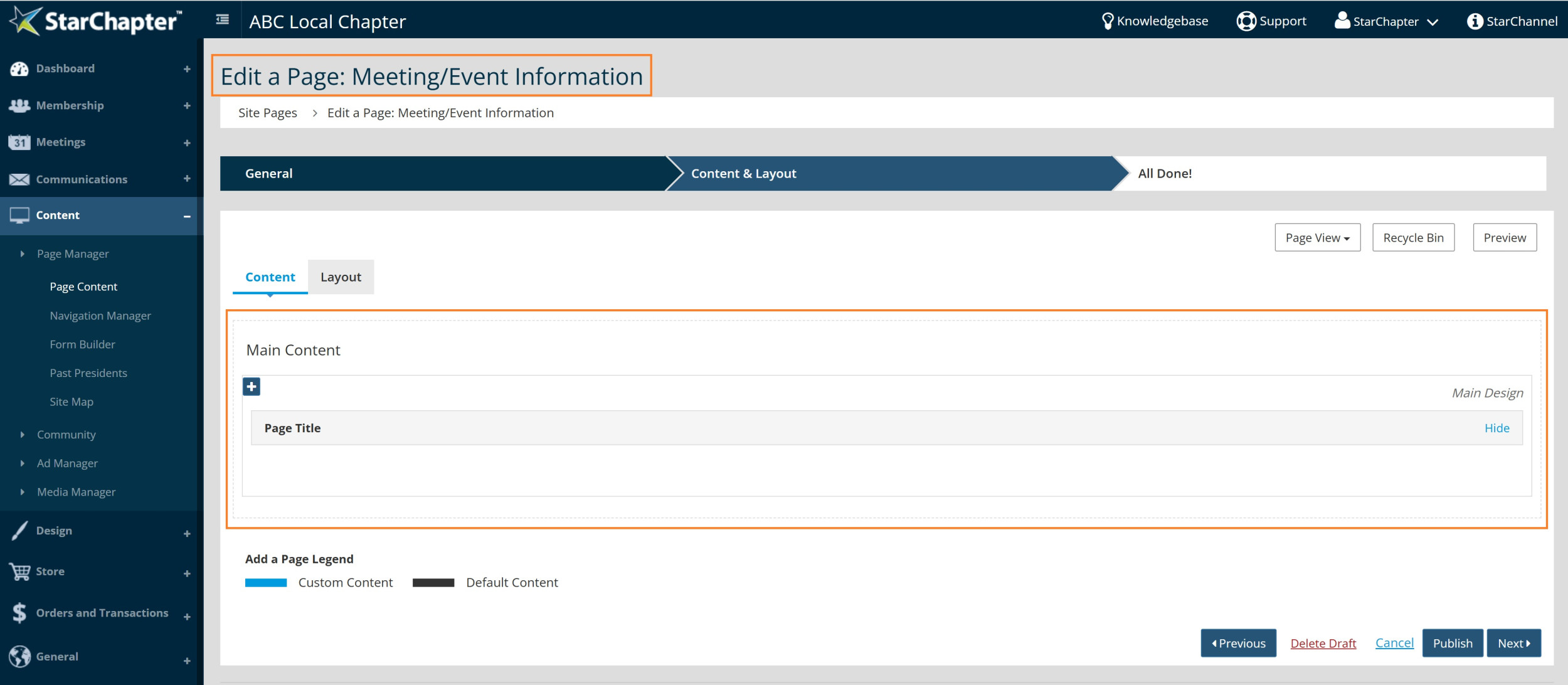
An example of a dynamic content .php page is the main Meeting/Event Information Page. When you open this page under Content > Page Manager > Page Content, you do not see a content section for the meetings displayed. Instead, this page will use the dynamic page templates located under Design > Page Templates > Meeting Information (Type=Page). Whenever you see dynamic content on the front end of your website on a .php page, but do not see a content section on that page in your back end, edits will need to be made to the Page Template. Learn more about Page Templates, HERE.
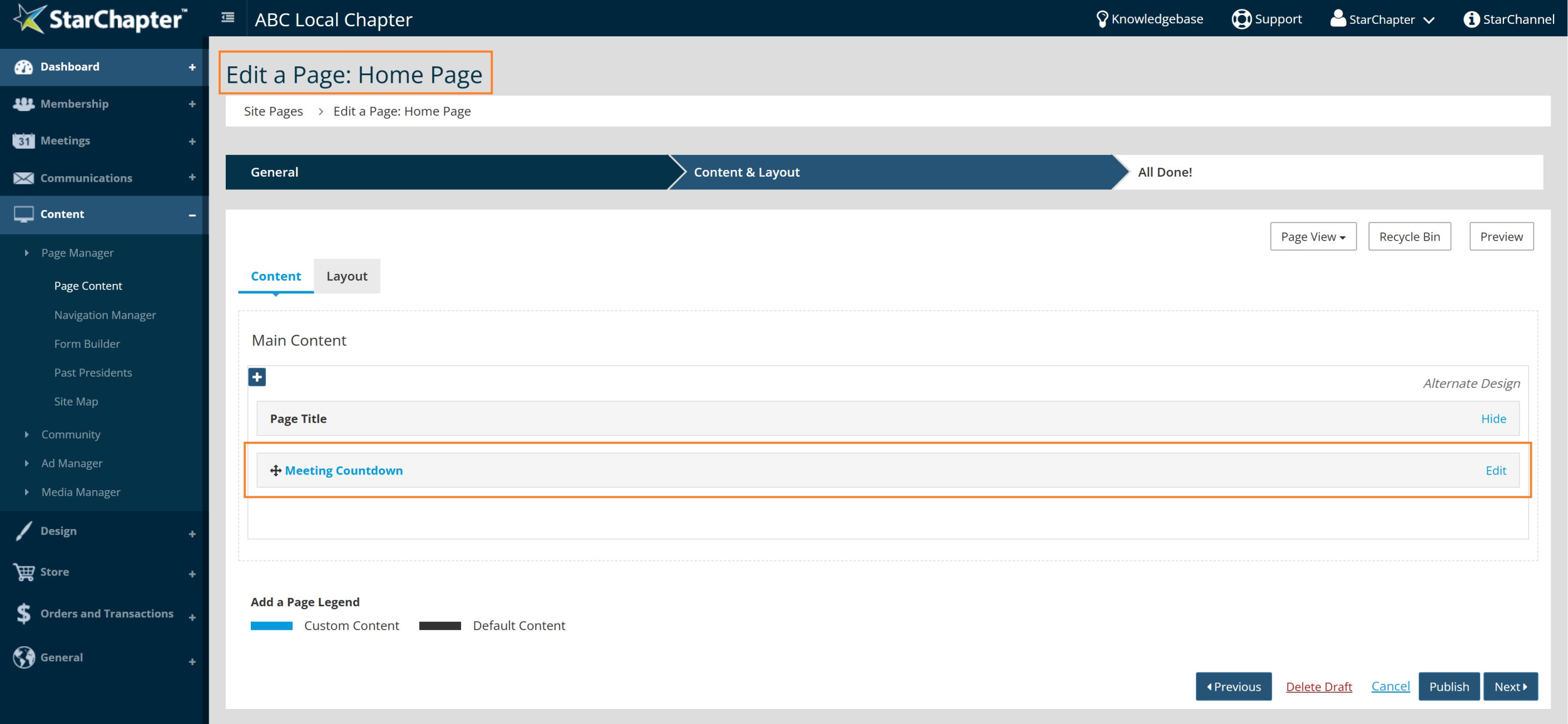
An example of a dynamic content section for meetings is adding a new content section to a page from the Meeting Content Section Library. Many Chapters will add one of these content sections to their Home Page to prominently display upcoming meetings dynamically.
For more direction on adding content sections to pages, please see: Add Page Content
Emails
Email Builds in Communications > Email Builder work much like pages. Email builds consist of Email Content Sections that automatically pull in information from the system’s backend and display that content within your email communications. Email Content Sections are controlled by email templates (found under Design > Email Templates).
For example, the default Member Welcome email build that comes with your StarChapter site uses the Member Welcome email content section/template to insert dynamic content into each welcome message. When you preview this email under Communications > Email Builder > Member Welcome, the text you see comes from the email template. To edit that text, go to Design > Email Templates > Member Welcome.
For more direction on editing email builds, please see: Edit an Email Build





