Create a Meeting Ticket
Meeting Tickets equal a seat to an event. If a registration list is needed, tickets must be created and published. The way that tickets are presented can be customized for each event and additional options including multi-seat tickets, sales limitations, and additional information collection can be included. There is no limit to the number of tickets that can be created for a meeting.
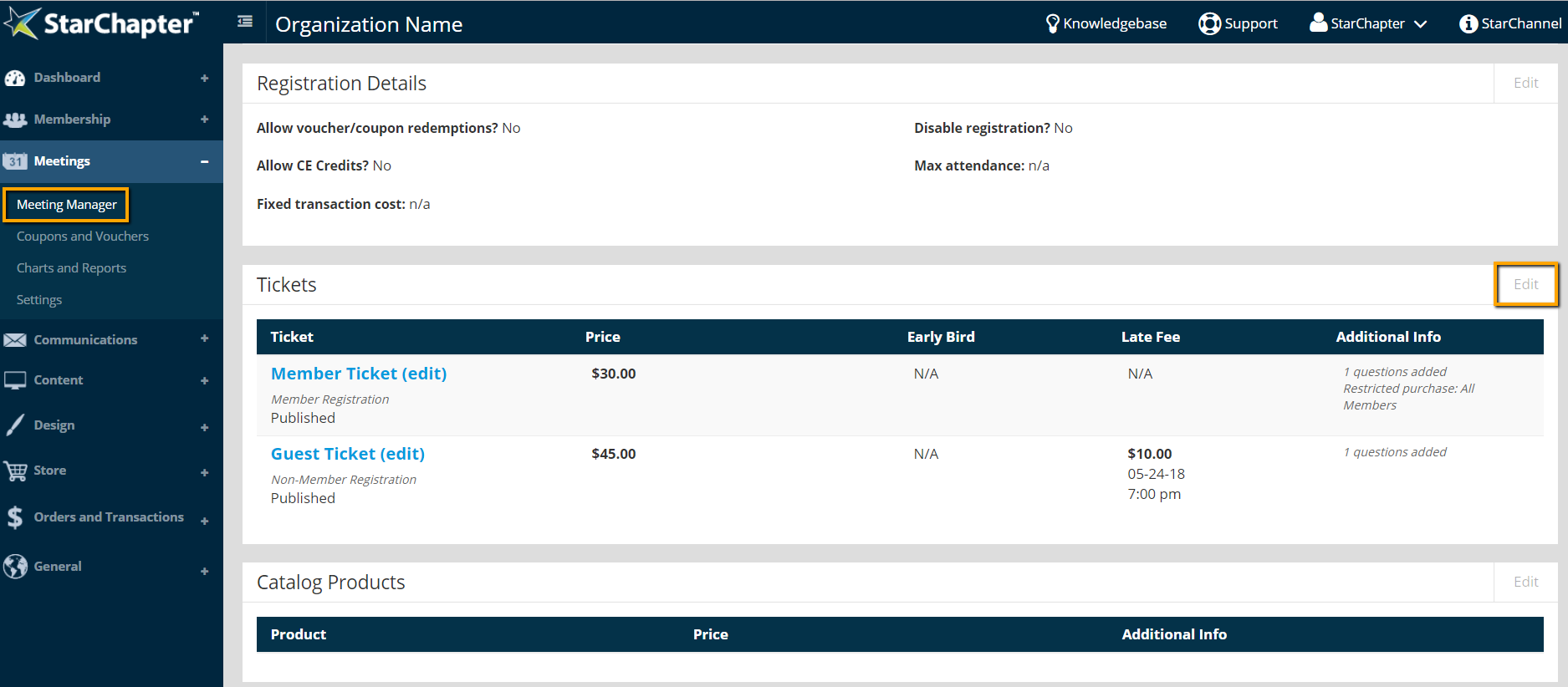
- Go to Meetings > Meeting Manager and open your meeting of interest.
- Click Edit in the Tickets area of the meeting.
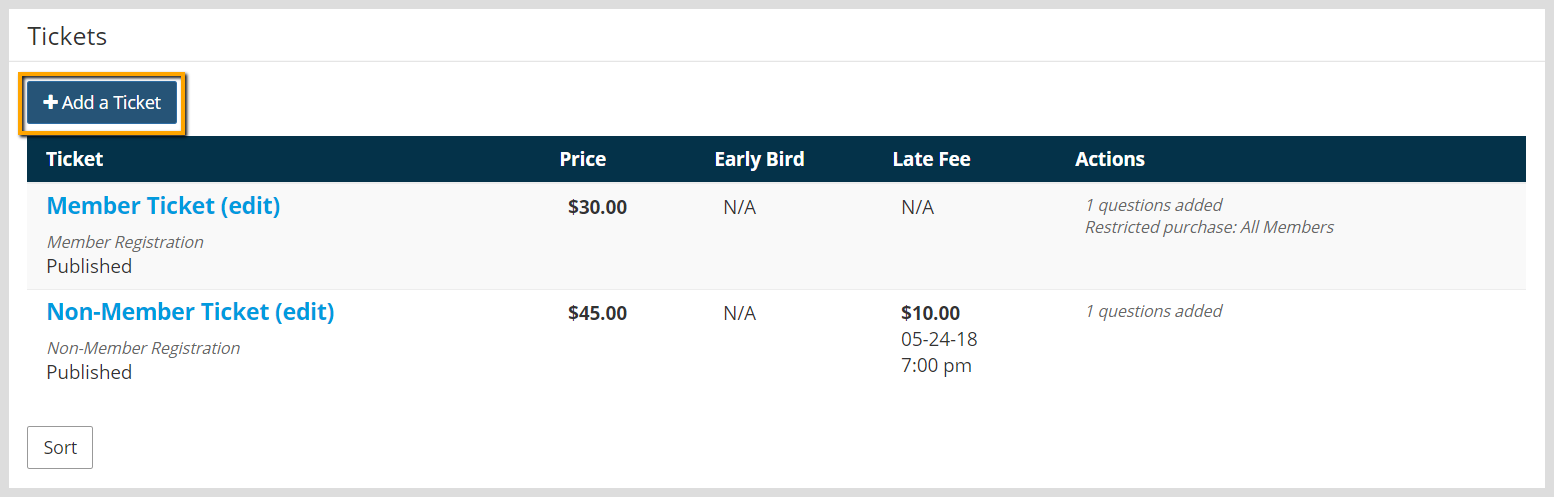
- Click Add a Ticket.
- Select the Ticket Type. This is an internal designation only and will not be visible to registrants.
Member Ticket - Member Tickets are only available to members for purchase and must be assigned to a member listed within the Member Manager. They can be restricted further to specific member groups. Member tickets are recommend when possible and they are linked to additional functions and reports within StarChapter.
Non-Member Ticket - Non-Member Tickets are open to the general public by default. They can also be restricted to members for purchase if members should be able to bring guests for a lower cost than the general public.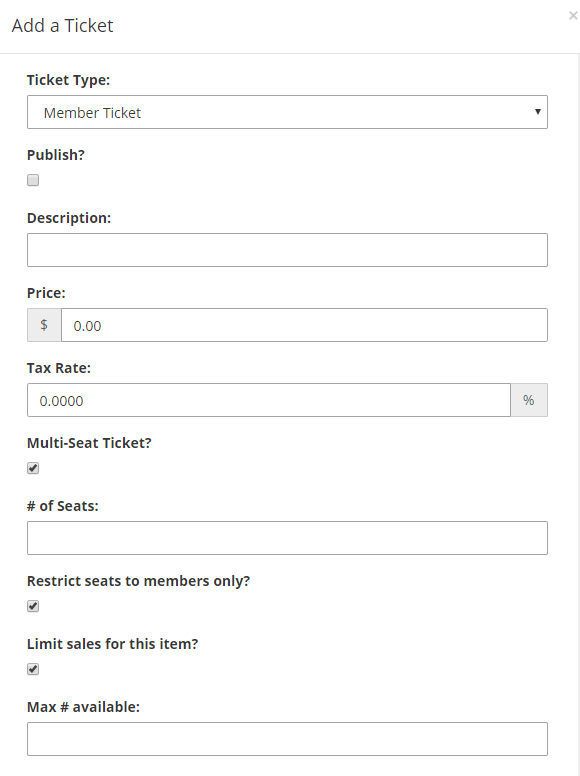
- Check "Publish", if the ticket should be immediately available.
- Add the ticket name to the Description field. This is the name that will display in the list of ticket options.
- Set the ticket price. If there is no cost and only an rsvp is needed, leave the price at $0.
- If tax is required, enter the tax rate.

Warning: The Tax Rate field cannot be used to pass on transaction fees from your payment processor. Any rate added to the Tax Rate field will be labeled as Tax on receipts and invoices.
- If tickets should be sold in groups or packs, the "Multi-Seat Ticket" option allows for that group to be set. "Click Multi-Seat Ticket" and note the "# of seats" to be included.

Tip: Multi-seat tickets are only necessary if tickets must be purchased in particular quantities. StarChapter will always allow users to purchase multiple tickets, if they are available. Note that the Price field indicates the cost of the entire pack of tickets and is not a per-seat cost.
- If this specific ticket should be limited, check the Limit sales option and update the "Max # available" field.
- If Early Bird Discounts and/or Late Fees should be applied, set the price difference for the specific ticket in the Discount or Fee fields.
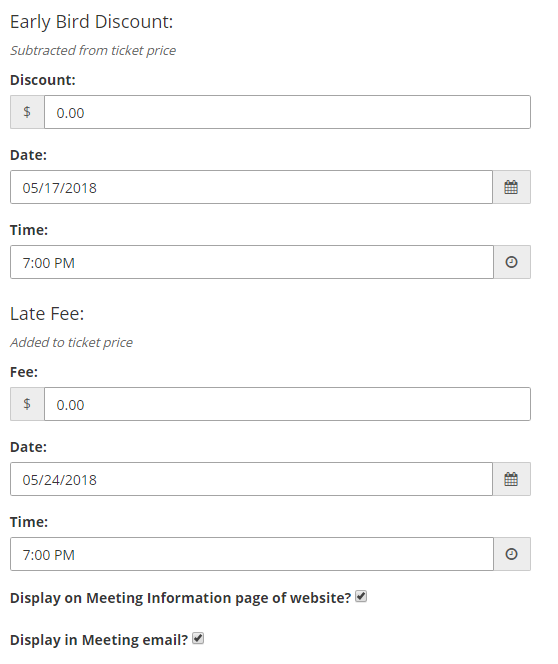
- Typically, all tickets should be promoted, so the "Display on Meeting Information page of website?" and "Display in Meeting email?" options will be checked by default. If this ticket shouldn't be promoted, those options can be disabled.
- Ticket questions provide the opportunity to collect additional information. Set up Multiple Choice or Write-In Answer questions.
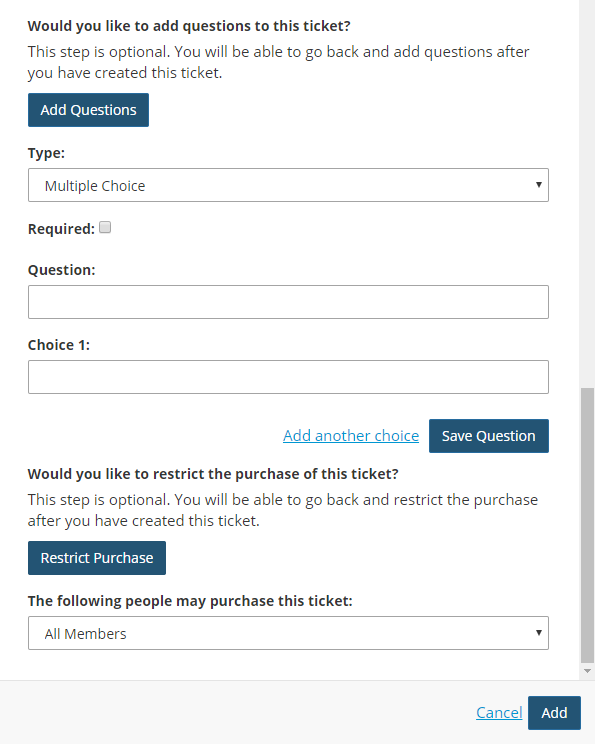
Tip: Responses to questions will not affect the cost of the ticket. If price changes are needed, separate tickets must be setup.
Warning: Ticket questions cannot be edited after registrations are received. If changes are needed to questions, unpublish the original ticket, create a duplicate, and publish the new version.
- If tickets should available to specific groups of members, restrictions can be added. By default, Member Tickets are limited to members and Non-Member Tickets are not limited at all. Restrictions can be added to either type to target specific purchasers.
- Click Add.