Create Custom Member Fields
While many standard fields are in StarChapter's Member Manager, each organization and industry may have unique information to track beyond those standard pieces of information. Custom fields can be created that will display in all member profiles.
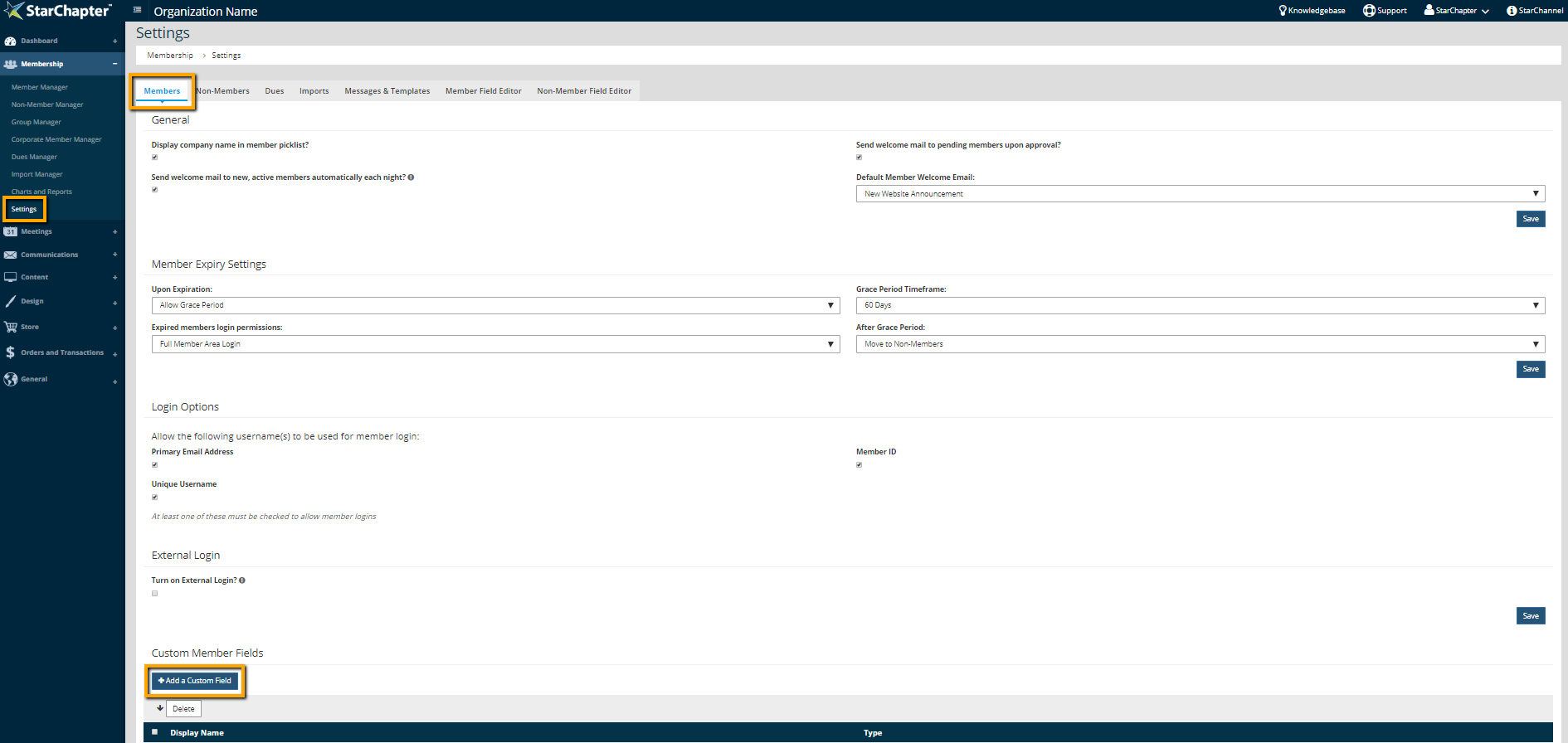
- Go to Membership > Settings > Members > Custom Member Fields.
- Click Add a Custom Field.
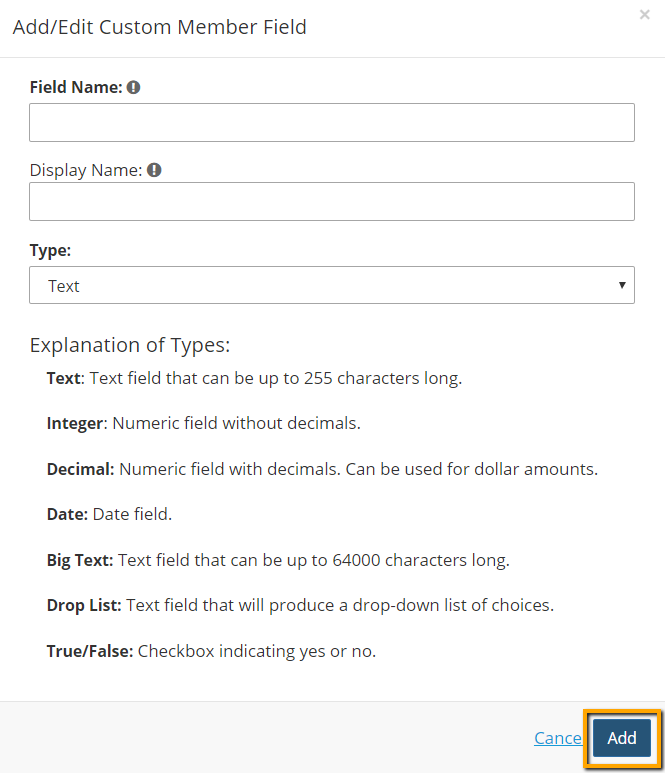
- Enter the "Field Name" and "Display Name" (they typically match) and select the field "Type."
- Click Add.