
Add a Sublink
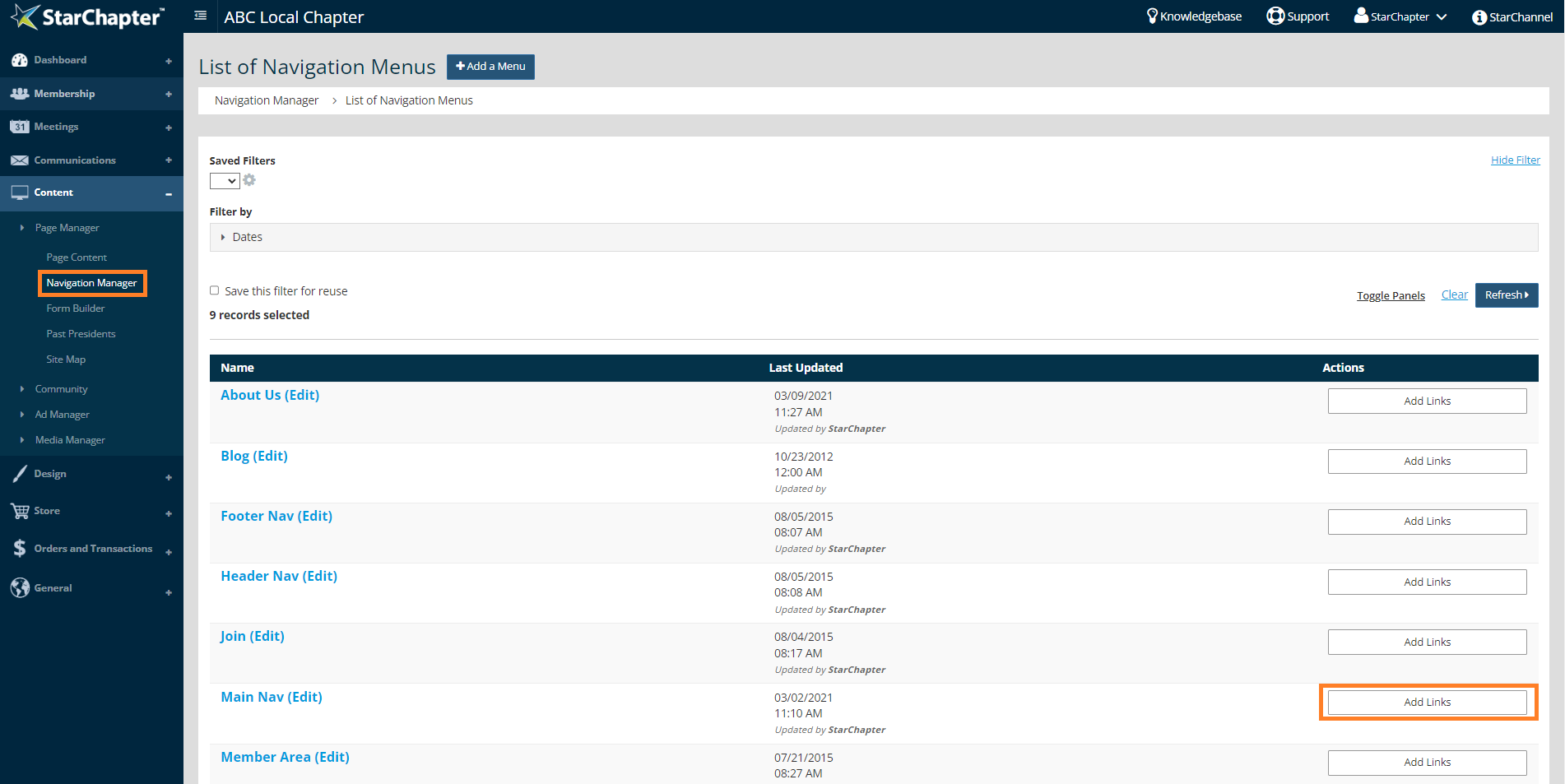
- Go to Content > Page Manager > Navigation Manager.
- Click Add Links next to the Main Nav menu.
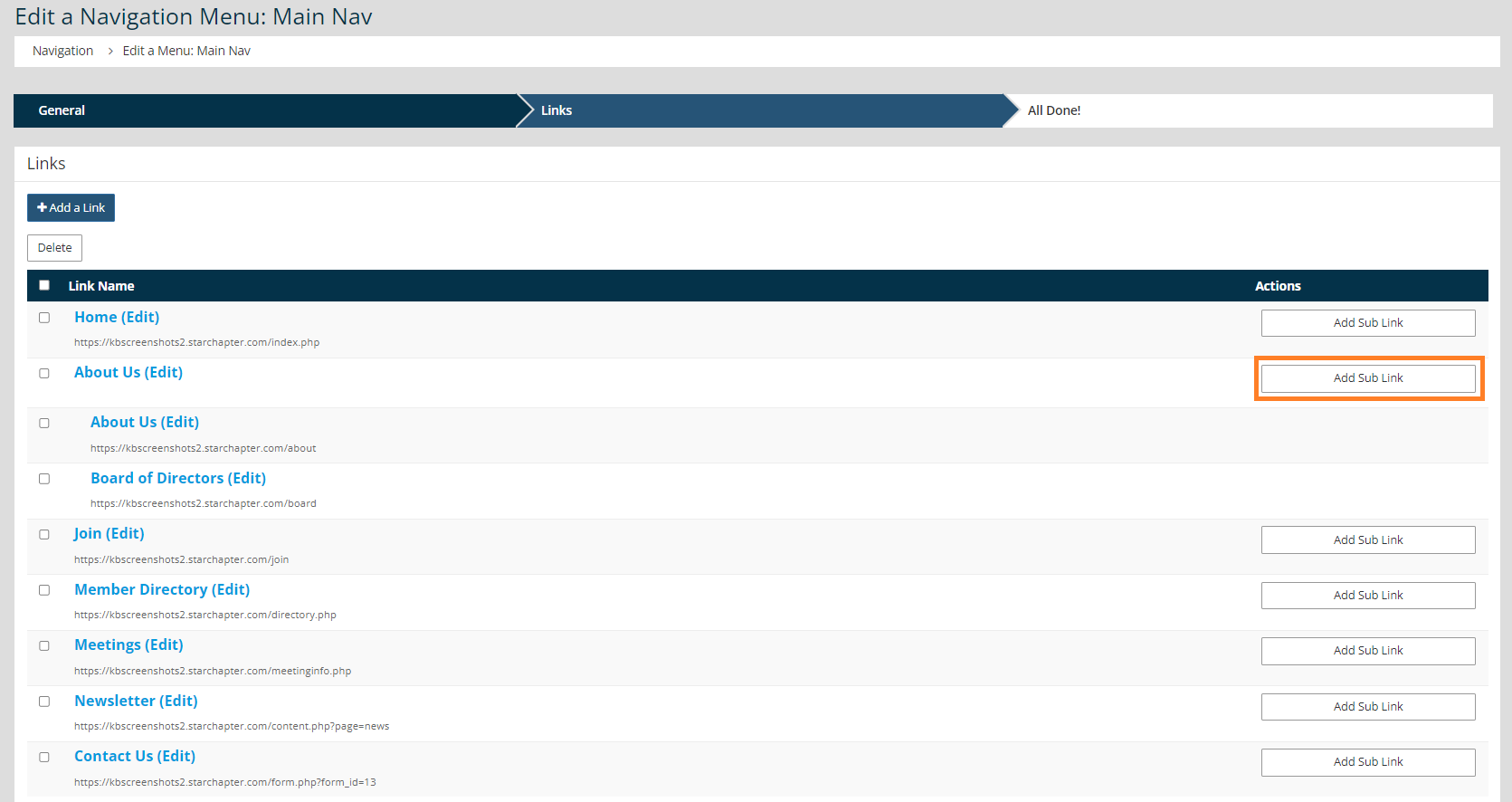
- Click the Add Sub Link button to the right of the link you want this to appear under.
- Choose whether the link is an "Internal Link" or an "External Link."

Tip: Internal links are created and managed in StarChapter while External links are to content managed outside of your StarChapter system, specific documents managed within StarChapter, or specific catalogs managed within StarChapter.
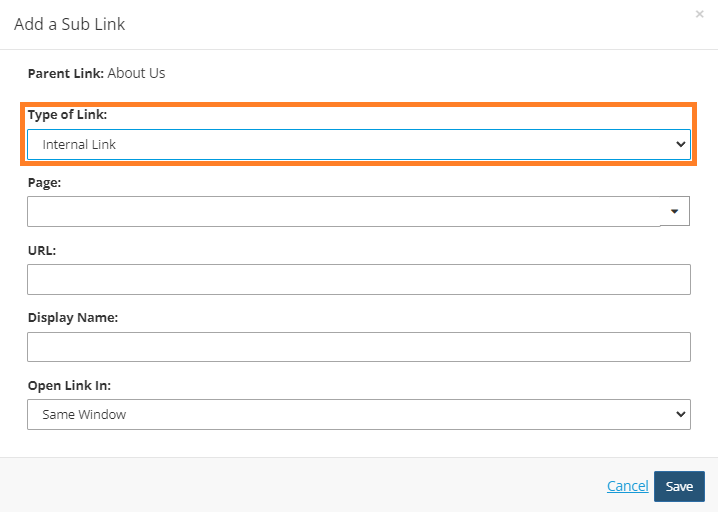
- If this is an internal link, type in the "Page Name," and select the appropriate page name from the generated drop-down list. If this is an external link, paste the URL into the URL field and enter a display name to appear on the navigation menu.
- Click Save.
- If you need to sort or rearrange your links, click Sort Links at the bottom of the table. Then, drag and drop the links to your preferred order and click Save.
- Click Next to finalize all updates to your navigation menu.





