
Add Text to a Form
Adding additional information to forms is useful if payment is due upon submission, if there is explanation needed to ensure that users understand the questions, or if disclaimers are needed. Sharing helpful information prior to form submission ensures that you receive more valuable responses and workflows are more easily maintained.
- Go to Content > Page Manager > Form Builder.
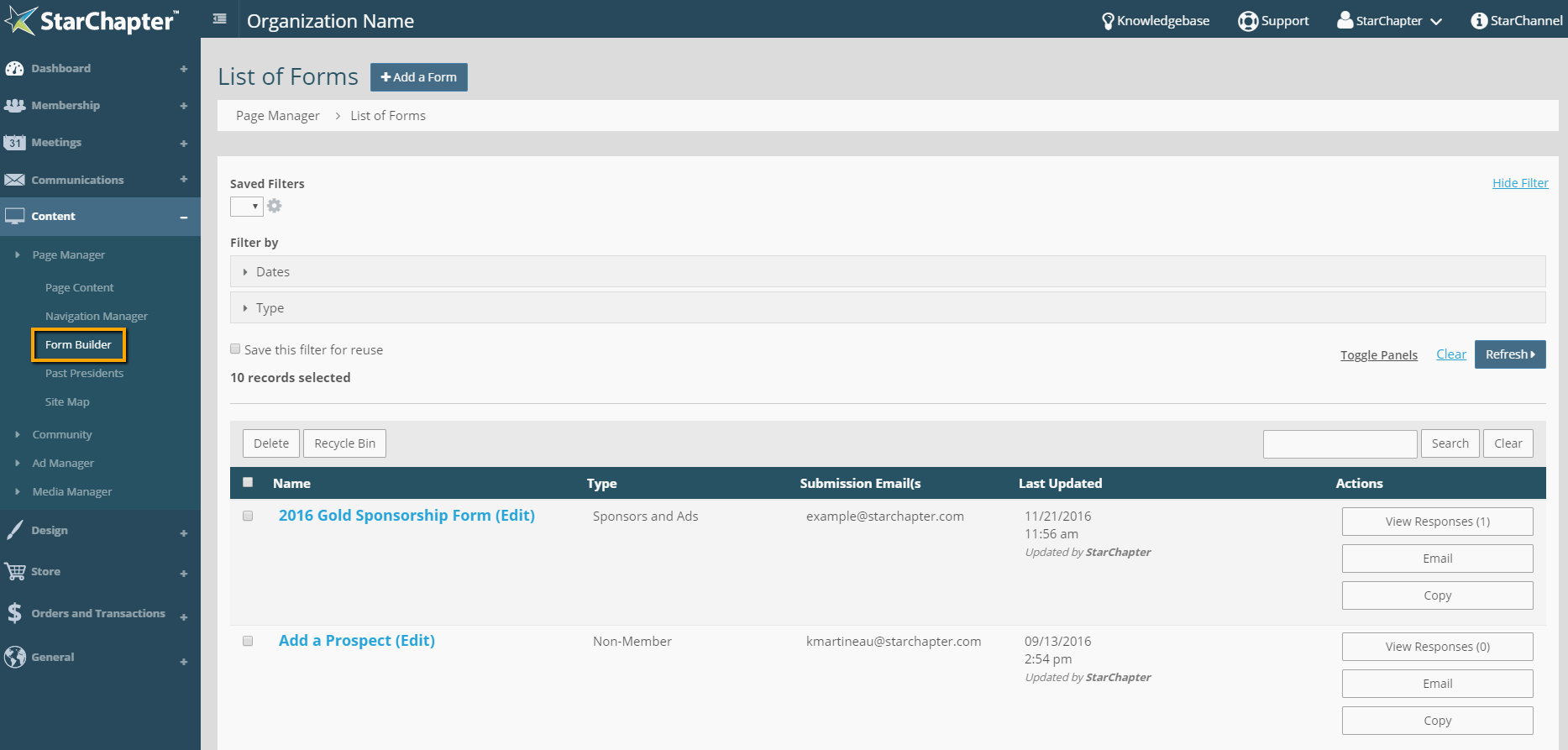
- Locate the appropriate form and click on the name to edit.
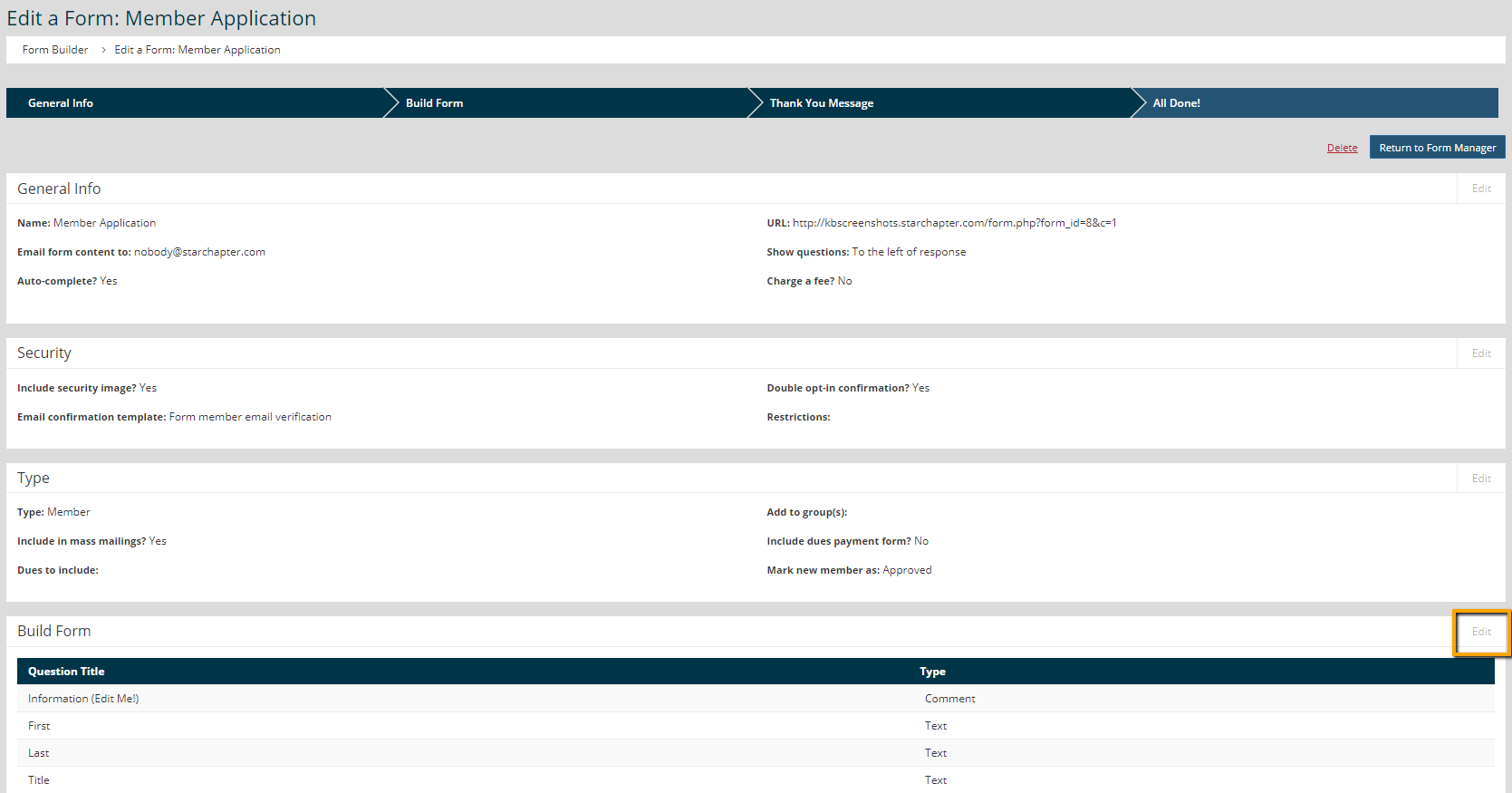
- Click Edit in the Build Form area.
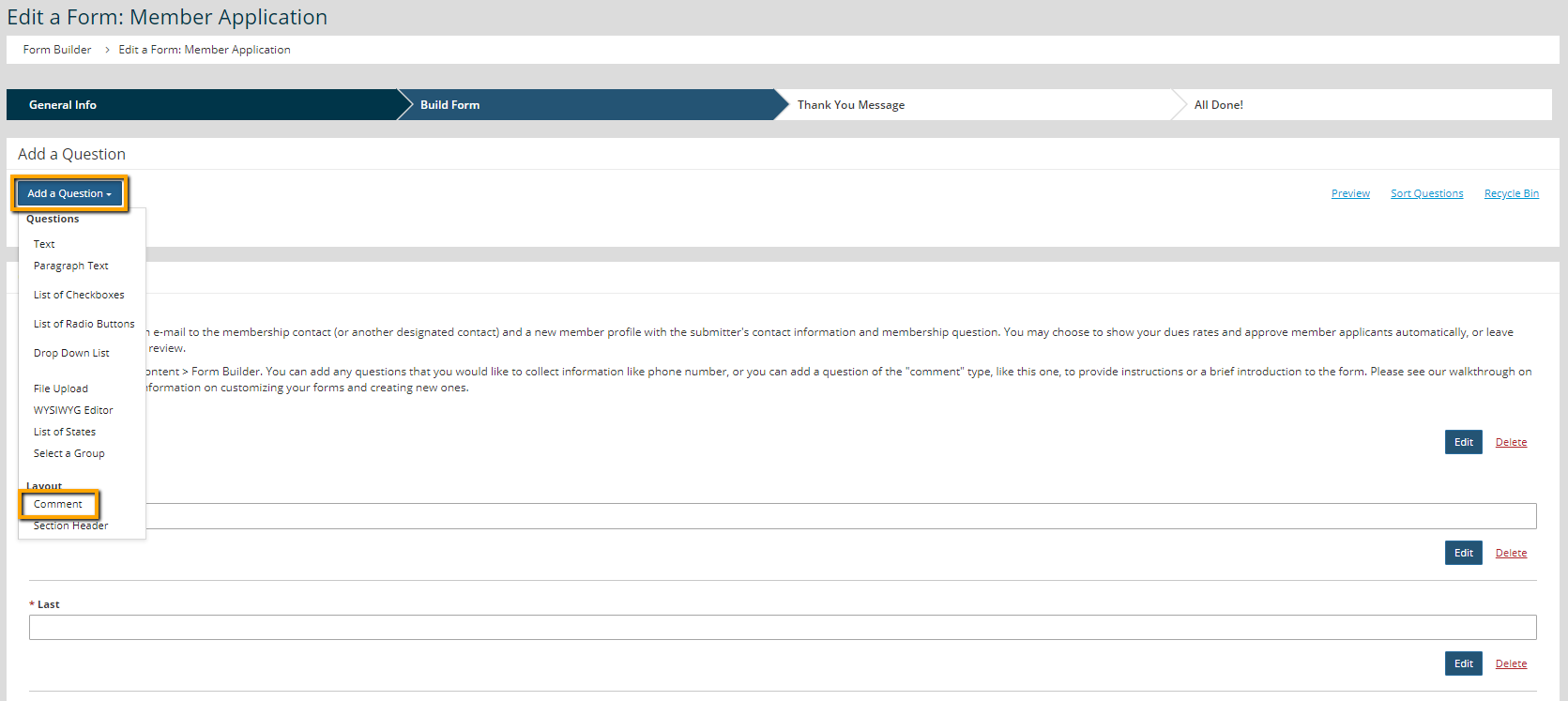
- Click Add a Question and select Comment.
- Add a "Comment title" (will not be visible to users) and a "Comment" (text to be displayed on the form.)
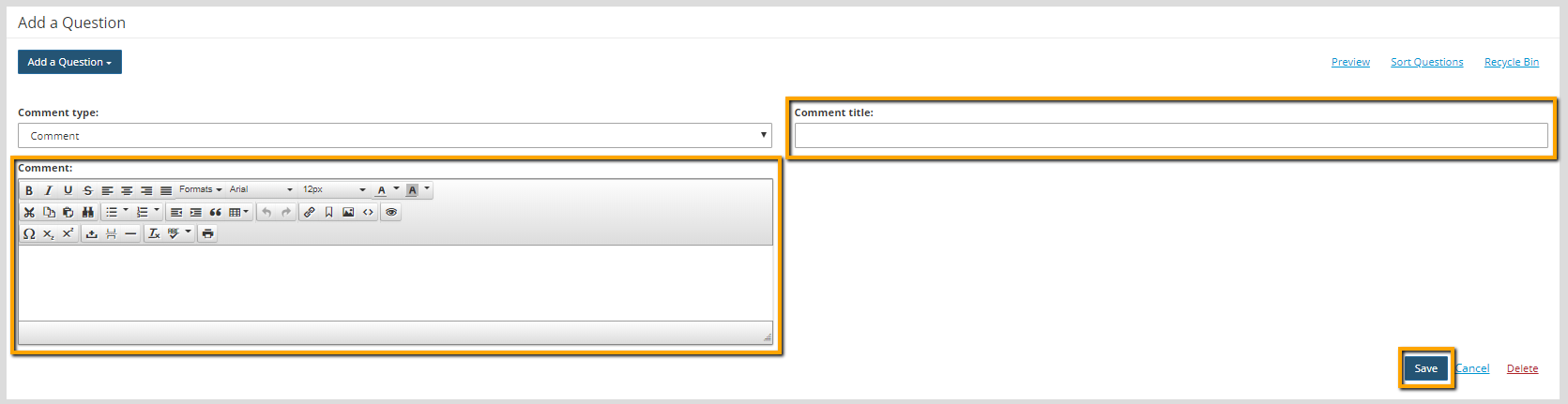
- Click Save. The comment will be added to the bottom of the form.
- Click Sort Questions to drag/drop the new comment into your preferred location.

- Click Close.
- Click Next to save all changes.





