You are viewing this design in preview mode. The design MUST be published to be live on your website.
    •   New Board Member?
    •   Support
    •   Video Library
    • Workflow Library
    •  Page Content Library
    •  Email Builder Content Library

    Knowledgebase

    • Home
    • > General
    • > Configuration
    • > Add Remittance Infromation to Invoices

    Add Remittance Information to Invoices

    To maintain consistency throughout all invoice templates in the system and make updates easy to manage, there is a single configuration setting that displays on all invoices. The text added in this setting will display at the bottom of all invoice templates. Any text can be added, but remittance information is recommended. Any information about specific board members that won't be valid after the board transitions is not advised.

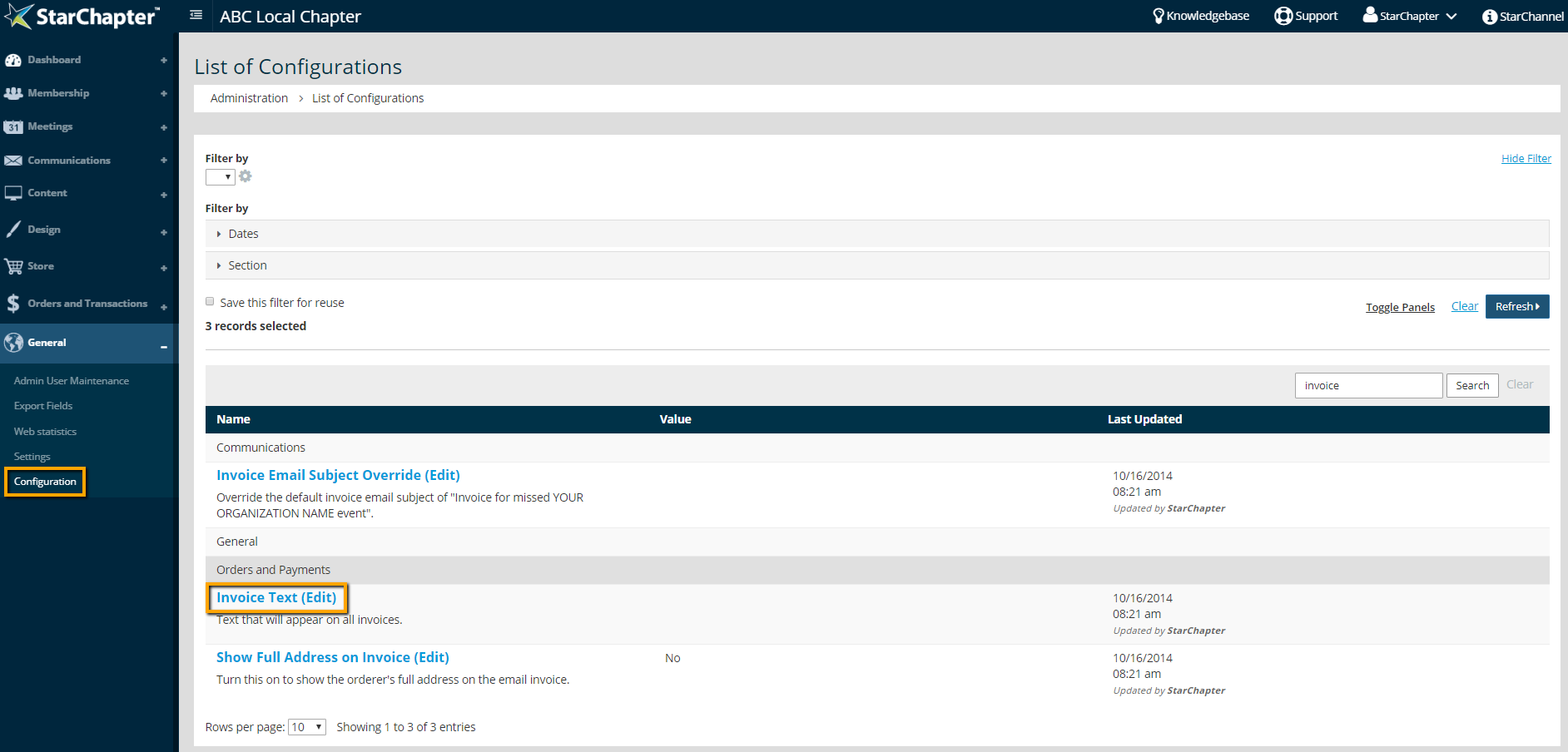
    1. Go to General > Configuration.
    2. Search for "invoice."

      System Configuration Settings

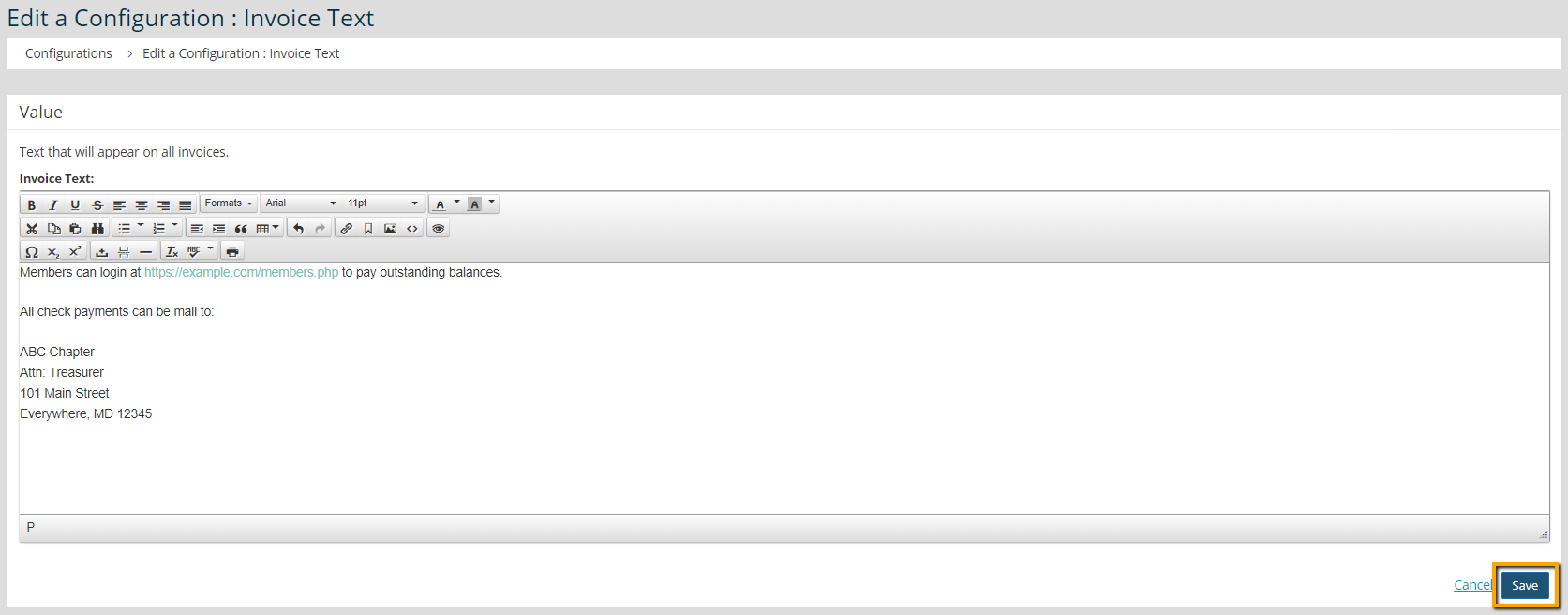
    3. Update the "Invoice Text" setting.

      Invoice Text Update

    4. Click Save.

    Chapter Insights

    Posted by [email protected] on 07/25/2018 3:25 pm  /   General

    5 ingredients for chapter success

    5 Ingredients for Chapter Success


    virtual chapter structure

    Setting Up a Virtual Chapter Structure That Delivers for Your Association


    General Blog Image - Why We Think Associations Are More Important Now than Ever Before

    Why We Think Associations Are More Important Now than Ever Before

    © 2026 StarChapter Software LLC All rights reserved.

    •  
      Board Training
    •  
      Services
    •  
      KB Home
    • Master Service Agreement
    • |
    • Privacy Policy
    . .