You are viewing this design in preview mode. The design MUST be published to be live on your website.
    •   New Board Member?
    •   Support
    •   Video Library
    • Workflow Library
    •  Page Content Library
    •  Email Builder Content Library

    Knowledgebase

    • Home
    • > General
    • > Configuration
    • > Add Google Analytics Code

    Add Google Analytics Code

    Google Analytics and most JavaScript snippets are added to the header area of your system.

    1. Go to General > Configuration.
    2. Search for "Header Tag Code."
    3. Click on Header Tag Code to open that configuration option.
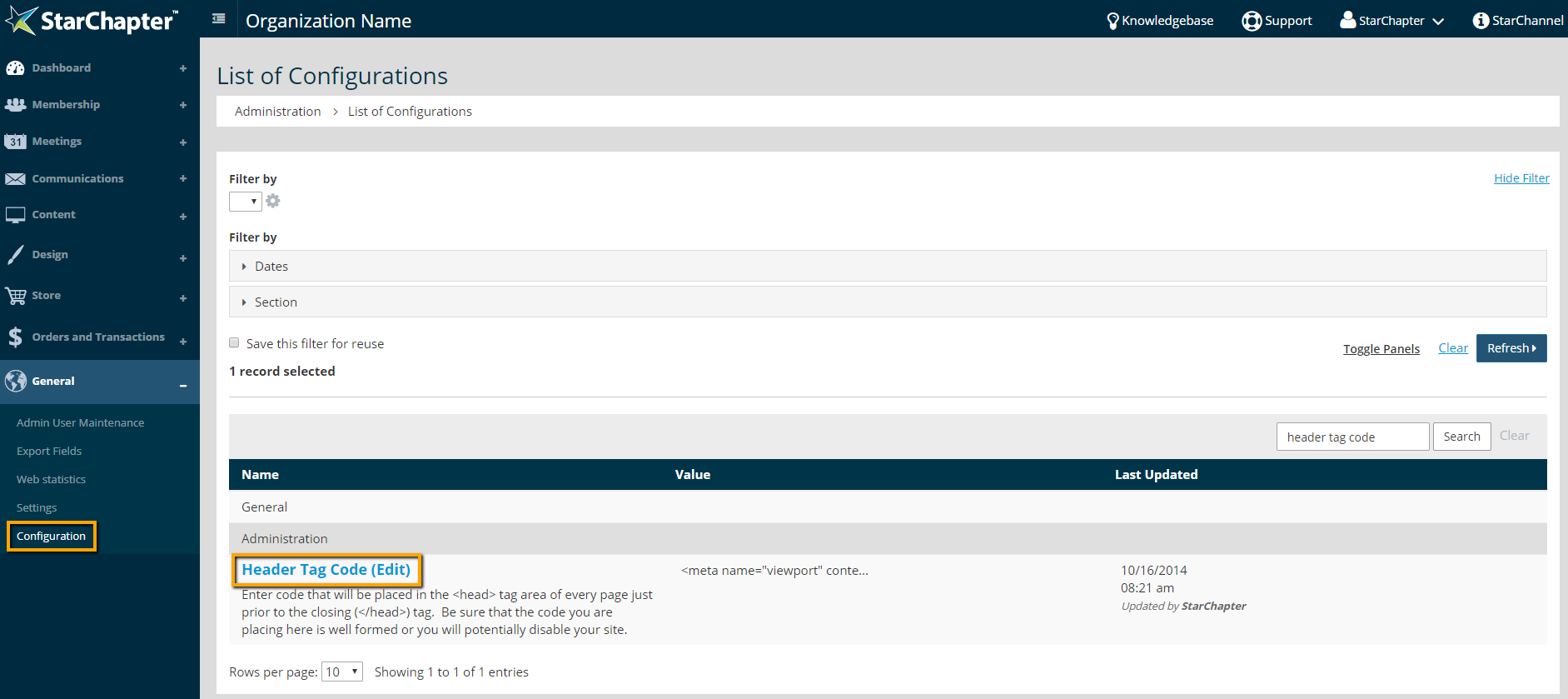
      location of header tag code

    4. Paste the code as received from Google into the value field.
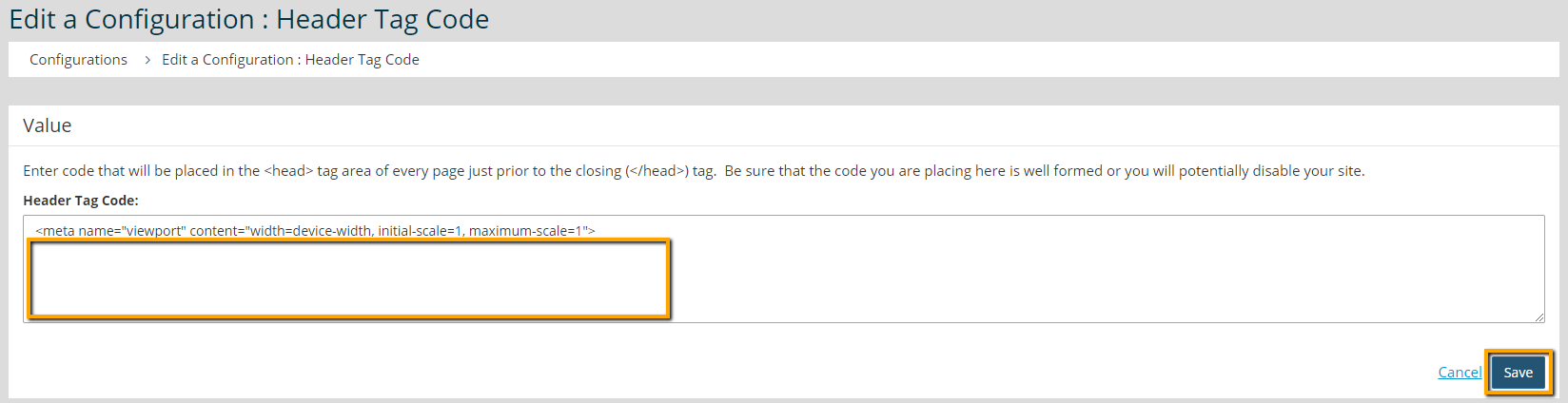
      script box for header tag code

      Tip Icon

      Tip: Enter the code below the meta name code snippet. Deleting the meta name code removes the responsive elements of the service for the website.

    5. Click Save.


    Chapter Insights

    Posted by [email protected] on 07/25/2018 3:25 pm  /   General

    5 ingredients for chapter success

    5 Ingredients for Chapter Success


    virtual chapter structure

    Setting Up a Virtual Chapter Structure That Delivers for Your Association


    General Blog Image - Why We Think Associations Are More Important Now than Ever Before

    Why We Think Associations Are More Important Now than Ever Before

    © 2026 StarChapter Software LLC All rights reserved.

    •  
      Board Training
    •  
      Services
    •  
      KB Home
    • Master Service Agreement
    • |
    • Privacy Policy
    . .